TL;DR
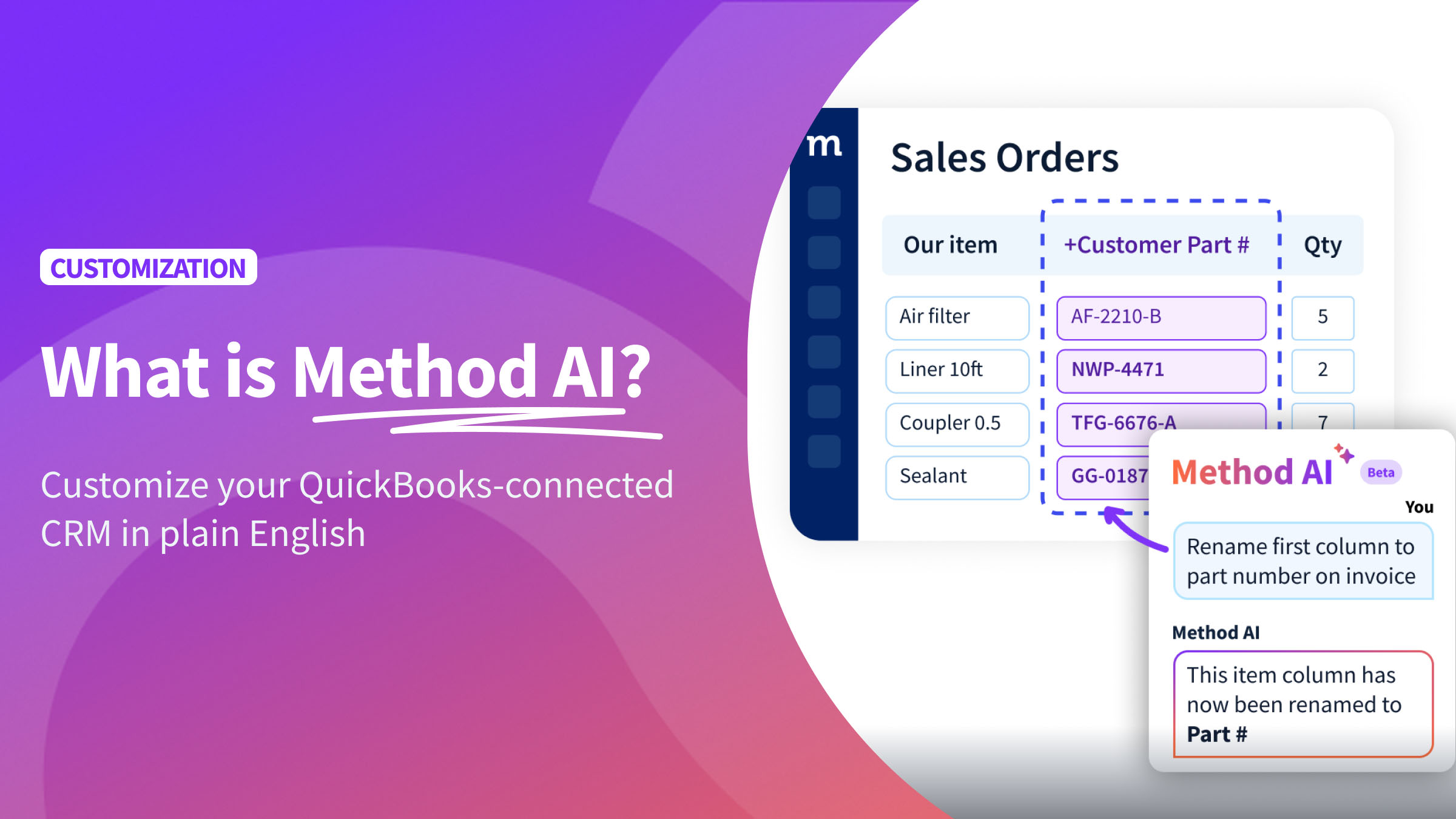
- Method AI is the AI assistant built into Method CRM. Use plain-English requests to make changes to your CRM or ask it to explain screens and actions.
- Customization becomes a conversation. Changes cover fields, layouts, and list views. Capabilities depend on the screen and tool you’re using.
- Method AI works inside Method. It shapes the CRM that runs alongside QuickBooks, and QuickBooks keeps handling your accounting.
- Customize your CRM and the actions behind it. Method AI helps you make everyday adjustments, build and refine screens, and understand or update the steps that control how they work.
- Start with one request and check the result. Read the walkthrough below, or see Method AI in action.
A new way to shape the CRM you already use
Your sales team wants to see its biggest estimates first. Your list shows every estimate in the order it was created. The fix is small, and it still sits on someone’s to-do list for weeks.
With Method AI, you have a tool to close that gap. Method AI is available inside Method CRM, so you can describe a change in plain English and see it appear. It works alongside Method’s existing customization tools, with access rolling out in stages.
What is Method AI?
Method AI is the AI assistant built into Method CRM that helps you understand your CRM and make changes through plain-English requests. It gives you a conversational way to adapt the customer and operational system your business runs alongside QuickBooks.
Instead of searching through settings, learning how to use the customization builder, or submitting a request for every small adjustment, you can simply describe what you want to change. For example, you might ask Method AI to rename a field, adjust the columns in a list, add a dropdown, or reorganize a screen so your team can find the information it needs.
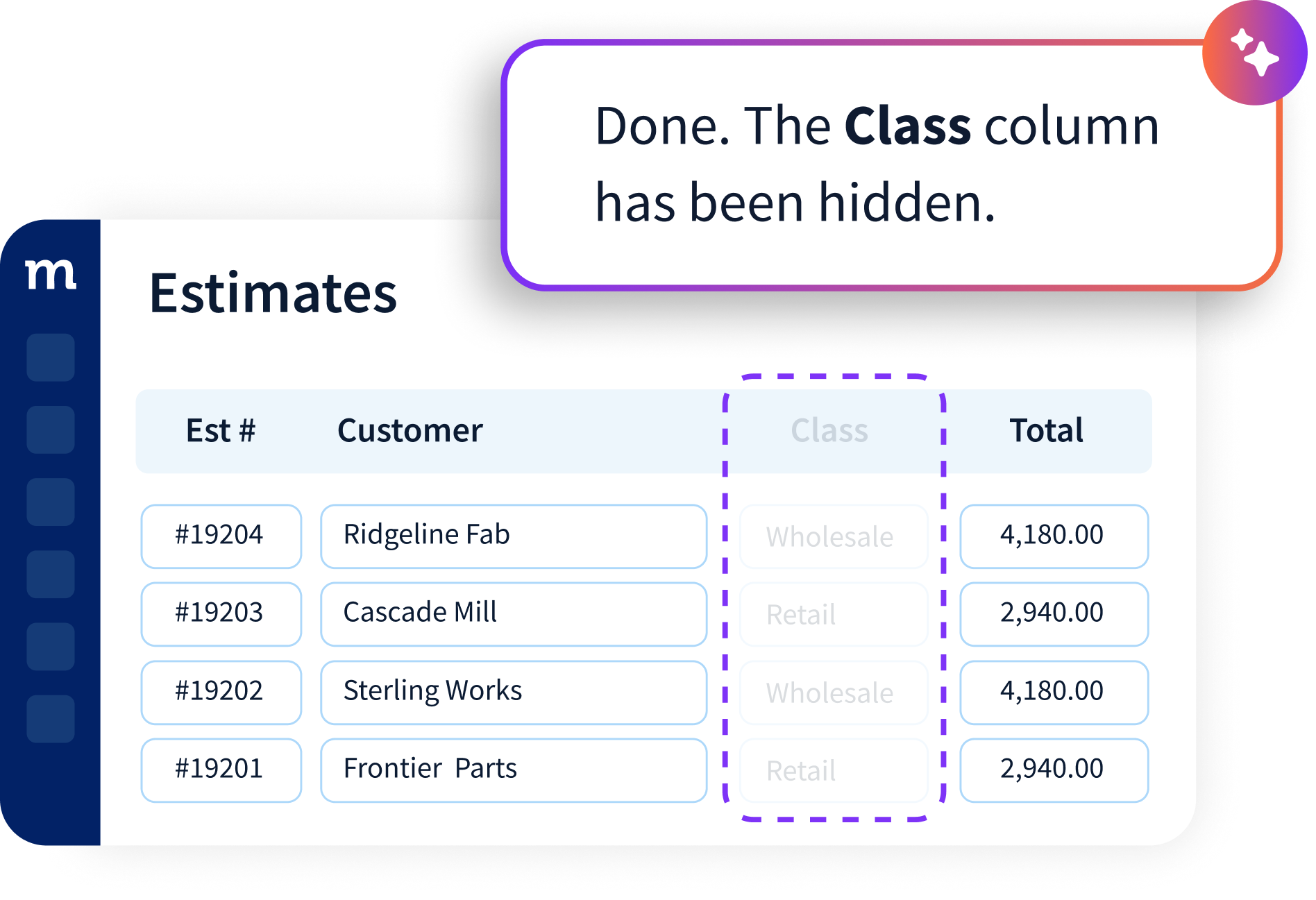
You can also ask questions about your existing CRM setup to better understand how things work before making changes. The goal is to give the people who use Method more control over their experience, without requiring technical knowledge for every adjustment.
Method AI works within its supported capabilities, so more complex customizations may still require the traditional builder or support from Method’s team of experts.
What can you do with Method AI?
Method AI helps you change how your Method CRM screens and lists look and work, and explains how your current setup works. You can ask questions without changing anything, or ask it to make a change for you.
Two modes: Ask and Build
Choose a mode from the dropdown before you type.
Ask explains the screen or action in front of you.
Build makes the change you describe, such as adding a field to a screen or creating a filtered list view.
What you can change
Lists: Create filtered and sorted views, and choose which columns show. You can do this straight from the list screen you’re using.
Screens: Add, hide, rename, or rearrange fields and controls. For bigger changes, work on a draft first and publish it when it’s ready, so your team can keep working in the meantime.
Buttons and workflows: Ask what happens when someone clicks a button, and edit the steps behind buttons and workflow automation.
Method AI operates inside Method. Your CRM handles leads, estimates, orders, and customer records, while QuickBooks continues to handle accounting. Method’s existing two-way sync connects the two systems.
Changes to screen layouts, list views, and Method-only custom fields happen within Method; they don’t customize QuickBooks itself. Changes to information that normally syncs, such as invoice details, still follow Method’s existing QuickBooks sync.
Method AI is also separate from Method’s API. If you want to query your Method data from an LLM like Claude or ChatGPT, that’s a different setup, covered in our guide on how to connect Method CRM with Claude and in the help article on using an AI assistant with Method’s API.
Want to get a glimpse of Method AI in action? Check out our Method AI webinar.
From a plain-English request to a customized CRM
Let’s use one complete request as an example, start to finish, on the Estimates list screen.
The need: The sales team wants to review larger estimates without scrolling through the full list every morning.
The request: The sales manager types:
“Create a view called High-value estimates that shows estimates over $20,000, sorted from highest to lowest.”
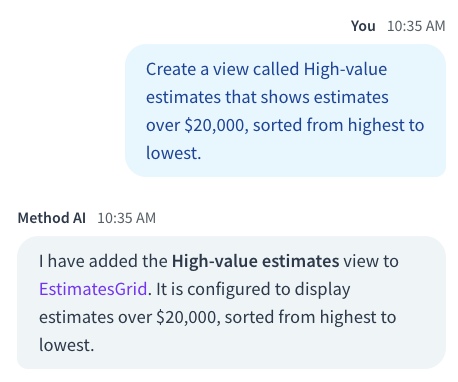
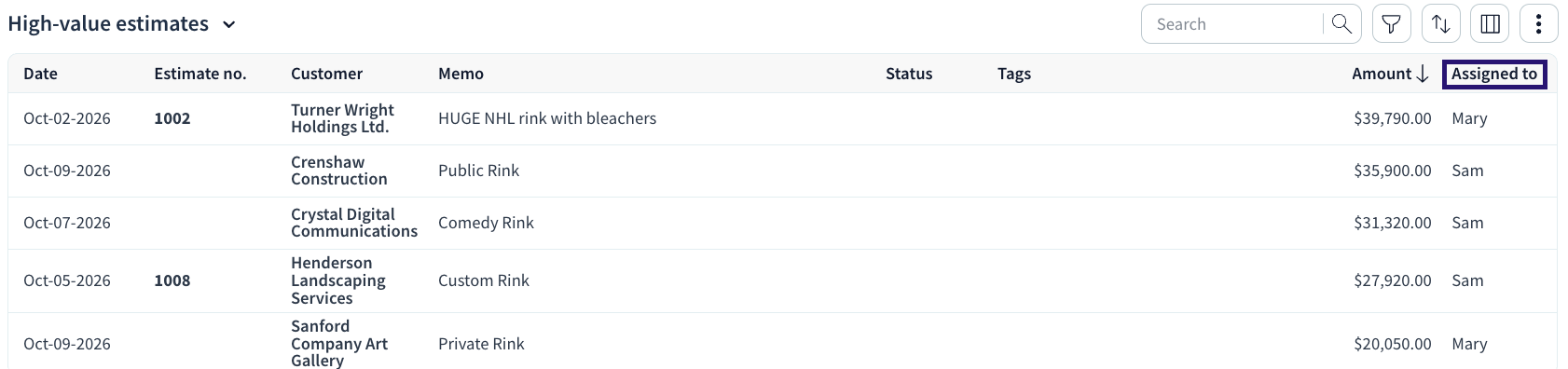
The change: Method AI creates the High-value estimates view. It filters out every estimate at $20,000 or below and puts the largest amount at the top.

The check: After creating the view, open it and look through the records. Confirm that no amounts of $20,000 or less appear and that everything is sorted from highest to lowest. The results on your screen are what you should rely on.
The refinement: With the view confirmed, the manager follows up with one more request:
“Add the ‘Assigned to’ column to High-value estimates.”
In turn, you’re left with a focused list of larger opportunities and the person responsible for each one, created through two plain-English requests.
Why we built Method AI
The bigger a business gets, the more likely its teams are to have different ways of working. The differences might be small, but they can make everyday software harder to use.
Often, that means extra searching, separate spreadsheets, and screens cluttered with information that isn’t relevant to the task at hand. These workarounds can become so routine that nobody questions them.
Method has long supported customization so businesses can adapt their CRM to how they work. We built Method AI to make adjustments more accessible through conversation. Instead of first learning how to make a change, you can start by describing what you need.
The goal is to give the people who use Method every day a more direct way to shape it around their work.
“Customers know the small changes that would make their day easier,” Nelson De Miranda, Method’s Director of Sales and Professional Services, said. “We built Method AI to help them act on that knowledge. Now, they can describe what they need and make those changes in the CRM they already use.”
How to try Method AI
Existing customers: Choose one screen and one clear adjustment, then make the request and check the result. The Method Help Center has current instructions. Want to compare notes with other users? Share what you built in the r/MethodCRM community.
New to Method? Method AI is included in your subscription at no extra charge during beta, and trial accounts can use it too. Start a free trial or see how other teams use Method.
Some changes need more than a sentence. For more complex processes, Method’s customization experts can help.
Frequently asked questions
No. Requests use natural language, so you describe the change the way you’d explain it to a coworker. More involved changes, such as multi-step logic, may still require familiarity with Method’s builder tools or help from a Method expert.
No. Method AI customizes Method CRM. QuickBooks stays your accounting system, and Method’s existing integration keeps the two in sync. A new custom field you add in Method lives in Method, and it won’t automatically map to QuickBooks. Talk to your Method expert if you need a value to reach your books.
Yes. How you undo it depends on where you made the change. For everyday adjustments to a live screen, you can undo your most recent change or reset the screen’s customizations. When working on a draft, you can discard it before publishing.
Method AI is built for customization. You describe a change to your Method CRM screens or lists in plain English, and Method AI makes it. It works inside Method CRM, which runs alongside QuickBooks. For side-by-side comparisons, see Method AI vs Salesforce Agentforce, Method AI vs HubSpot Breeze, and Method AI vs Zoho Zia.