Before you budget for a custom CRM, explore how Method CRM can fit the way your business works. Use Method AI to make everyday CRM changes in plain English, or work with Method’s customization team to scope and price more involved work.
If the platforms you’ve evaluated still can’t meet your requirements, building your own CRM may be the right choice. Plan for both development and ongoing maintenance. This article walks you through comparing workflows, QuickBooks integration, total costs, and the support you’ll need as your business evolves.
TL;DR
- Start with what Method already offers: Identify which needs its existing features cover and where customization would help.
- Choose how to customize: Use Method AI for everyday changes, and budget for paid expert services when your requirements need more involved work.
- Check the complete workflow: Look beyond CRM screens to account for QuickBooks integration, user permissions, missing information, and handoffs between team members.
- Compare the full costs: Factor in setup, subscriptions, services, ongoing support, and future modifications.
- Know what support looks like: Find out who can help update and maintain the CRM as your business takes on new requirements.
Note: Method AI is rolling out in phases, so some of the features described here may not be available in your account yet.
Should you build your own CRM or customize Method with AI and expert help?
Choose Method CRM to tailor existing CRM features or build new apps and workflows around your business. Make everyday changes with Method AI, or work with our experts to bring your requirements to life.
Consider a standalone build when your core requirements exceed what the platforms you’ve evaluated can support through configuration or customization, and you have the budget and technical resources to develop and maintain your own system.
For many QuickBooks-based businesses, the first condition holds. Method already provides customer management, user permissions, and two-way QuickBooks sync, giving you a foundation to customize existing features and build new apps and workflows without starting from scratch.
Here’s how the two paths compare:
| Decision factor | Customize Method | Build a standalone CRM |
| Existing CRM capabilities | Customer records, leads, estimates, invoices, work orders, portals, and reports are in place from the start | You start from a builder’s defaults or a blank database |
| How custom changes are delivered | Method AI for everyday changes; Method’s customization team for scoped projects | Your developer, agency or AI app builder |
| QuickBooks integration | Built-in two-way sync with QuickBooks Online and Desktop | You build, host, and monitor the connection yourself |
| Initial implementation work | Configure, customize, and validate on your real QuickBooks data | Requirements, data model, development, integration, migration, and testing |
| Upfront and ongoing costs | Per-user subscription, plus optional services at published rates | Development fees, hosting, builder or API fees and maintenance |
| Support and future changes | Method supports the platform; custom work follows your services agreement | Whoever built it, or whoever you hire next |
Within Method, you have two routes to a CRM that fits:
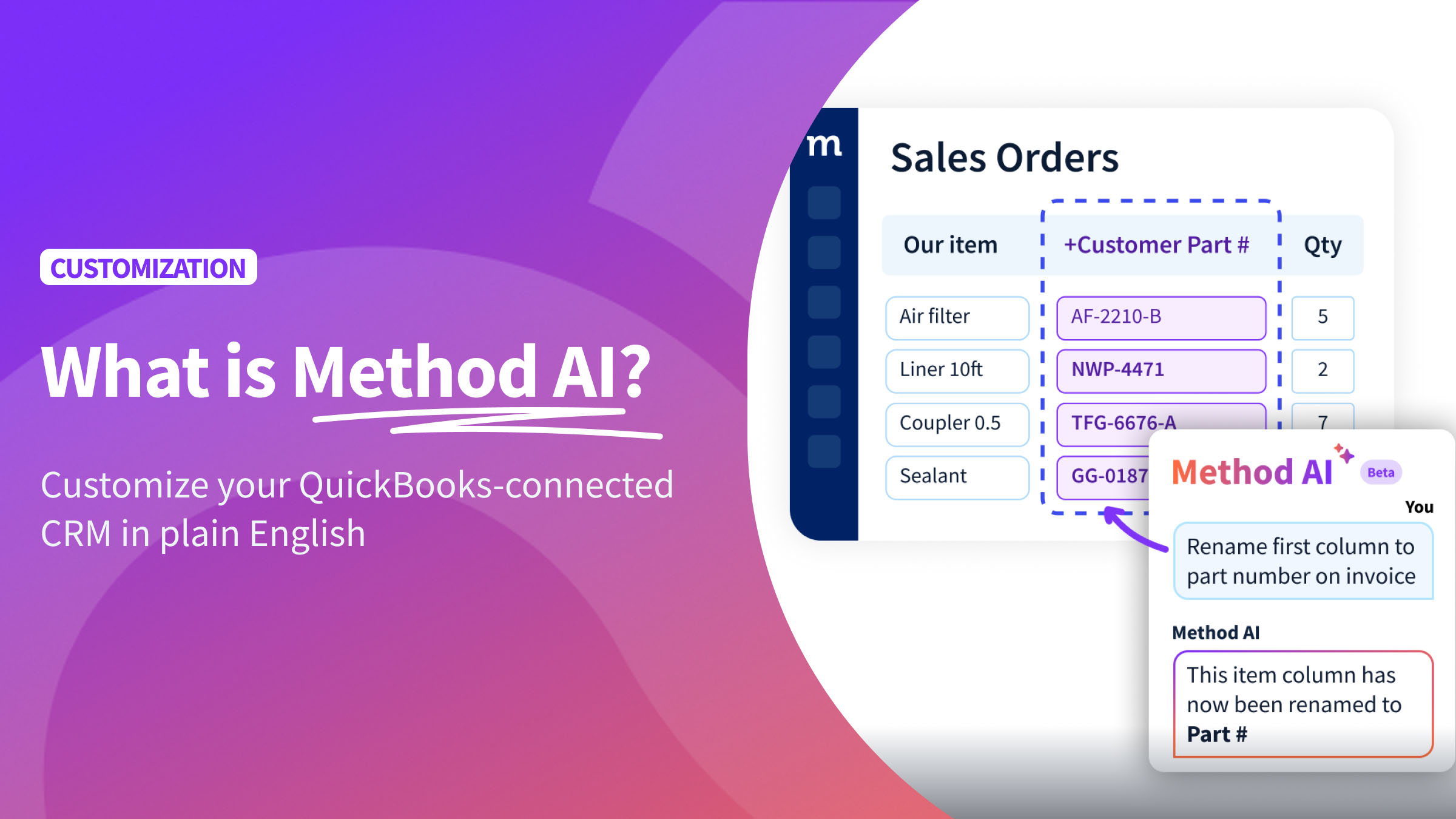
- Customize with Method AI: Describe a change in plain English and Method AI makes it happen inside Method CRM. That covers items like fields, layouts, dropdowns, checkboxes, columns, and labels.
- Work with Method’s customization team: Experts scope and build more complex screens, business rules, workflows, and integrations within the platform. Your first hour is free, and after that it’s $175 per hour, or $325 per month on a yearly dedicated plan.
Can Method’s customization team address your requirements without rebuilding the CRM?
In most cases, yes. If a requirement goes past what Method AI supports today, assess it against Method’s platform and services before you conclude that you need a standalone CRM.
The track record supports that order of operations. The Method CRM team spent 24,572 hours customizing CRMs in 2025, and over half of customer requests ship in less than a day.
Which parts of your process already exist in Method?
First up, map out your standard business operations and compare each step with what Method already offers.
Here are four good places to start:
- Customer records: Contacts, companies, notes, and transaction history in one place.
- Sales processes: Create and manage estimates, sales orders, and invoices connected to QuickBooks.
- Workflow automation: Automate steps such as creating a work order or task after an estimate is accepted.
- Customer portals: Let customers review and approve estimates and make invoice payments online.
Label each item as “exists,” “needs configuration,” “needs customization,” or “gap.” Only the true gaps belong in a build-versus-customize conversation.
Which changes need Method AI, and which need expert scoping?
Here’s how Tax Office SF combined Method CRM’s existing features with expert customization:
- The business requirement: The firm, which files roughly 1,500 returns a year, ran billing on handwritten ledger cards. Its previous CRM connected to its tax software, but not to QuickBooks.
- What already existed: Method’s QuickBooks-integrated invoicing, centralized client records, and cloud access for a remote team.
- What the team built: Workflow screens, custom reports, and billing and client segmentation tools, built with Method’s services team.
- What needed validation or more scoping: The rollout started with billing, where the pain was greatest. Onboarding, task tracking, and document storage came next, and Method’s team built features such as advanced cash flow reporting.
As Aaron Phillips, Partner at Tax Office SF, put it, “We’ve worked with [Method’s] staff to help build and deploy just what we needed.” Invoice prep dropped from 20 minutes to under two.
If they started today, a renamed label or a new client field could go to Method AI.
When do essential requirements justify a standalone build?
Building your own CRM might make sense if you’ve looked at the available options and none can do what your business needs. Maybe your data has to stay in a specific environment, or your system needs to manage something other than customers, transactions, or jobs. Just make sure you have the budget to build and maintain it.
It also matters what you’re building. An internal operational tool supports how your team works. A software product you sell to customers is a business asset, and owning its code can be worth the cost.
Specialized requirements alone don’t prove that Method can’t support them.
J.P. Cooke Company needed its old QuickBooks Desktop statement layout rebuilt after moving to QuickBooks Online, plus a TaxCloud sales tax integration and a ShipRush shipping connector. Method partner Marwan Dajani, of Alef Team Business Solutions, built all three. He also connected their WooCommerce store, which cut sales order entry from two days a week to two hours.
What do you need to build beyond CRM screens?
Take a simple process: a sales rep finds a customer, creates an estimate, and hands it to an operations coordinator to schedule the job.
That process needs four components:
- Customer records: Where customer details, notes, and transaction history are stored, and how duplicates get caught.
- Access permissions: Who gets access to what information. Your sales team might need to see pricing, for example, but your field crew may not.
- How work gets done: What happens when an estimate reaches the coordinator, especially if important details like a PO number or site contact are missing.
- Moving your data: How you’ll bring over customers, outstanding estimates, and invoice history without ending up with duplicate records.
- For Method: Most of this already exists. Your job is to identify what needs customization through Method AI or the customization team, then test it on your real data.
- For a DIY CRM: Plan how you’ll build and maintain each component, including customer records, permissions, workflow rules, and data migration. Account for what happens when information is missing or duplicated, and test the complete process with the people who will use it.
How does a QuickBooks integration change the decision?
For a QuickBooks-based business, the accounting connection is significant. Method’s existing two-way integration with QuickBooks Online and QuickBooks Desktop gives you a connected foundation to customize. Building and maintaining a reliable integration can add substantial development work.
Who maintains the QuickBooks connection?
Include integration maintenance in your comparison. With a standalone CRM, establish who will investigate failed updates, restore disconnected accounts, and prevent duplicate records when retrying a sync.
Method maintains its existing QuickBooks integration, and its support team can help troubleshoot connection and sync issues.
What does building vs. customizing a CRM cost upfront and over time?
What belongs in the initial implementation budget?
Budget for every stage, whichever path you choose:
- Requirements: Process mapping and a written scope.
- Configuration or development: Setup in Method, or code in a standalone build.
- Scoped customization services: Expert hours for work past Method AI’s current support.
- Integration and migration: The QuickBooks connection and your existing data.
- Testing and training: Real transactions run end to end, plus time for your team to learn the system.
Method’s plans start at $35 per user for Quick Start, $59 per user for CRM Pro, and $97 per user for CRM Enterprise (10% off with annual prepay; 25% off for the first 3 months with 3+ users). Services are billed separately at the published rates above.
Five users on CRM Pro at $59 per user per month cost $10,620 over three years on monthly billing. Add 20 hours of scoped customization at $175 per hour ($3,500), and the three-year total comes to $14,120.
For a DIY build, compare developer or agency fees plus builder and infrastructure costs. Development agencies typically estimate a basic custom CRM at $30,000 to $60,000, with an accounting integration like QuickBooks adding $5,000 to $15,000 or more. On top of that, plan for 15% to 25% of the build cost each year in maintenance.
What expenses continue after launch?
Don’t forget to factor in the costs that continue after your CRM is up and running:
- Subscriptions: Monthly or annual fees for Method or your chosen app builder.
- Hosting and infrastructure: The servers, databases, backups, and security updates needed to run a standalone CRM.
- Monitoring and support: Someone to check that QuickBooks is syncing properly and help your team troubleshoot issues.
- Maintenance: A common range to plan for is 15% to 25% of the original development cost per year.
- Additional changes: New fields, reports, and workflows as your team grows.
Check what each contract already includes. Method’s subscription covers hosting, platform updates, and the QuickBooks sync, while a development contract may end at launch.
How should you compare costs for the same requirements?
Use the same template for both options. Separate upfront costs, recurring costs, and future change requests.
| Cost line | Customize Method | Build a standalone CRM |
| Scope, users, and currency | Same written scope, same user count, same currency | Same written scope, same user count, same currency |
| Upfront: setup or development | Configuration time and scoped service hours | Developer or agency quote |
| Upfront: integration and migration | Included sync; migration help if needed | Quoted QuickBooks integration and migration scripts |
| Upfront: testing and training | Team time | Team time plus developer test cycles |
| Recurring: platform | Per-user subscription | Hosting, builder plan and any Intuit API fees |
| Recurring: support and maintenance | Included platform support; optional dedicated plan | Retainer or internal developer time |
| Future change requests | Method AI, or quoted hours | Quoted per change |
Who supports your CRM after launch?
What support comes from the platform provider, project team, and your business?
Assign every area to a named owner before launch:
| Area | Customize Method | Build a standalone CRM |
| Infrastructure | Method | Your hosting provider or developer |
| Platform updates | Method. With Method’s new building experience, customizations to existing apps stay in place through app updates. | Your developer or agency |
| Custom behavior | Method’s team or partner, per your services agreement | Your developer or agency |
| Permissions | Your admin, with Method support | Your admin and developer |
| QuickBooks integration | Method’s sync and support team | Your developer |
| Recovery | Method’s security and backup program | Whoever you contract for backups and restores |
How will support continue if the person who built it leaves?
Think about what happens if the person managing your CRM leaves, and plan for it from the start.
Ask these four questions:
- Documentation: Is everything written down, including the data model, workflows, and integrations?
- Access: Does your company control the admin accounts, code repository, hosting, and Intuit developer app?
- Handover: Does your agreement include time for a proper transition?
- Replacement expertise: How long would it take another developer to understand the system?
How will your CRM adapt as your business changes?
How will you add new fields, processes, and team requirements?
Picture a common growth step. Your sales team doubles, and estimates over $10,000 now need a manager’s approval before they go out.
With Method AI, you can add an approval field to your estimates. For example, you could add a dropdown to track approval status or a field to record who approved an estimate. You can also stop unapproved estimates from being sent until they’ve been signed off.
In a standalone CRM, the work depends on how the system was built. Some changes may be configurable, while others require development, testing, and deployment.
Who will help you make more involved changes?
Use these five questions to see which option makes the most sense for your business:
- Can you get help within a few days, or will you need to wait for someone to take on the project?
- Will the person already be familiar with your system, or are they starting from scratch?
- Who writes down what’s needed and confirms the requirements before work begins?
- Do you know what you’ll pay, or will you need to request a quote each time?
- Who tests the changes using real data and confirms that QuickBooks still syncs correctly?
Which approach fits your requirements and your capacity to support it?
| Situation | Recommended next step |
| Existing Method capabilities cover the requirement | Configure and validate the existing functionality |
| A required change is supported by Method AI | Request the change and check the result |
| More involved requirements fit Method’s platform | Scope a project with Method’s customization team |
| Core requirements exceed evaluated platforms and support is funded | Assess a standalone CRM build |
| Scope or ongoing responsibility is unclear | Resolve these before committing to implementation |
Review your requirements with Method’s team to identify what already exists, what you can customize with AI, and what would require a scoped customization project.
Frequently asked questions about building vs. customizing a CRM
Yes, but it’s best suited to a basic internal tool. An AI app builder can help you create the screens and database, but the rest is still up to you. That includes managing your data, setting permissions, hosting the app, connecting QuickBooks, and fixing problems later.
If what you really want is a CRM that fits how your business works, you may not need to build one at all. Method CRM comes with the database, hosting, permissions, and QuickBooks sync already in place. Method AI then lets you customize it by describing the change you want in plain language, with no developer needed.
Include these six items:
Your process: Each step from lead to paid invoice, with the people involved.
Records: Every record type and the fields each one needs.
Permissions: Who sees and edits what.
Integrations: Your QuickBooks edition, sync direction, and other connected apps.
Exceptions: What happens when information is missing or a record changes later.
Ownership: Who owns support, testing, and approval of changes after launch.
Yes. Start with the changes Method AI supports. Then, you can book the team when you need logic, workflows, or integrations. And remember, your first hour with an expert is free.
Before agreeing to a quote, make sure you understand what’s included and what isn’t.
Look for:
Scope: A clear description of everything the developer will deliver.
Hours and cost: How pricing works, what’s included, and what would lead to additional charges.
Testing: Who will test the CRM, which data they’ll use, and how you’ll confirm the work is complete.
Integration: How the QuickBooks connection will work and who takes care of it if something goes wrong.
Support after launch: How much help is included, when that coverage ends, and what additional support costs.
Ownership: Who owns the code and data, and who controls the administrator accounts.
Your CRM should fit your business today and be manageable as it grows. Before committing to a standalone build, explore what you can achieve with Method AI and expert customization. Base your decision on your workflows, the full cost, and who will support future changes.
Want to hear from other businesses that have made this call? Read Method customer reviews on the QuickBooks App Store or join the conversation in the Method community on Reddit.