Woman speaking on cellphone at desk with computer

Top 5 best customer management apps 2026

Find out what the best customer management app is this year and what it can do for your business. Pick the best one for you.

Top 5 best customer management apps 2026 Read More »

Customer management is a priority for small business owners and entrepreneurs. 

As we enter 2026, simple and user-friendly customer experiences are no longer a competitive advantage, but a level of quality customers expect from businesses. 

This is where a customer management app comes into play. This tool: 

  • Builds stronger customer relationships. 
  • Streamlines business processes.
  • Boosts your productivity. 

In this guide, you’ll explore the top business systems of 2026 and dive into what makes them stand out. Let’s get started!

What is a customer management app?

A customer management app is a component of customer relationship management software (CRM). 

It’s designed to help you manage your customer relationships by organizing contacts and tracking customer interactions and transactions to improve your customer journey and seize every opportunity. 

These apps are your secret to: 

  • Building meaningful customer relationships. 
  • Automating your processes.
  • Making data work for your business.

Benefits of a customer management app

A customer management app is your ticket to unlocking several key benefits for your business. Here are some of its advantages:

Automation and streamlining

A customer management app automates repetitive tasks, such as: 

  • Capturing data. 
  • Sending reminders. 
  • Requesting quote approvals. 

Automation speeds up your sales process and prevents tasks from falling through the cracks by increasing accountability and operational visibility.

Empowering teams: Boosting efficiency and productivity

With features that promote internal collaboration, a customer management app enhances team efficiency and productivity. Your sales team will appreciate a simplified workflow that helps prioritize tasks based on customer needs to prevent juggling dozens of tasks at once.

Building meaningful customer relationships

A customer management app facilitates meaningful customer relationships. This tool personalizes customer interactions by centralizing data to meet specific needs and strengthen your engagement strategies.

Insights and analytics: Making data work for your business

Data means nothing without the proper tools to measure and analyze it. A customer management app provides actionable insights from data analytics and reports, and enhances customer engagement strategies, letting you make data-driven decisions.

Sales performance enhancement: How automation and tracking tools contribute

Watch your sales soar as you use automation and tracking tools to: 

  • Move potential customers through the sales pipeline. 
  • Manage leads and paying customers.
  • Monitor your sales reps’ performance. 

You leave no opportunity on the table when you implement automation tools like email tracking. They let you identify potential customers’ behavior and offer them exactly what they’re looking for at the perfect moment.

Optimizing lead conversion rates

A customer management system offers a 360-degree view of each customer’s journey, which helps manage customer life cycle effectively and ensures higher lead conversions. 

It also simplifies the lead-to-customer journey and enables real-time customer updates, letting you track every interaction with ease.

Boosting profitability through improved customer retention

A customer management app helps you retain clients, as it: 

  • Boosts sales performance.
  • Optimizes lead conversion rates.
  • Automates customer communications.

Nurturing leads is only one way to generate profits. Leveraging the revenue generated by your existing customers increases profitability.

Monitoring and measuring

A customer management app also simplifies reporting and analytics and enables performance metrics monitoring. It makes it easy to keep an eye on the health of your business with custom dashboards and real-time monitoring and measuring. 

This way, you always know where your business stands, so you can instantly change strategies that aren’t working and double down on profitable efforts.

Features to look for in a customer management app

Choosing the right app for your business is crucial. Here are some key features to consider during your selection process:

User experience matters: The importance of an easy-to-use interface

A system that eases user experience with intuitive interfaces ensures that your team can adapt quickly. This reduces the learning curve and implementation costs. 

A user-friendly interface ensures that your team can leverage all the features of your customer management software with confidence.

Cross-platform accessibility: Stay connected anytime, anywhere

With more of an emphasis on mobile functionality, cross-platform accessibility is now a must. You have to be able to navigate business activities from a mobile app or a web app with a friendly user interface design. This will help your organization stay connected and your team members collaborate efficiently.

A customer management tool supports cross-platform accessibility and facilitates seamless synchronization with other apps, which supports collaborative work environments. This makes data migration easier during implementation and enables external integrations with your:

  • ERP system.
  • Accounting software.
  • Email platforms.

Your team should be able to access your customer management app from anywhere, whether they’re on a desktop or phone, Android or iOS. 

The power of information: A comprehensive database of contact information

A tool that offers comprehensive contact information databases is essential for contact management as it helps you store contact details and track interaction history with customers and leads. Data is what will convert leads into customers and opportunities into projects.

A customer database management system helps you implement sales strategies and supports multi-channel communication efforts, such as marketing emails, cold calls, and other campaigns.  Analyzing the companies in your database to segment them by industries and customer type will also aid in the development of these strategies.

Best CRM software options

Now, let’s dive into your top customer management apps for 2026. 

Method CRM

Method CRM is the #1 CRM for QuickBooks and Xero users. It’s a popular choice for small businesses because of its friendly user experience design and robust customization options. Here’s what sets it apart:

  • User experience: Method offers an intuitive interface that’s easy for organizations to adapt to.
  • Customization: Customize your platform and adapt to business needs with personalization options like custom fields.
  • Multi-platform access: You can access Method from a number of platforms and mobile devices, ensuring you stay connected anytime, anywhere.
  • Integration: Method supports seamless third-party integrations and a two-way sync with QuickBooks and Xero. This software development supports your accounting processes while helping you close deals.
  • Customer portal: Method CRM simplifies your customer management process by enabling a portal for your customers to access payments, estimate approvals, invoicing, and more.
  • Resource allocation: The app facilitates efficient resource allocation and aids in tracking customer interactions by enabling real-time updates. Method CRM will notify you of sales opportunities and customer interactions.

While it’s a great option for businesses of any size or industry, Method is best fit for QuickBooks and Xero users and is currently only available in English.

Salesforce
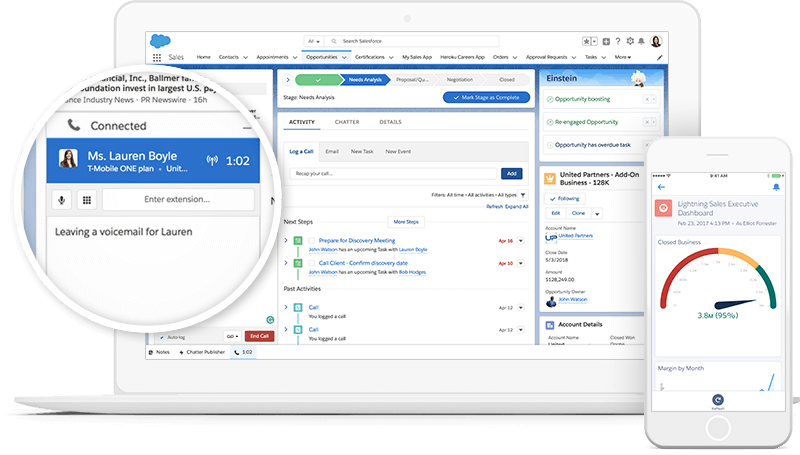
image credit: Salesforce

Salesforce is a giant in the CRM industry known for its extensive list of features. Here’s what it excels at:

  • Scalability: Salesforce is ideal for large enterprises. It can handle complex operations and workflows. Its web app development is known for its robust capabilities.
  • Multi-channel communication: The platform lets you engage with customers across various platforms to ensure maximum customer satisfaction.
  • Comprehensive contact database: Salesforce offers a robust database for storing contact information and adding notes to record data as customer preferences and interaction history.
  • Analytics and reporting: This software provides in-depth analytics and custom reporting capabilities, which facilitates data-driven decision making. 

While it’s a great option for larger enterprises, Salesforce might be overkill for small businesses in terms of cost and complexity.

Zendesk
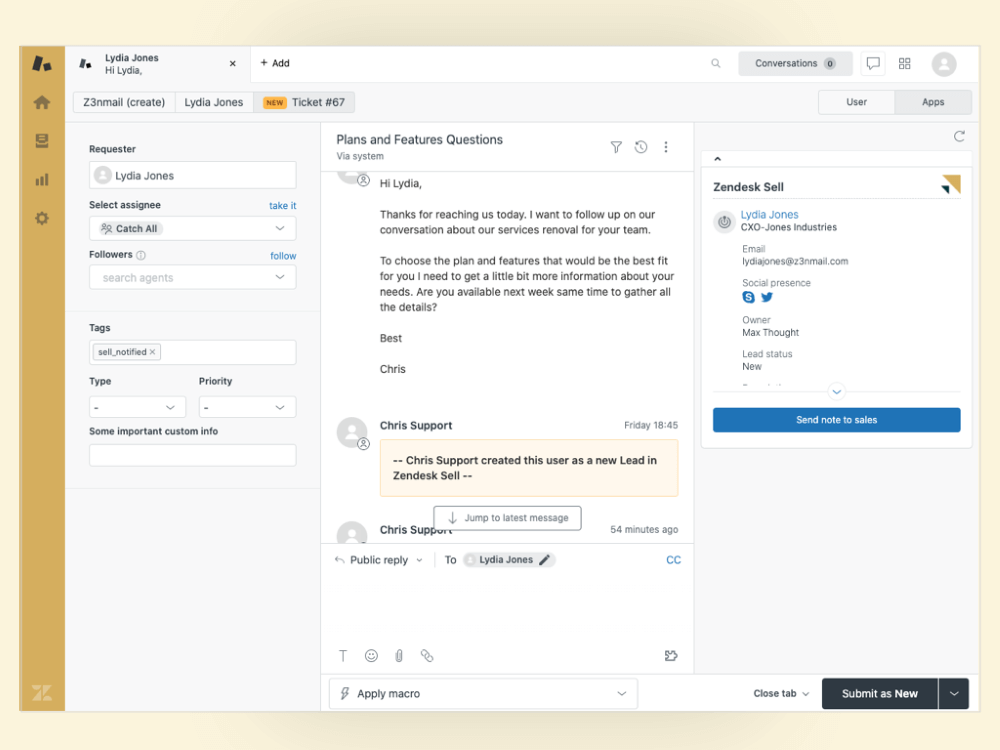
Screenshot of the Zendesk Sell dashboard,

Image credit: Zendesk

Zendesk is a popular customer management solution known for its customer service solutions. It offers CRM capabilities that are particularly strong in the following areas:

  • Customer support: Zendesk shines at customer support and service. It’s great at managing customer interactions and support tickets by alerting your customer service team of any request.
  • Lead conversion: Zendesk helps you optimize lead conversion rates by tracking customer interactions and enabling visibility of the entire sales pipeline.
  • Reliability and security: This software assures reliability and security through data encryption, making it a trustworthy choice for your data.

However, this solution’s sales processes and marketing tools are not as robust when compared to other CRM systems.

Zoho CRM
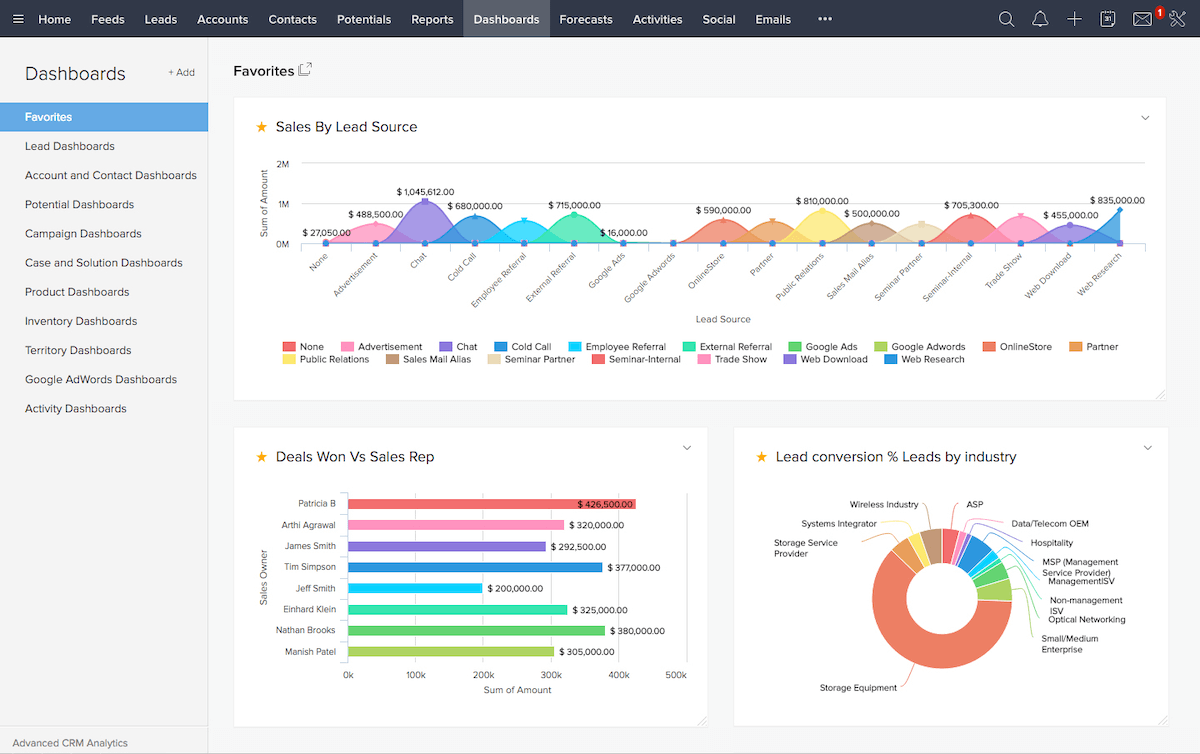
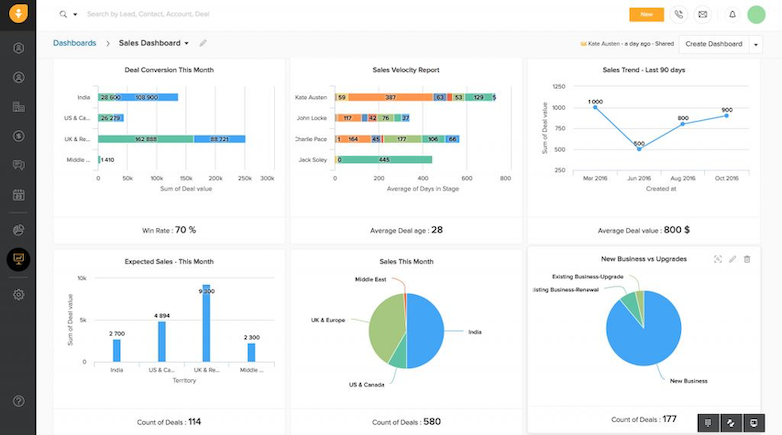
Screenshot of Zoho CRM dashboard.

Image credit: Zoho CRM

Zoho CRM is a versatile customer management option with many great features for small-to-midsize businesses. Here’s where it excels:

  • Ease of use: Zoho offers a user-friendly interface and is known for being easy to set up and manage.
  • Customization: Like Method CRM, this platform provides customization options so that you can tailor it to your business’ unique needs.
  • Lead conversion: Zoho optimizes lead management and lead conversion, helping you stay organized and turn prospects into customers.

Zoho is a good option for those looking for their first customer management app, but it lacks advanced features and is difficult to scale with your business growth.

HubSpot
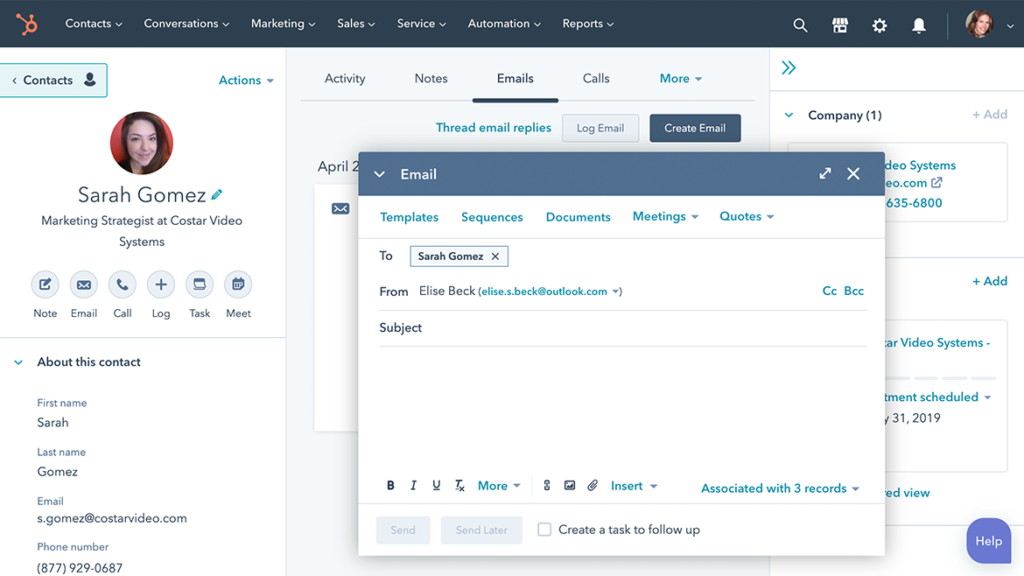
HubSpot product shot

Image credit: HubSpot

HubSpot is a well-rounded CRM and marketing automation platform that users love for its “hubs” that you can choose from to build your own custom plan. Here’s where it excels:

  • Integration: HubSpot seamlessly integrates with other first- and third-party tools, offering a complete suite for inbound marketing and sales.
  • Comprehensive CRM: The platform offers a robust CRM that includes sales, marketing, and customer service features as just a few examples.
  • Scaling and growth: HubSpot is suitable for businesses looking for a single platform to support their operations as they grow.

While it’s a strong choice, HubSpot may be a bit overwhelming for smaller businesses. The software also gets pricey as you add more functionalities.

Selecting the right customer service platform for your business

Choosing the right customer management app is a big decision, so you need to consider several factors.

Estimating time to value and total cost of ownership

Consider how long it will take for your team to start seeing value from the app and the total cost of ownership. You should look for a customer management system that optimizes your most important business processes so your team has guidance and can adapt quickly to your app, reducing the learning curve.

Assessing reliability and security

Your CRM tool needs to be reliable and secure. The last thing you need is a data breach or service interruption. 

Scaling and growth potential

Think about your long-term business goals. Can the client management software scale with your business as it grows? Flexibility is key, as it allows for business scaling and growth.

Success and support services

Ensure your app provider offers good customer support and provides dedicated success and support services. You never know when you might need assistance.

Ensuring a frictionless agent experience

Your team’s experience with your app is vital. Make sure it ensures a frictionless agent experience that won’t create unnecessary obstacles in your operations.

Key takeaways

Customer management apps are essential tools for small business owners in 2026. They provide a wide array of benefits, such as: 

  • Business process automation.  
  • Stronger customer relationships. 
  • Improved sales performance. 

The key is to choose the app that best suits your business’ unique needs.

These tools can be the catalyst for growth, efficiency, and strong relationships. So, explore your options, choose the right app for your business, and watch your business thrive.

Frequently asked questions (FAQs)

Can a customer management app replace my current customer service strategy?

While a customer management app can support your strategy, it should not replace it entirely. This mobile app development is a powerful tool that improves customer retention and complements existing processes. 

Keeping your needs in mind helps choose the right customer service platform, but don’t forget to look into its integration capabilities with customer management apps.

How can small businesses benefit from customer management apps?

Small businesses can benefit from customer management apps by: 

  • Simplifying their operations. 
  • Improving customer relationships.
  • Boosting productivity.
  • Fostering growth.

Are there specialized customer management apps for specific industries?

Yes, some customer management apps specialize in specific industries, offering tailored solutions. However, apps that support customization serve the same purpose and adapt to your unique needs.

Strengthen your operations and customer experience with Method CRM. Try for free.

Image credit: Anna Shvets via Pexels

Two people have a conversation over a tablet at a construction site

Contractor invoicing app compared: A comprehensive guide

Read the full guide on picking the best contractor invoice app for your business and simplifying your operations.

Contractor invoicing app compared: A comprehensive guide Read More »

If you’re in the contracting business, you know how draining it is to manage your invoicing processes. Although you might prefer to focus on something else, invoicing is crucial to your business. 

This is where a contractor invoicing app comes in. Think of this app as an automatic invoice maker that significantly reduces your paperwork so you can focus on the progress of your projects.

In this blog, you’ll learn all about these apps, including: 

  • Why you need a contractor invoicing app.
  • Things to look out for in an invoicing solution.
  • Your best six options on the market. 

Let’s get started!

What is a contractor invoice app?

A contractor invoice app is a powerful tool that simplifies your invoicing process. It’s your digital assistant for efficiently managing invoices, estimates, receipts, and payments. This centralizes all your invoicing tasks in one application. 

With a contractor invoice app, you can:

  • Keep track of payments and expenses.
  • Generate professional invoices.
  • Record billable hours.
  • Calculate a final price with taxes and discounts.
  • Manage accounts payable.

Whether you need to focus on a remodeling project or place new flooring for a customer, a contractor invoice app takes care of the estimating and invoicing processes for you so you can focus on the project at hand.

Benefits of using a contractor invoice app

Before diving into the nitty-gritty, let’s go through the list of reasons why you should consider using an invoicing app for your business:

  • Save time: These apps automate invoicing tasks to save precious hours and enhance project management.
  • Ensure accuracy: Create custom invoices that align with your needs for the most relevant, accurate, and up-to-date data.
  • Track payments: Keep tabs on who owes you money and who’s paid up.
  • Improve cash flow: Get paid faster and maintain a healthy cash flow.
  • Reduce errors: Minimize billing mistakes and payment discrepancies common with complicated invoicing processes.

These software solutions improve your team’s work-life balance and boost productivity.

Key features to look for in a contractor invoice app

Before signing up for a subscription to one of these apps, check out its ratings and reviews. It’s crucial to thoroughly evaluate which functionalities would improve your business the most.

Processing credit card payments

One way to avoid unpaid invoices is to accept several payment options and methods. One game-changing feature is the ability to process credit card payments directly through an app so your clients can pay quickly and easily. 

You should also use an app that provides secure data encryption to protect your and your customers’ information.

Generating professional invoices and estimates

Your invoices and estimates should reflect your professionalism. Look for an app that helps you calculate project costs and allows for customizable invoices to match your brand’s identity and include your logo. 

This way, you can ensure that each customized invoice has complete and correct information, as it transfers data directly from your accounting system.

Managing payment terms and overdue invoices

Keep your business organized with a solution that offers payment terms tracking and provides automatic reminders for overdue invoices. A good app helps you schedule reminders and notifications to ensure you get paid on time and avoid overdue payments.

Tracking billable hours

For contractors who charge by the hour, a solution that enables tracking of billable hours is essential. This: 

  • Helps you stay organized internally. 
  • Drives transparency in your transactions. 
  • Ensures each invoice accounts for every hour of work.

This way, you increase your clients’ trust in you and promote return business.

The different types of contractor invoice apps

Now that you have an idea of the core features, let’s explore the different types of contractor invoice apps available to you:

Cloud-based contractor invoice apps

While on-premise solutions can be used offline, cloud-based apps eliminate the need to host your data on your own servers, which cuts the cost of server maintenance and management. Cloud-based apps offer compatibility with various devices, which makes them accessible from any device and anywhere with an internet connection. 

A contractor invoice app offers cloud-based data storage and backup so your information is always safe. This is beneficial if you’re dealing with a developer or client that prioritizes data security.

Mobile contractor invoice apps

Mobile apps are designed for busy contractors who need to manage administrative processes while in the field. They give you 24/7 access, even while visiting construction sites and clients, so you can move around and still manage all your business processes effectively.

Apps specialized for construction companies

Invoice apps tailored for the contracting business help you manage tasks specific to the construction industry, such as material procurement and construction status. 

For specific industries, you can customize invoice apps to fit your unique needs. While this is not always easy, it’s an accessible option with no-code software systems.

Choosing the right contractor invoice app for your business

Selecting the perfect software system for your business requires some consideration. Here are a few tips to help you make the right choice:

Evaluating pricing plans and advanced features

Compare pricing plans to ensure you get the features you need without breaking the bank. Some apps offer tiered pricing, so you can choose the software version that provides the capabilities you’ll actually use every day.

Pro tip: Some features can serve as a guide to further optimize your business processes, even if you don’t currently find a use for them.

The importance of customizable templates

As mentioned earlier, customizable invoice templates make your online invoices and quotes look professional and unique. 

Don’t underestimate the power of branding! You can add your logo and product photos, and attach relevant documents to make sure your invoices include everything you need.

The role of accurate estimates in business operations

Accurate estimates are often the difference between losing and retaining a client. Look for an app that offers professional estimates by factoring in all the relevant factors, such as:

  • Materials requirements. 
  • Workforce and labor needs. 
  • Carrying costs.

The convenience of debit card payments

In addition to credit cards, a contractor invoice app supports multiple payment methods, providing even more convenience for your clients. Signing checks shouldn’t be your only payment option, so you should try to support online payment gateways like PayPal, for example.

Enabling debit card payments through online platforms shortens payment times and simplifies payment collection. As a result, you don’t need to worry about transactions, meaning you can focus on finishing each project.

The best invoicing software for contractors

Now that we’ve covered the basics, let’s take a closer look at some of the top systems on the market.

Method

Method is a versatile contractor invoice app that has gained recognition for its customizable features. It is a popular choice as it integrates with other financial software systems, such as QuickBooks and Xero. 

This tool allows for efficient management of clients by enabling you to effortlessly sync contact details and transaction data to Method and manage the processes your accounting software can’t.

Among other functionalities, this app:

  • Sends and approves bills and estimates.
  • Manages field tasks.
  • Enables batch invoicing.

Method helps you reduce the time and effort spent on manual data entry and reconciliation and provides you with real-time insights and efficiency.

QuickBooks Online

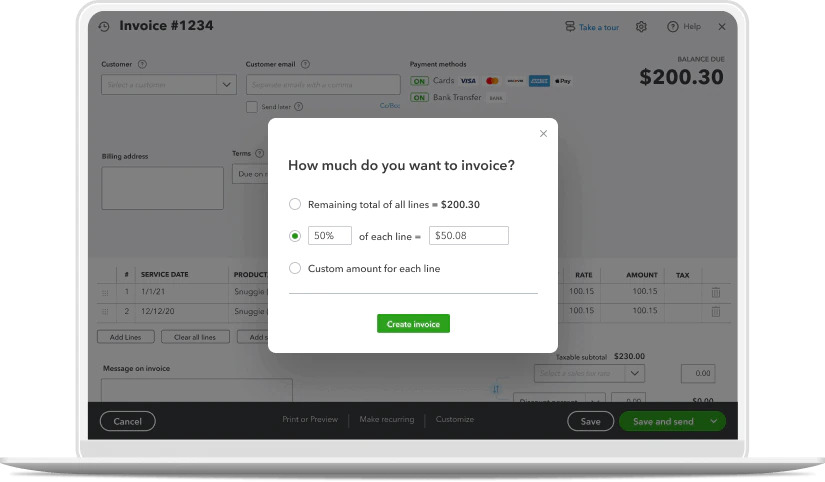
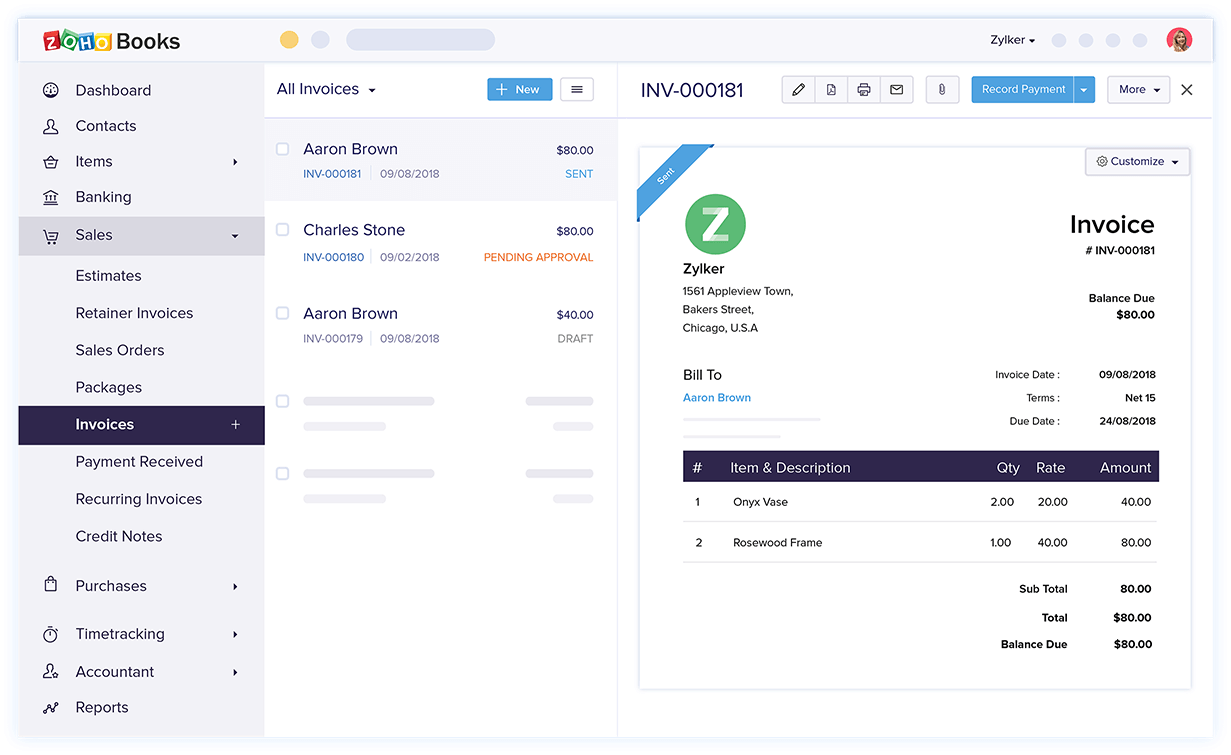
A product shot of QuickBooks Online showing the invoice functionality.

Image credit: QuickBooks

QuickBooks Online is a well-established name in the accounting world, and it’s not without reason. 

For contractors, this platform offers a feature-rich invoicing solution. What sets QuickBooks Online apart is that it features a user-friendly interface and unparalleled support resources. 

It provides a comprehensive set of tools to handle your invoicing needs and other administrative processes. 

QuickBooks Online also supports multiple currencies to streamline your business wherever you are and provides detailed financial reports.

You can manage all your business processes with the QuickBooks app ecosystem, which includes construction software systems and CRM systems such as Method.

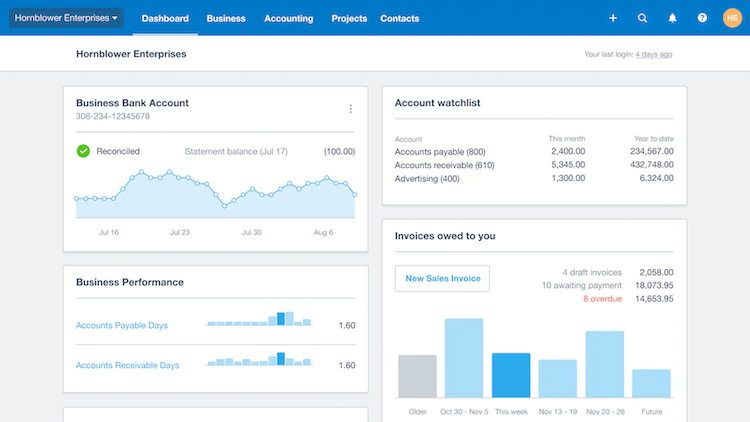
Xero

Image credit: Xero

Xero is a popular accounting app among small business owners and contractors. 

Users appreciate its wide range of accounting features and that it supports tax calculation. It also features real-time data updates, ensuring access to the latest financial information. 

Xero is incredibly valuable for decision-making and monitoring your company’s financial health. Seeing up-to-the-minute data helps you stay on top of your cash flow and make informed financial decisions. This software also supports an integration with Method to help you manage tasks and finances through the same platform.

Invoice2go

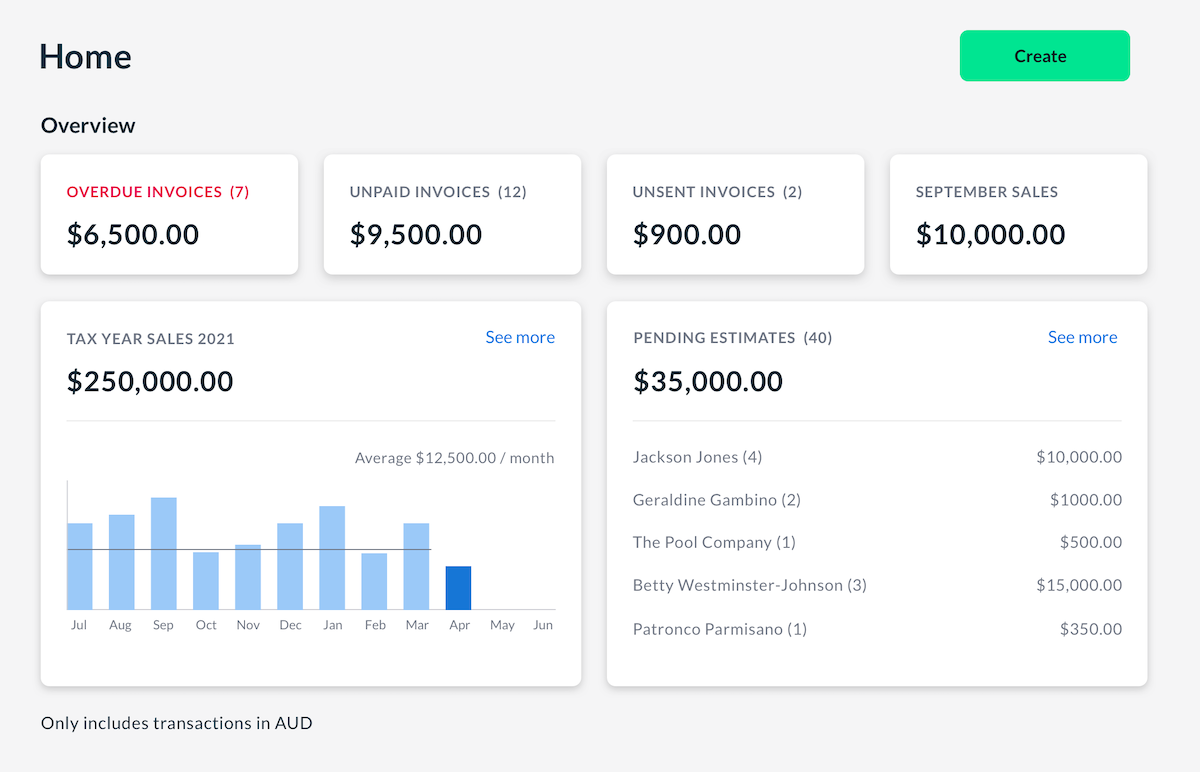
Invoice2Go screenshot

Image credit: Invoice2Go

If you’re a contractor who’s always on the move, Invoice2go is designed with you in mind. It’s a mobile-friendly app tailored to the needs of professionals who create and manage invoices while on the go. 

The app lets the user remotely create and send customized online invoices that include several items. Plus, you can track payments via your mobile device or tablet.

FreshBooks

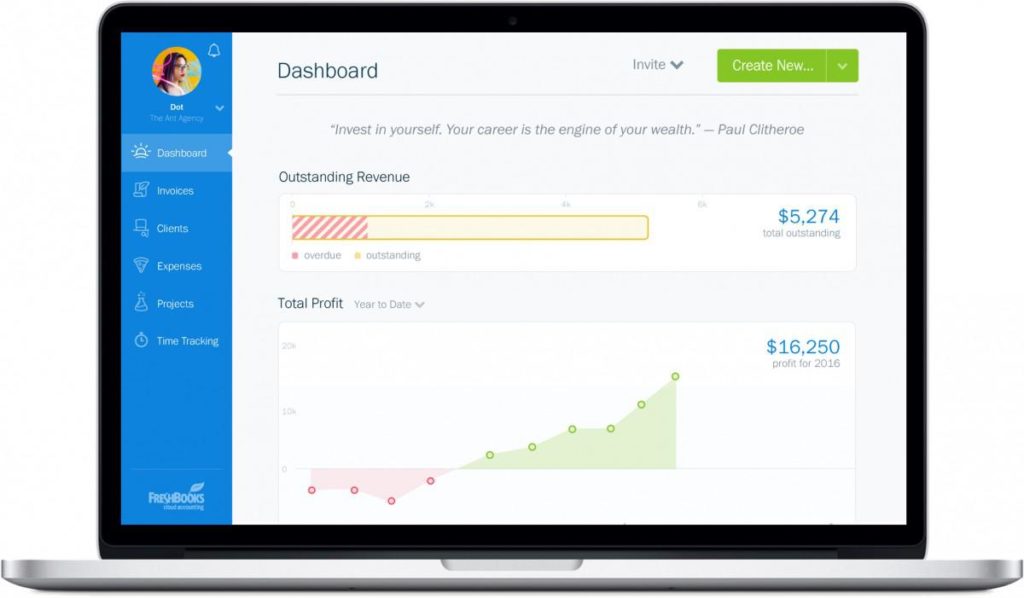
Image credit: FreshBooks

FreshBooks stands out for its excellent customer experience. This billing software simplifies the invoicing process and allows for digital signatures. This feature is a game-changer for contractors who need to get client approvals and signatures on estimates, invoices, and contracts. 

FreshBooks simplifies and speeds up the documentation process to make it easier to initiate projects and close deals.

Zoho Invoice

Image credit: Zoho Invoice

Zoho Invoice is a comprehensive solution for small business owners that offers many features beyond basic invoicing. 

From automated invoicing to expense tracking, Zoho Invoice covers several aspects of your business operations. 

It provides customer support services by integrating communication capabilities so your team can address your clients’ concerns and inquiries efficiently.

Key takeaways

Overall, contractor invoice systems: 

  • Save time. 
  • Prevent overdue payments.
  • Boost your cash flow.

Look for a platform that: 

  • Has credit card processing features. 
  • Supports online payments. 
  • Allows for customizable invoices.
  • Is compatible with various devices.

When making your choice, it’s crucial to consider your business’ specific needs. Evaluate pricing plans and choose one that suits your budget.

With top apps like QuickBooks Online, Xero, and Method, you can improve operations and meet all your invoicing needs.

Frequently asked questions

How can contractor invoice apps streamline your business?

Contractor invoice systems simplify your business by gathering your accounting data and contact information into a single platform. They automate invoicing tasks and improve payment tracking to organize your data and free up time for other jobs.

Are there contractor invoice apps with free trial periods?

Yes, some systems, such as Method, offer free trial subscriptions. Use these trials to find the app that best suits your needs.

Can you use contractor invoice apps on multiple devices?

Most invoicing apps are compatible with various devices, including: 

  • Smartphones (both iPhone and Android). 
  • Tablets.
  • Computers. 

This ensures you can access your invoicing tools whenever and wherever you need them.

Work smarter, not harder, with your free trial of Method.

Image credit: Mikael Blomkvist via Pexels
Mature gray-haired man using laptop computer sitting at home office

Top 5 best customer data management software 2026

From leads to loyal customers, customer data management software ensures nothing falls through the cracks. Here are the best systems for 2025

Top 5 best customer data management software 2026 Read More »

Customer data management software is essential for businesses aiming to maximize customer satisfaction and drive growth. It tracks and organizes customer interactions to help you provide personalized experiences.

This blog explores the top five customer data management software for 2026. You’ll discover their features and limitations to make the best choice for your business.

Whether you’re a small business looking for affordable options or a large organization seeking a powerful platform, this guide helps you navigate the sea of software options.

Let’s get started! 

What is customer data management software?

Customer data management software is a platform that helps you collect, organize, and analyze information about your customers. 

Think of it as a digital filing cabinet, where instead of paper files, you have a comprehensive, digital record of each customer. 

This helps to manage customer profiles by giving you easy access to information like:

  • Purchase histories.
  • Customer interactions and communication records.
  • Needs and preferences. 

The best customer data management software enables efficient data storage and promotes efficient resource allocation with data insights.

Understanding the core functionality of customer data management software

Sifting through stacks of paper whenever you want to find a customer’s purchase history is time-consuming and inefficient. Customer data management software assists in tracking customer interactions and automates this manual work. 

By centralizing your customer data in one place, you can access and update information whenever you need to. 

Plus, your teams collaborate better as your software simplifies data access and retrieval. This facilitates collaborative data sharing to increase efficiency and drive better results. 

Exploring the key features of customer data management software

All software solutions are different. But, while they have their own unique features, there are some that every organization needs.

Contact management: This software functionality organizes your contacts so that you can quickly view and edit details for efficient customer management. 

Analytics and reporting: This feature is the magnifying glass that helps in identifying trends and patterns, as it gives you a closer look at specific data points. These insights help you learn from past business performance to make more informed decisions down the line. 

Marketing automation: A good CRM automates your repetitive marketing tasks. It ensures that you nurture and convert potential leads while giving you time back to focus on growing your business. 

Integration capabilities: Connecting your software and other digital tools through integrations supports data synchronization across platforms. This way, you waste less time switching back and forth between them.

Advantages of implementing customer data management software

Immediate and tangible benefits

Customer data management tools offer immediate benefits to make your daily tasks easier, as it:

Improves customer segmentation: The best software allows for customized data visualization. This helps you group customers based on shared characteristics to create tailored marketing efforts.

Streamlines data analysis: With client database software, you can classify and interpret large amounts of data to make informed decisions.

Facilitates personalized marketing: Because the software provides real-time customer insights, it encourages data-driven customer engagement. This way, you are always aware of your customer needs and interacting accordingly.

Long-term gains: Streamlined operations and enhanced revenue

As you use software over time, your benefits compound. Your operations become smoother, which leads to better customer relationships. As a result, your revenue potential increases. 

Customer data management software also ensures that your data remains clean and accurate, which is crucial for long-term success.

Various types of customer data management software

Highlighting database solutions: The backbone of customer data management

At the heart of any customer database software is a database solution. This is where all your customer data lives for you to use and analyze.

Exploring email integration tools for seamless communication

A good customer data management software supports multi-channel data collection, especially email. It’s the primary communication channel for many companies. 

With integration tools, you can monitor, store, and access email communications directly in each customer’s digital profile. 

Task and project management software for customer-centric operations

Beyond managing data, you need to track and manage: 

  • Customer service. 
  • Sales performance.
  • Marketing tasks. 

Customer data management software handles these customer-related operations. For example, it boosts customer service efforts, as you can automate responses for common customer problems. This means that your representatives get more time to tackle every difficult query that comes in. 

Custom reports and analysis tools: Unlocking insights from customer data

Your data is only as good as the insights you get from it. A good software includes a custom report feature that enables better forecasting and prediction. Personalized reporting provides tools for monitoring data changes to keep you in the know.

Even better, using an analysis tool enhances decision-making with data-driven insights for your company. 

Securing data with database security tools

With an increasing amount of cyber threats, securing your online customer data is crucial to give you and your customers peace of mind. 

With the right security tools, you ensure that confidential data remains secure from unauthorized access and potential breaches.

Adapting customer data management software for your business

Pinpointing your business needs and goals for effective software selection

Before diving into the sea of software options, it’s essential to understand your business needs. This helps you choose the software that best meets your business goals, rather than the one that is immediately attractive. 

Choosing the right vendor and product to align with your requirements

Not all software is created equal. Whether you want customer data management software that focuses on sales or inventory management, it’s important to find a vendor that can scale with you as your business grows. 

Seamlessly integrating the system into your existing business processes

Your next step is to make sure the software you choose fits perfectly into your existing business processes. 

As your employees are used to a certain workflow, a system that integrates smoothly will cause minimal disruption. It also automates data entry and processing, which: 

  • Reduces errors. 
  • Saves you time. 
  • Enhances productivity. 

Ensuring employees can use the system effectively: The importance of training

A good software is only as good as its least knowledgeable user. Make sure you pick a solution that’s easy to implement so that your teams spend less time figuring out how to use it. 

A software with comprehensive training resources and a support team makes it easy to leverage its full potential and drive maximum value.

Testing and optimizing the system’s performance for maximum benefit

Once you implement your system, the work isn’t over. Your software still needs regular check-ups to ensure it’s running smoothly.

It’s vital to highlight areas where the software might be lagging or not performing as you’d expect so that you can intervene on time. A regularly optimized system also offers a better user experience.

Ensuring compatibility: Integrating with other platforms and applications

It’s important that your software integrates with other business applications. For example, a platform that integrates with accounting apps saves time and drives connectivity. 

This way, you reduce disruptions and switching between platforms. Instead, you stay organized and maximize efficiency. 

6 principles for optimizing your customer data management

Customer data management software helps you make data-driven decisions and personalize your marketing strategies. Here are six principles to make the best use of your data management.

Principle 1: The importance of a data governance strategy

Having a data governance strategy in place ensures high-quality data flow across your organization. For a system that allows for effective data governance, you must consider: 

  • Data integrity. 
  • Usability. 
  • Security. 

Principle 2: Focusing only on critical data: Quality over quantity

Instead of collecting large amounts of information, focus on relevant data. The best software optimizes data quality management by prioritizing high-quality leads. 

As a result, you generate actionable insights for your company any time you run data. 

Principle 3: Avoiding data silos for a unified view

Data silos keep you from a complete view of customer data. For a seamless customer experience and unified view, integrate data from all touchpoints and channels.

Principle 4: Data security: A non-negotiable aspect

Data breaches tarnish your brand’s reputation and customer trust. That’s why having software that enhances data security is crucial for protecting sensitive information from potential threats.

Principle 5: Implementing a data accuracy process

To ensure that your data remains useful, your team must implement a process that:

  • Promotes data accuracy and consistency. 
  • Supports data validation and cleansing.
  • Manages data life cycle efficiently.

You must conduct regular audits to validate and cleanse outdated or incorrect data from your systems. 

Principle 6: Compliance with data regulations

Complying with data regulations fosters trust with your customers and is required by law. Stay updated with regulations like GDPR and CCPA to ensure you’re using data ethically.

You can also invest in a tool that assists in regulatory compliance — there are several on the market.

Top customer data management software for 2026

1. Method CRM

Method CRM is the top customer data management software option for QuickBooks and Xero users. It offers a completely customizable experience for efficiency. 

And its automatic two-way sync with QuickBooks and Xero means that once leads become customers, you never have to worry about double data entry.

Features

  • Powerful sync with QuickBooks and Xero so that updates in one platform reflect automatically in the other. 
  • The ability to merge and synchronize contacts, emails, and calendar events for seamless communication.
  • Tools to customize your entire solution down to your logo.
  • Simple interface and dashboards for easy implementation.
  • A mobile app for real-time updates on the go.

Limitations

  • The software is only available in English. 
  • Limited to QuickBooks and Xero users.

Pricing

The following three pricing plans are available:

  • Contact Management: $27 per user per month.
  • CRM Pro: $45 per user per month.
  • CRM Enterprise: $73 per user per month.

Method also offers a free trial with no contract or credit card required. Give it a try today!

2. Zoho

Screenshot of Zoho CRM dashboard.

Image credit: Zoho

Zoho CRM is another top customer data management tool that emphasizes business workflow automation and efficiency. Its tools offer a comprehensive approach to customer interactions.

Features

  • ZIA — an AI-powered sales assistant.
  • Multichannel communication, including emails, phone, and live chat.
  • Direct API that connects seamlessly with Outlook. 
  • Third-party integrations with Slack, Shopify, and more.
  • Robust security and privacy protection for your clients. 
  • Reliable customer support and training resources.

Limitations

  • No specific support for customization.
  • Limited custom fields in cheaper plans.

Pricing

  • Standard: $20 per user per month.
  • Professional: $35 per user per month.
  • Enterprise: $50 per user per month.
  • Ultimate: $65 per user per month.

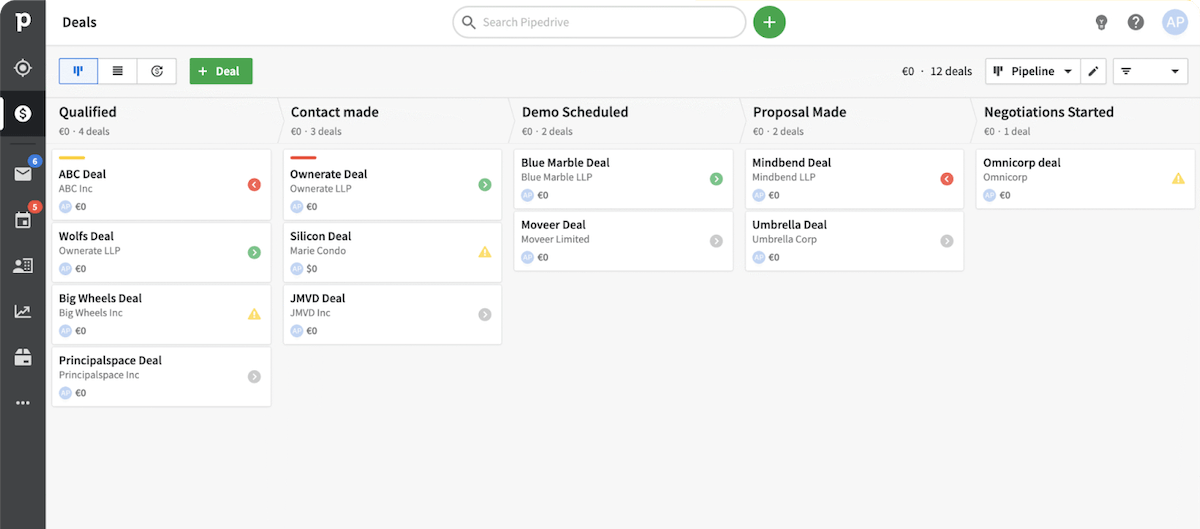
2. Zendesk Sell

Image credit: Zendesk

Zendesk Sell is one of the best CRM software products on the market. It elevates your customer data management experience with a robust call and text log system, among other features.

Features

  • Pre-built dashboard that offers comprehensive reporting tools to monitor and predict performance.
  • Email marketing features like sync, alerts, templates, and automatic email tracking key for bulk emails and email campaigns.
  • Help center page builder to create self-service knowledge bases.
  • Custom sales pipelines to help sales reps.
  • A call and text log.

Limitations

  • Has a steep learning curve.
  • Can be time-consuming to use, especially when customizing.
  • Expensive for small-to-midsize businesses.
  • Recurrent performance issues.
  • Lacks adequate training resources.

Pricing

Zendesk Sell has three pricing plans:

  • Team: $19 per user per month.
  • Growth: $49 per user per month.
  • Professional: $99 per user per month.

4. HubSpot

HubSpot product shot

Image credit: HubSpot

HubSpot is one of the best software for contact segmentation. It’s broken down into different hubs, including marketing, sales, service, and more. Businesses can select the specific hubs they need in their software.

Features

  • Contact deal and task management.
  • Powerful sales dashboard to visualize every stage in your sales pipeline and identify more opportunities to close deals. 
  • Email marketing features like tracking and scheduling tools and pre-made email templates.
  • Automated workflow that nurtures leads and fosters customer loyalty.

Limitations

  • Integration with other tools might require more investment in HubSpot’s ecosystem.
  • Advanced features require a premium plan subscription.

Pricing

HubSpot sells its software by hub or in bundles. The cost depends on how many hubs you need. 

There’s no real trial, but HubSpot offers a free plan for its CRM software. The Starter CRM Suite costs $50 monthly or a discounted $540 annually. It includes their marketing, sales, and service hubs with two paid users.

5. Salesforce

Image credit: Salesforce

Salesforce is a dynamic solution with tools that empower you to connect with your customers. 

Features

  • AI capabilities for predictive sales analysis.
  • Smooth integration that facilitates effective data migration to import and export all your information. 
  • Mobile and web-based platform for sales teams on the go.
  • Integration with Gmail, Outlook, and other apps.

Limitations

  • Higher price point compared to other CRM software.
  • Complex interface may not be suitable for all users.

Pricing

  • Starter: $25 peruser per month.
  • Professional: $80 peruser per month.
  • Enterprise: $165 per user per month.
  • Unlimited: $330 per user per month. 

Key takeaways

A customer data management tool centralizes your customer information to drive business efficiency and enhance your customer relationships. 

Essential features include: 

  • Analytics. 
  • Marketing automation.
  • Integration capabilities. 

Selecting the right software requires you to identify and prioritize your business needs. 

Method is a popular option for QuickBooks and Xero users due to its powerful two-way sync and customization abilities. 

Frequently asked questions (FAQs)

How does customer data management software enhance customer service?

Customer data management software centralizes customer information so that it’s easily accessible to service representatives. 

With a comprehensive view of customer interactions and preferences, representatives can anticipate needs and respond quickly to inquiries, improving customer satisfaction. 

How can these systems aid in personalization and targeted marketing?

These systems aid in personalization and targeted marketing because they collect and analyze customer data to help you understand individual preferences and behavior. 

As a result, you can craft personalized campaigns and offers that resonate with specific customer segments. 

What are some common challenges in implementing customer data management software?

Implementing customer data management software commonly involves challenges like:

  • Data integration: Merging data from various sources is complicated, especially if they come from legacy systems.
  • Data quality: Ensuring data accuracy and cleaning up outdated information gets time-consuming.
  • Change management: Employees need to adapt to new processes and systems, which requires training and even an occasional shift in company culture.
  • Security concerns: Robust security measures are essential in safeguarding customer data and preventing breaches.

Unlock seamless customer data management with a free trial of Method. 

Image credit: Vadim Pastuh via Adobe Stock 

Electrician with construction helmet rewiring an outlet

Top 5 best electrical estimating software 2026

An electrical estimating software will send out estimates efficiently, get your customers’ approval, and convert them to invoices.

Top 5 best electrical estimating software 2026 Read More »

The electrical estimating software industry is valued at more than 1.5 billion dollars. And that has a forecasted compound annual growth rate of 10.23% from 2026 to 2030.

Here’s what that means. Trends occur for a reason — you need to get on the bandwagon or risk being left behind.

Electrical estimating solutions benefit everyone, from individual electricians to entire electrical companies. But trying to implement them isn’t easy. Luckily, you’ve come to the right place.

In this blog, you’ll learn:

  • What electrical estimating software is and why you need it.
  • The key features to look out for.
  • Your top five options on the market. 

Let’s dive in!

What is electrical estimating software?

Electrical estimating software is designed to calculate and forecast the costs of your electrical projects. It:

  • Streamlines the estimating process, so it’s easier to coordinate and plan jobs.
  • Automates repetitive estimating tasks, saving thousands of hours.
  • Simplifies complex electrical calculations for key figures like material prices.

Key features of field service electrical estimating software

Creating detailed estimates with pre-built assemblies

Harness the power of pre-built assemblies to organize and design your estimates. This simplifies workflows for you and your team. The right software calculates detailed material costs and provides accurate labor projections through pre-built calculators and historical data.

This feature also reduces errors in estimates, giving your clients confidence in your bids. This way, there are no discrepancies when they compute the costs of materials, labor units, and other items related to the project to verify your estimate.

Integrating real-time material pricing data

Stay ahead by integrating real-time material pricing data. This feature helps maintain competitive pricing with updated material costs. It also enables quick adjustments to estimates as project details change, ensuring your bids are always on point. Now, you never need to worry about inaccuracy or manual effort when it comes to pricing.

Automating takeoffs from digital plans and drawings

You can use your electrical estimating system to automate every takeoff from your digital plans and drawings. Your quantity takeoff process accelerates bid preparation and submission. It ensures that you account for every detail and item, like having the right electrical conduit supply.

Offering powerful tools to suit businesses of all sizes

Whether you’re an individual contractor or a large electrical company, this software offers tools tailored to your needs. For example, it enhances customer communication with detailed quotes, which benefits businesses of all sizes. Plus, it provides comprehensive project reporting that keeps everyone in the loop.

Managing specialty contractors and residential contractors effectively

For specialty and residential contractors, this software facilitates regulatory compliance in electrical project management. It also optimizes resource allocation, so that you staff and equip every project appropriately. 

The best electrical estimating software lets you schedule your people and equipment to be at the right place and time consistently. Then, you can monitor jobs as they progress.

Benefits of using electrical estimating software

Generating precise estimates with software

Electrical estimating software facilitates precise job costing, ensuring that your estimates are accurate and profitable. And once an estimate is approved, your software tracks project costs and timelines the whole way through.

Managing a centralized database for efficiency

Electrical estimating software consolidates your business data for a unified, all-in-one system you can manage easily.

A centralized database offers real-time updates on project status, ensuring that your team, from the office to the field, has access to the latest project data. 

Winning profitable jobs with optimized estimation

The right estimating platform aids in winning profitable contracts, ensuring your business thrives and grows. When you optimize estimation with software, you’ll notice more tenders in your inbox inviting you to bid on job opportunities. 

Then, you can calculate an effective profit margin and forecast future cash flow with ease.

Improving collaboration with integrated platforms

When you integrate your business platforms together, you promote transparency and clarity so that your team always has the most up-to-date information.

This way, your integrated platform improves collaboration among team members as everyone stays on the same page, from electricians to project managers.

Best field service electrical estimating software 2026

Without further ado, here’s a list of your five best electrical estimating solutions.

1. Method:Field Services

Method:Field Services is the top electrical estimating product for QuickBooks and Xero users. 

Method lets you create estimates immediately and customize them how you like. The software sends them off to potential customers for approval automatically — who can use the built-in e-signature functionality for a quick and easy experience. Then, you can convert your estimates into invoices at the click of a button.

Additionally, Method’s seamless two-way sync with your accounting software means you don’t need to worry about double data entry. As a result, your team enjoys improved accuracy and less manual entry.

Method also consolidates your data in one place, so you always have a complete view of your contacts and job history. And you can track progress to stay organized until a project is complete. 

Finally, Method allows mobile access for on-the-go estimating through an iOS or Android app, letting you access and edit information from anywhere.

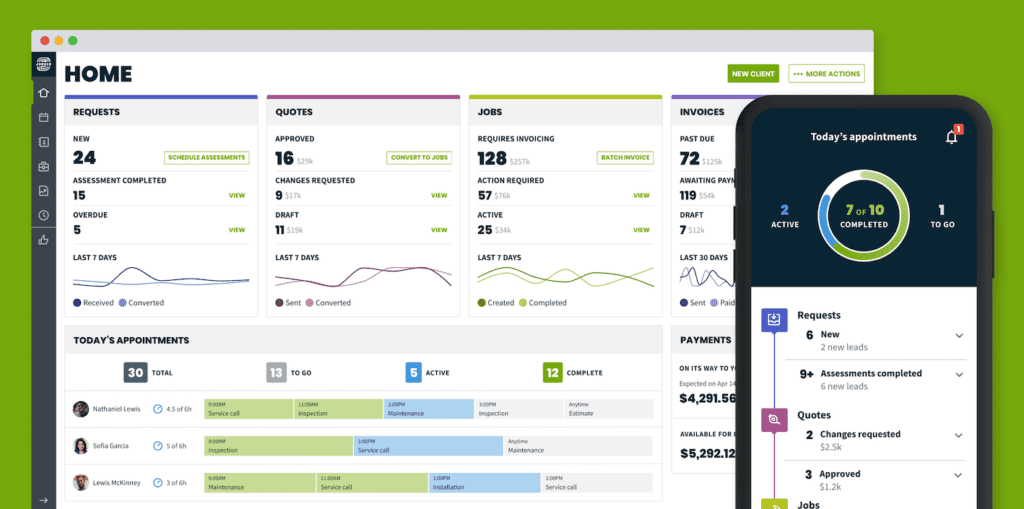
2. Jobber

Image credit: Jobber

Jobber is a popular field service software for small-to-midsize businesses of several different industries, including electrical. It’s helpful for jobs that require a large workforce, such as industrial construction projects.

Jobber lets you: 

  • Manage and allocate field technicians.
  • Track jobs and set up recurring ones.
  • Provide better customer service through self-service features.
  • Create and send estimates, invoices, and email templates.
  • Automate your business with real-time scheduling and dispatching tools.

3. Procore

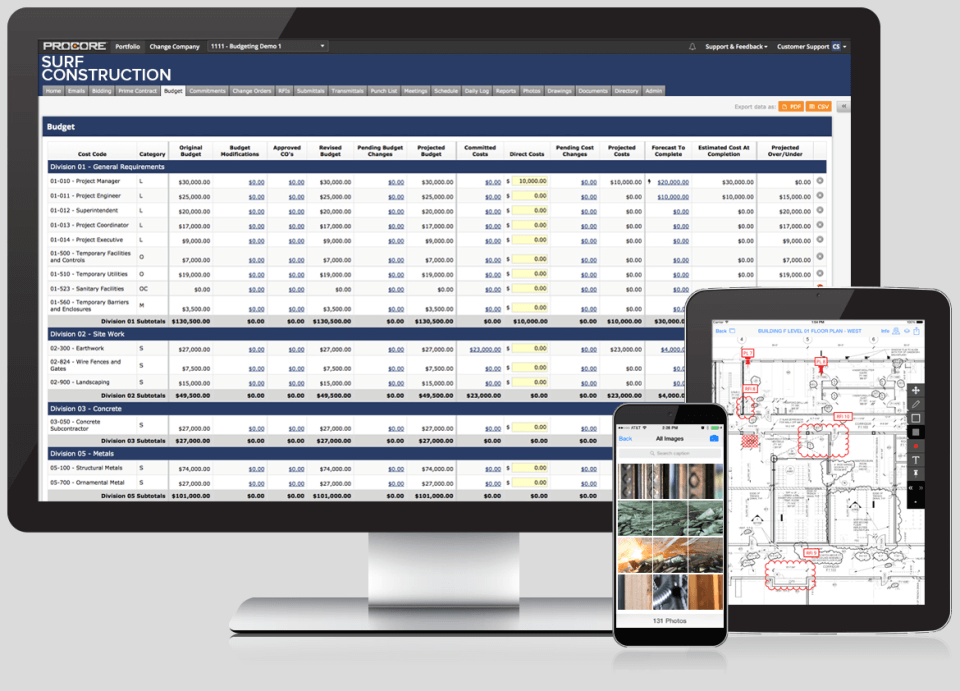
Image credit: Procore

One of the best construction management solutions on the market, Procore is a powerful software for electrical estimating. With an emphasis on data accuracy and transparency, this software keeps you on the ball through the estimating stage and well after.

With Procore, you can:

  • Coordinate activities among team members. 
  • Gain 360-degree visibility of your crew and project progress
  • Track processes, tasks, and documents like change orders
  • Identify trends with customized reports from Procore Analytics.

4. FieldPulse

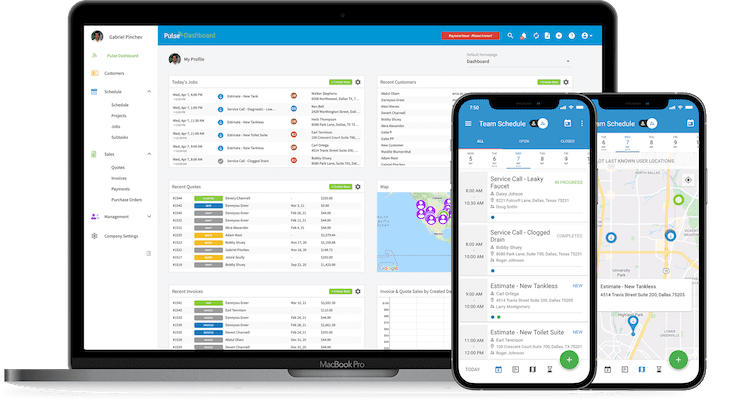
Image credit: FieldPulse

FieldPulse is an all-in-one field service management platform tailored to small and medium businesses. With a focus on business growth, it tackles all kinds of electrical jobs, from residential installations to complex commercial projects.

Electricians like FieldPulse for its:

  • Website-embeddable “Good, Better, Best” feature that offers tiered product pricing options.
  • Custom estimating tool that lets you use pre-built templates or make your own.
  • Compatibility with multiple devices (including mobile ones).
  • Integrations with a number of popular apps.

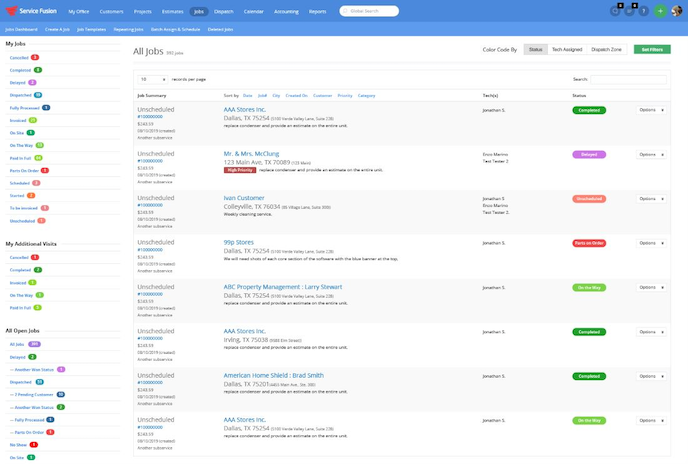
5. Service Fusion

Image credit: Software Advice

Service Fusion is a cloud-based field service management platform that electricians like for its scalability and ease of use. The downside of its all-in-one model is that it lacks some basic electrical estimating capabilities, but it’s a solid choice for its:

  • Impressive scheduling and dispatching tools.
  • Customer relationship management (CRM) functionality. 
  • GPS tracking for field crews.
  • Quote and invoice processing.

Tips to choose the most suitable field service electrical estimating software

Identifying your business requirements and goals

Before diving into specific solutions, assess your business needs and set clear goals for what you want the software to achieve.

Prioritizing ease of use and user interface

Ease of use and a friendly interface are crucial. Your software manages a centralized database for all project details, so it’s important that all team members, from estimators to sales agents, can use it effectively. 

Considering the software’s integration capabilities

A top-tier estimating system integrates with other business systems seamlessly, to simplify workflows and improve efficiency. This way, you don’t need to change a thing about your existing system and can instead build on it, saving you time and aggravation.

Checking for real-time reporting and analytics features

Real-time reporting and analytics functionality assists in strategic business decision-making and improves accuracy in financial forecasting, ensuring you’re always a step ahead. Look for software that provides comprehensive insights into your operations.

Evaluating the pricing and cost-effectiveness

Ensure your software offers good value for the money, considering both its features and its impact on your bottom line. Measure how it affects your profits and overhead. Only then can you determine if the potential benefits outweigh the cost.

Looking into customer support and training resources

Good customer support and comprehensive training resources are essential to maximize the benefits of your software. Software vendors that listen and respond to their customers make implementation a breeze. Most importantly, it gives you peace of mind when potential issues come up.

Verifying the software’s scalability for future growth

Choose software that supports various types of electrical estimating methods and scales with your business as it grows. When you do, you can adjust your processes without disrupting your software system.

Checking customer reviews and case studies for credibility

Customer reviews and case studies offer insights into the software’s real-world performance. Making your decision based on the actual opinions of users helps you weed out the weak performers. 

Assessing the software’s compliance with industry standards

Choose a solution that adheres to industry standards, giving you peace of mind in its reliability. Also, check that the software provider will update compliance standards as regulations change over time.

Trialing the software before making a commitment

Always opt for a trial before committing. It’s the best way to evaluate the software’s fit for your business. Moreover, you’ll eliminate any buyer’s remorse.

Key takeaways

Investing in electrical estimating software significantly increases productivity and efficiency, so that your business remains competitive and profitable. It takes work off the plates of you and your team and improves productivity.

With this software, you ensure accuracy and facilitate growth. Estimating jobs goes from a chore to a complete nonissue, letting you focus on what’s important: providing the best electrical services for your customers.

Frequently asked questions

What makes an electrical estimating software stand out?

An electrical estimating software stands out through:

  • Ease of use.
  • Powerful features.
  • Its ability to streamline tasks.

Are there free versions of electrical estimating software available?

Yes, some providers offer limited free electrical estimating software versions. But with technology, you get what you pay for. It’s essential to analyze a platform’s full capabilities and potential benefits for your business before investing time into it, especially if it’s free.

How does electrical estimating software support green construction?

Modern estimating software often includes features that support sustainable and green construction practices. This helps companies stay ahead of industry trends. It offers features like life cycle tools to reduce your carbon footprint while working construction jobs.

Make electrical estimating easy with your free trial of Method.

Image credit: Field Engineer via Pexels
People measuring a wall in a house

Top 4 best field service management software 2026

With field service management software, you can create the most efficient schedules for your team on the field and send real-time updates.

Top 4 best field service management software 2026 Read More »

Are you tired of nonstop admin work when what you really want is to be doing the jobs you’re getting paid for? You’re not the only one.

As is the trend with technological advancement, leading software providers have quickly responded to this issue.  There are now powerful solutions to simplify your field service management. As a result, you can focus on serving your customers.

In this article, you’ll dive into the leading field service software solutions that have captured the attention of field service companies all across the world.

By the end, you’ll be equipped with the knowledge of what makes for the best field service management software and a list of your four best choices.

Let’s get started!

What is field service management software?

Field service management software, also known as FSM software, standardizes field service operations. It empowers you to streamline, organize, and automate your workflows.

This tool boosts the efficiency of field agents, technicians, and contractors in industries such as:

  • Cleaning.
  • HVAC.
  • Pest control.
  • Maintenance.
  • Landscaping.
  • Plumbing.
  • Construction.

At its core, field service management software:

  • Streamlines workflow and increases productivity.
  • Automates routine administrative tasks.
  • Empowers decision-making with actionable insights.
  • Organizes teams and equipment and facilitates efficient resource allocation.
  • Promotes better customer service and engagement.
  • Tracks vendors and customer information.

For your best options, watch the video below, or keep reading.

What exactly does field service management software do?

Field service management software simplifies and organizes workflows for your field service business. The software empowers you to efficiently manage workers and track your clients’ data.

Large enterprises and small business managers prefer this software as it helps you plan the complexity of workforce job management. The best field service management software:

  • Facilitates efficient inventory and asset management.
  • Includes GPS tracking and time tracking features.
  • Offers comprehensive scheduling and dispatching.
  • Supports mobile access for field technicians.
  • Delivers detailed reporting and analytics.
  • Adapts to various business sizes and industries.
  • Ensures robust data security and privacy.

Overview of on-premise vs. Cloud-based solutions

When deciding between on-premise and cloud functionality, note that cloud-based technology centralizes your data and processes.

A cloud based solution:

  • Syncs data between every device.
  • Prioritizes easy software integration.
  • Offers secure mobile accessibility.
  • Enhances communication between office and field.

This lets you fully customize your data processes.

In contrast, on-premise solutions provide more hands-on control over the data in your business infrastructure. They run on an internet of things (IoT) on your personal network. On-premise technology is good for data security and doesn’t need a connection to the web, but requires you to be on location to use it.

The advantage of mobile accessibility in field service management

The best field service management software offers mobile accessibility for on-the-go management. With mobile apps tailored for field service, every technician can:

  • Access project details.
  • Update work orders.
  • Report from anywhere.

A mobile app provides cloud-based access and data storage to give you anywhere, anytime access. As a result, you improve productivity and your overall customer experience.

The significance of real-time updates and visibility

This software also enhances real-time updates and visibility, which are crucial in the field service industry. Stay informed with real-time tracking, reporting, and insights that help you:

  • Monitor team progress.
  • Manage resources effectively.
  • Analyze performance metrics on the fly.

Grow your field service business with automation.

Benefits of field service management software

Operational efficiency through work order management

This software also simplifies work order management, so you can schedule and dispatch technicians with optimal efficiency. As a result, you maximize resource allocation to reduce operational costs and improve profitability.

Optimizing scheduling and dispatching processes

At the heart of strong field service operations is a system that facilitates efficient scheduling and dispatching. Using scheduling software to coordinate your crew ensures they’re at the right place and time for appointments. By leveraging the right tools, you make improvements to team productivity as you optimize workflows and minimize downtime.

Enhancing field operations with a mobile field service app

A mobile field service app plays a pivotal role in the industry, as it improves tracking and monitoring of field services. It equips each field agent with the tools they need to:

  • Access vital information.
  • Communicate effectively.
  • Collaborate in real time.
  • Provide SMS notifications to clients.

Features and capabilities of field service management software

Field service software is brimming with features catered to diverse industry requirements. From workflow automation to inventory management, these products standardize and enhance operations.

This software offers customizable features to meet specific business needs and scale effectively. Here’s how.

Streamlining processes with contract management

Field service software simplifies contract management procedures. You can organize and manage contracts to ensure compliance and efficient billing processes. Contract management keeps you on the ball and speeds up the process, so you can take on more jobs.

Effective subcontractor and quoting management

Choose a field service software that supports subcontractor and quoting management. With quoting management tools, you maintain a reliable benchmark for gauging new projects. On the other hand, when you centralize contractor management, you ensure that all your business partners — from product providers to field experts — are always on the same page. You can also leverage built-in ticketing tools to assign subcontractors tasks.

Push QuickBooks further than ever with Method.

Explore industry-leading solutions tailored to various sectors. No matter your role, there’s a software provider ready to simplify your operations.

1. Method:Field Services

Method:Field Services is a cloud-based platform for desktop and mobile that closes the gap between the office and the job site.

With Method, you get a 360-degree view of your customers that lets you tailor your services and optimize results. And its two-way data synchronization with QuickBooks and Xero means your information stays up to date and only needs inputting once.

Plus, you can easily convert an estimate into a work order, and then convert that work order into an invoice at any point. Even better, send your invoice off at the click of a button. When your customers receive it, they can use Method’s built e-signature feature, meaning you get paid faster. Not to mention, the platform facilitates customizable invoicing and billing that includes your company logo, name, and branding components.

Method also provides reliable technical support and customer service through: 

  • Help center articles.
  • Video content and product images.
  • Self-serve portals with answers to common problems.

Other key features of Method:Field Services include:

  • Tools for job creation, scheduling efficiency, and dispatching.
  • Strong route optimization capabilities.
  • Functionality that supports multi-user and collaborative functions.
  • Online customer portal services.
  • Reporting and analytics tools.
  • Powerful customization that ensures scalability for growing businesses.

2. Intuit Field Service Management

Image credit: Intuit QuickBooks

Powered by Corrigo, Intuit Field Service Management is a web-based work order scheduling and dispatching system for field service technicians — particularly those in installation and repair.

As an Intuit product, this solution is best fit for users of QuickBooks and other Intuit platforms. Its most popular features include: 

  • Real-time updates on job progress.
  • Job and crew scheduling tools.
  • Immediate invoicing and payment capture.
  • A mobile app that promotes environmental sustainability through paperless operations.

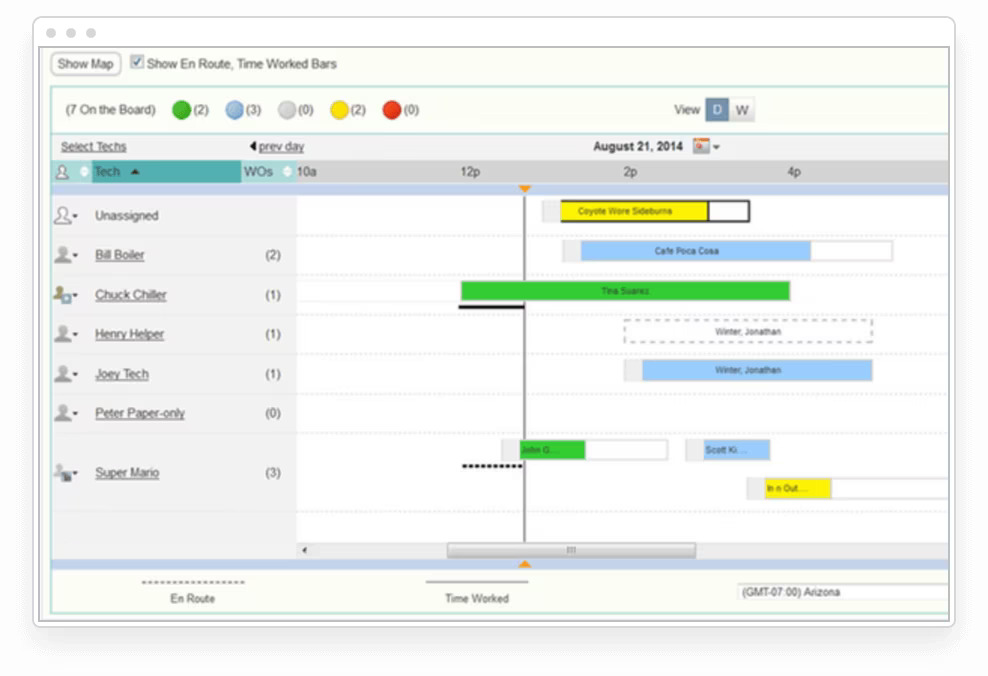
3. Service Fusion

Image credit: Software Advice 

Service Fusion is a scalable, all-in-one field service management software that caters primarily to:

  • HVAC and refrigeration.
  • Plumbing.
  • Electrical.

Service Fusion is a user-friendly platform popular for its:

  • Customer management functionality.
  • Scheduling and dispatching tools.
  • Quote and invoice processing.
  • GPS tracking.

4. Jobber

Image credit: Jobber

Jobber is a field service management software solution that supports over 50 service trades. It offers an impressive number of features, including:

  • A system that provides real-time tracking of field operations.
  • Time tracking for when technicians clock in and out.
  • Customizable reports.
  • An automated invoicing system.
  • A self-service client hub.
  • Internal and external communication channels.

Jobber also lets you make professional invoices using custom templates. And when you send them off to customers, they can pay easily through integrated payment processing gateways like Stripe and Paypal.

Depending on your industry, you can check out other field service management software providers, including:

  • ServiceTitan — Commercial and home service trade software.
  • ServiceMax — Field service management software.
  • Housecall Pro — Home service business management.
  • Zuper — Customizable field and remote work software.
  • Apploye — Remote work and work-from-home management.

You can also find open source software on the web that gives you rights and permissions to customize your own software solution.

Advantages of using a field service management solution

Implementing a field service management solution is transformative. It helps you allocate resources better, as it reduces errors and increases the accuracy of tasks. Here are some specific advantages:

How integration with other business applications enhances efficiency

The best software integrates seamlessly with other business tools to give you a unified system. Having a central business platform lets you operate more cohesively, as it:

  • Simplifies your operations.
  • Improves communication with collaboration tools.
  • Amplifies reporting capabilities.

 Leveraging field service management for customer relationship management (CRM) systems

Field service management also enhances customer relationship management (CRM) systems. Its main purpose is to make your teams more efficient. But, it also gives you more information on your jobs and customers that you can use to your advantage.

Field service CRM software integrations:

  • Improve customer communication.
  • Track interactions effectively.
  • Offer a personalized service experience.
  • Provide targeted marketing opportunities.

Enhancing invoicing and accounting systems with field service management

A field service management tool optimizes invoicing and accounting systems. Specifically, it lets you:

  • Automate billing processes.
  • Manage payments more efficiently.
  • Keep a close eye on revenue streams.

Sick of hunting for spreadsheets when updating your QuickBooks data?

How your business can benefit from using field service management software

Using field service management software enhances service quality and customer satisfaction. Here’s how.

Maximizing revenue with field service management

With field service software, your business maximizes revenue by improving operational efficiency. It drives profitability by helping you:

  • Allocate resources optimally.
  • Boost efficiency and productivity.
  • Cut down on unnecessary costs.
  • Improve cash flow.
  • Use your performance history to forecast future trends.

Streamlining operations for enhanced efficiency

By fostering a cooperative environment, this software improves communication and collaboration among team members and employees. As a result, your crew can rely on each other better and get more done.

Delivering superior customer experience through field service management

The right field service tool also helps you manage compliance and regulatory requirements. This ensures you deliver top-notch services and a seamless customer journey.

Scaling profitably with the aid of field service management software

Any good software supports business growth with scalable features. This ensures your business operations remain smooth as workflows become more complex. 

Small businesses become limited by systems that no longer work after they reach a certain size. The best field service management software helps you overcome these limitations.

Breaking down the costs of field service software

It’s essential to understand the various pricing models available and the factors that influence field service software costs.

From initial setup to ongoing maintenance, various elements influence the total investment. It’s essential to choose a solution that:

  • Offers transparent pricing.
  • Provides good value for the money.
  • Fits your budgetary constraints.
  • Facilitates compliance with industry standards.

Understanding pricing models for different solutions

Different field service software solutions come with different pricing models.

From subscription-based (SaaS) models to one-time licensing fees, it’s crucial that you navigate these options carefully. That way, you can determine the best field service management software that aligns with the financial structure and long-term goals of your company.

Pro-tip: Some software providers also offer: 

  • Free trials.
  • Product walk-throughs.
  • Sales and discounts.

Factors influencing the costs of field service software

The costs of field service software aren’t just about the initial purchase or subscription price. Considerations that influence the total cost of ownership include:

  • Customization needs.
  • Integrations.
  • Team training.
  • Technical support.
  • Future scalability.

Acknowledging these factors helps you budget effectively and anticipate future expenses.

How to calculate your ROI for field service management

To calculate your return on investment (ROI) for field service management software, you’ll need to evaluate the full range of your operating costs and the value these assets bring to the business.

When you choose the best field service management software, you can increase your ROI by calculating the most efficient route to mobilize your field workers, which saves on gas and time. Handling a variety of schedules for different types of clients brings challenges, but tracking software helps you with dispatch management across several locations.

In addition to task automation, the best field service management software also includes analytics capabilities that help you calculate your ROI. 

As per our expertise, the software reduces operational costs and increases ROI in the long run.

To make a general ROI calculation without using field service management software, you can consider the following monthly expenses:

  • The number of dispatchers and field technicians you have on staff and the cost of their salaries.
  • Average daily drive time per field worker and hours spent planning routes by dispatchers.
  • The average cost of gas, equipment maintenance, and other field expenses.

You can calculate your ROI by taking your revenue and subtracting the total of your expenses to find your net profit. Divide your net profit by the total investment cost and multiply by 100 to find the percentage.

This percentage will tell you how much you earned vs how much you spent.

While this calculation can give you a rough idea, the best field service management software will give you a much more accurate ROI calculation.

How to choose the best software for field service management

Identifying the best field service management software requires you to take a look at the pain points of your business. Make checklists of the challenges you face in your field operations. The best field service management software for your business includes features that address these specific issues.

You should also consider the software’s integration capabilities and if it offers user-friendly and intuitive interfaces. A complex user interface means you’ll need to spend more time and money on user training and resources. Implementation ease gives you a positive user experience without worrying about delays or requiring technical skills.

Based on our firsthand experience, we recommend that you read quotes and reviews from the user base to identify benefits and potential issues.

The best field service management software category provides you with:

  • Customization options for industry applicability.
  • Customer support availability to guide your account startup.
  • A design that prioritizes user training and resource availability.
  • Ongoing maintenance that regularly updates with new features and improvements.
  • Functionality that allows for extensive customization options.

Get time back to focus on growth with Method.

Key takeaways

All in all, the best field service management software for you depends on your needs and pain points. Regardless, it’s better to have a system in place than none at all.

Field service management software is indispensable if you’re looking to:

  • Optimize your operations.
  • Provide transparency into your data.
  • Enhance your customer experience.
  • Foster business growth and opportunities.

Once you find and implement the best field service management software for your business, you’ll never look back.

Best field service management software: Frequently asked questions (FAQs)

How does field service management software improve business efficiency?

Field service software improves business efficiency by simplifying your operations to save time and money. It also enhances performance with robust reporting features that let you:

  • Access detailed reports to help you make informed decisions.
  • Gain invaluable insights that enables efficient customer and job management delivery.
  • Configure a convenient dashboard to access many parts of your workflow.
  • Have a system that encourages proactive maintenance and service delivery.

How to choose the right field service management software?

When choosing field service software, take the following steps:

  1. Consider all aspects of your business, including unique needs and pain points.
  2. Set a firm budget.
  3. Research and explore your desired features and plans.
  4. Determine what changes the software needs to make for your business to measure success.
  5. Compare your options.
  6. Seek out trial versions before making a final decision.

Are there any drawbacks to implementing field service management software?

While the benefits of this software outweigh the potential drawbacks, there are a few to keep in mind. When implementing these tools, it’s essential to:

  • Spend time tailoring them to your needs.
  • Provide comprehensive training for all users.
  • Download regular updates for optimal results.

Spend more time on-site and less at your desk with your free trial of Method:Field Services.

Image credit: Thirdman via Pexels

Contractor standing behind a desk full of files

Contractor management software: The complete guide?

The best contractor management software is the one that adjusts to your business the best. Keep reading to find out which one to choose.

Contractor management software: The complete guide? Read More »

Being a contractor is like climbing a mountain. Every inch you climb takes determination, and without the right tools, it’s impossible to make it to the top. 

Luckily, contractor management software is there to help you climb your personal Mount Everest. After reading this guide, you’ll learn:

  • What contractor management software is.
  • Its benefits and features.
  • Your four best contractor management software solutions.

Whether you’re a seasoned contractor or a business exploring contractor management software, this tool simplifies the way you operate. Let’s get started!

What is contractor management software?

Contractor management software is a powerful tool designed to centralize and automate the tasks associated with managing contractors. 

From invoicing to scheduling, this software ensures that businesses effectively: 

  • Oversee project timelines. 
  • Allocate resources.
  • Communicate with contacts. 

Whether you’re a construction company or an organization that works with contractors, the best contractor management software is tailored to meet your needs.

How does contractor management software work?

At its core, contractor management software tracks project progress and improves efficiency at every stage of a job. 

It ensures that everyone is on the same page with features that let users:

  • Coordinate teams. 
  • Assign tasks. 
  • Document processes.
  • Update real-time project information.

No matter your location, contractor management software syncs data across devices. Now, your teams can collaborate and communicate effectively from anywhere.

Finally, contractor management software stores project data for future reference. As a result, you strengthen your reporting process and gain actionable insights from the data you analyze.

Benefits of using contractor management software

Managing multiple projects at once: Streamlining operations

Contractor management software streamlines communication, making it easier to handle multiple projects simultaneously. 

Also, contractor management software manages budgets and expenses. With tools that help you estimate costs and control budgets, your business allocates resources better to achieve greater efficiency and productivity. 

Coordinating with clients, customers, and subcontractors

Foster better collaboration and coordination with clients, customers, and subcontractors. Contractor management software maintains records securely, ensuring that all communication, contracts, and documents are accessible to the right people at the right time.

Compliance management: A crucial aspect for contractors

Contractor management software monitors compliance and regulations, ensuring that your projects adhere to industry standards, safety requirements, and other regulations.

Jobsite mobile access: A game-changer in modern construction

With this software, you can access project data, reports, and schedules from any place, ensuring that workers on the job site have the information they need. 

Additionally, your data remains confidential and protected as contractor management software secures sensitive project information.

Types of contractor management software

Mobile app-based contractor management solutions

Mobile app-based solutions offer contractors the flexibility to manage projects on the go. Plus, mobile contractor management software reports on project status so you can see how far along your jobs are from anywhere, at any time.

Specialty contractors and cloud-based platforms

Cloud-based platforms are a popular choice for specialty contractors. Specifically, they help you: 

  • Store project data for future reference.
  • Collaborate in real-time.
  • Ensure that data is backed up and secure.

Real-time construction project management software

The best contractor management software keeps you updated with real-time project information. This feature is crucial as projects are lengthy and hit snags on the way to completion. 

Construction management software can also automate your construction agreement process and several administrative tasks. Plus, you can integrate it with your other management tools, ensuring seamless workflows and proper scheduling.

CRM in field service management: An emerging trend

Customer relationships are vital. With field service CRMs, organizations enhance their overall customer experience as they can better manage their:

  • Interactions with contacts.
  • Quoting and invoicing.
  • Client feedback.

Features of contractor management software

Time tracking and cost control: Essential aspects

Contractor management software helps you:

  • Track time spent on tasks.
  • Control expenses. 
  • Keep projects within budget. 

Also, contractor management software invoices for services, making billing and payroll processes a breeze.

Job costing and external workforce support

The best contractor management software provides tools to evaluate the costs associated with each job and manage external workforce requirements. This ensures that you’re allocating resources efficiently and that projects remain profitable.

Project management

From planning to execution, contractor management software oversees project timelines, ensuring timely completion. When you can oversee every aspect of your projects, you also minimize mistakes and issues. 

Contingent workforce support and real-time updates

The best contractor management software updates real-time project information. You can manage contingent workers and gain complete visibility of tasks as they progress. This ensures that you integrate all team members and employees into your workflow.

Cloud-based solutions and data security: A must-have combination

With contractor management software, you store and secure your project data in the cloud. Through top-notch security measures, your data remains protected against any threats.

The importance of customer support services

A robust customer support service is crucial. Whether you need a demo, have questions, or face any issues, the best contractor management software has a dedicated support team to help you troubleshoot and master the product.

Best contractor management software for 2026

Now that you’ve learned about this kind of software, let’s dive into the best contractor management software products. This list takes into consideration:

  • Product quality.
  • Features and functionality.
  • Pricing. 

Method:Field Services

A popular solution known for its powerful features and user-friendly interface, Method:Field Services is your best contractor management software for 2026.

Its seamless integration with QuickBooks and Xero eliminates double data entry, saving you time and aggravation. 

Plus, it comes with a CRM system that lets you access and track customer information such as booking and interaction history, so you deliver personalized service that keeps clients coming back.

Finally, Method’s scheduling suite makes it your ideal business partner, providing you with a full view of your technicians’ day-to-day for: 

  • A quicker approval process.
  • Immediate dispatching.
  • Easier job assignments.

Worksuite

Image credit: Worksuite

The best contractor management software plans project phases efficiently, and Worksuite thrives in this domain. It’s an ideal solution for businesses seeking comprehensive project management and collaboration tools.

After testing out the product, we found that Worksuite’s key features include:

  • Simplified billing and invoicing.
  • Client portal with branding options like adding a logo.
  • Collaboration tools and file sharing.
  • Customizable templates.
  • Gantt charts and timeline views.
  • Comprehensive issue management.
  • Alerts and notifications.

Lusha

Image credit: Lusha

The next best contractor management software is Lusha. It’s a unique platform that uses firmographic data to enhance client relationships and generate more sales. 

After using Lusha, we have found that it’s first and foremost a sales solution designed to simplify lead generation and outreach. Its features include:

  • Lusha Prospect Search, a designated lead generation tool.
  • Accurate email tracking and direct dials.
  • CRM tools for personalized engagement.
  • One-click lead enrollment and enrichment.
  • Powerful third-party integrations.

TalentDesk.io

Image credit: G2

TalentDesk is one of the best contractor management software options for individual contractors and freelancers. Described as a “freelancer management system,” it helps employers onboard and source freelance workers compliantly and efficiently. 

Besides onboarding new hires, TalentDesk is a strong solution if you’re looking to:

  • Simplify project management.
  • Manage multiple teams.
  • Automate payments.
  • Consolidate multiple invoices.
  • Organize your talent directory. 
  • Integrate with your existing systems.

There are a few key trends that the best contractor management software solutions have been adopting in recent years.

In a nutshell, the industry is witnessing a shift towards: 

  • AI-driven analytics. 
  • An emphasis on data security.
  • All-in-one solutions that cater to specific contractor needs. 
  • Mobile access and real-time updates with the rise of remote work.

How to pick the right contractor management software

To pick the best contractor management software for you, you must consider: 

  • Your business’ unique needs.
  • The size of your workforce.
  • The complexity of your projects. 

Before committing to a product, make sure to: 

  • Look for software that offers a free trial or demo.
  • Read user reviews and assess competitors.
  • Consider its level of data security and customer support.

Understanding contractor management software cost

The cost of contractor management software varies based on: 

  • Features.
  • Number of users. 
  • Scalability. 
  • The software vendor.

While some solutions offer a flat fee, it’s more common to charge per user. 

Always evaluate the long-term benefits against the initial investment before committing to a business platform. Consider how feasible it will be to finance this software years down the line, and pick a solution that will cover your costs over time. 

Key takeaways

Contractor management software is an invaluable tool for individual contractors and companies of all sizes, offering features that: 

  • Streamline operations. 
  • Enhance communication.
  • Ensure project success. 

From compliance management to real-time updates, the best contractor management software revolutionizes the way you work to re-establish your presence in the industry.

FAQs

What impact can contractor management software have on profit margins?

Contractor management software boosts your profit margins by:

  • Simplifying operations.
  • Reducing errors.
  • Ensuring efficient resource allocation. 

Also, the best contractor management software organizes contractor schedules automatically, so you and your team can focus on getting more jobs done. 

Can contractor management software aid in labor law compliance?

Absolutely. Contractor management software monitors regulations and ensures that projects adhere to the labor laws of multiple countries and jurisdictions, reducing the risk of violations. And with a contractor management system, you can rest assured you have the proper documentation.

How important is customer support in contractor management software?

Customer support is vital in contractor management software. It ensures that users can: 

  • Navigate the product efficiently.
  • Resolve issues promptly.
  • Get the most out of the platform.

Find confidence in the chaos with your free trial of Method.

Image credit: Andrea Piacquadio via Pexels
Businessman working on phone and computer

A guide to the best contact management software 2026

A contact management software can boost your sales, but how do you pick the right one for your business? Keep reading to find out!

A guide to the best contact management software 2026 Read More »

No matter your industry, you’re going to have a list of contacts. And the more you grow your business, the bigger that list gets. 

As you develop deeper customer relationships, the downside is that the level of attention you can give these contacts lessens. Plus, organizing the various types of contacts in your system takes time and effort.

Luckily, there’s an easy way to manage your contacts, from team members to leads to paying customers. Contact management software keeps your business organized and efficient. 

In this blog, you’ll dive into the specifics of this software and find your five best options. Let’s get started!

What is contact management software?

In many ways, contact management software is like an interactive book of all your contacts. 

It’s a specialized tool that allows easy access to organized customer data. It’s designed to centralize, organize, and manage all your contact information and related activities. 

With features ranging from task automation to dynamic reporting, this software aids in maintaining comprehensive customer profiles. 

What is contact management software used for?

Businesses use contact management software to consolidate contact details, interactions, and related tasks in one place. It makes it easy to record and store contact information, such as phone numbers, emails, and notes.

Beyond that, this software:

  • Assists in segmentation and categorization of contacts.
  • Facilitates efficient tracking of communication history.
  • Supports integration with email marketing platforms.
  • Offers tools for contact and interaction analytics. 

Benefits of using contact management software

These systems optimize and standardize the way you interact with your client network. Here’s how.

Gaining better insight into customer behavior

A contact management solution provides real-time customer behavior insights and supports detailed and dynamic reporting. As a result, you can analyze data points to understand your customers better. 

With a system that supports data analytics for informed decision-making, companies can visualize sales history and leverage insights. This helps in improving customer retention rates and increasing cash flow.

Enhancing data organization and accessibility

This software aids in visualizing contact interaction history. It organizes customer data to ensure that you can access and navigate through information with ease. 

It also promotes improved team collaboration and communication because it provides features for project and task management to keep everyone on the same page.

Any good customer tracking solution has a user-friendly interface that lets you centralize your data, making it easy to search, update, and share records. 

Improving sales and marketing outcomes

A contact management solution improves sales and marketing outcomes, letting your sales teams track leads, opportunities, and deals more efficiently. Not only does this accelerate your workflow, but it keeps you organized as you grow.

With features for lead scoring, you can prioritize prospects and target your marketing efforts more effectively. Some software also comes with expanded channel support for greater reach, ensuring your marketing campaigns are more impactful. 

Different types of contact management software

You have a lot of options when it comes to choosing the right contact management system. Here are the different types available to you.

Cloud-based solutions

As is the case with contact management, most software comes in cloud-based solutions. With cloud-based software, you can easily connect with customers from anywhere in the world. Everything from the contact’s name and address to their communication history is stored securely in the cloud. 

As a result, you: 

  • Facilitate seamless customer interactions.
  • Can monitor and report on your communications.
  • Optimize your sales process. 

Platforms like Method, Salesforce, and Zoho CRM are leading examples in this category.

On-premise solutions

Some prefer a contact management platform that offers on-premise solutions. You deploy these systems directly on your company’s network for more control over your data and infrastructure. This makes them ideal for those who prioritize data security.

While they might require a more hands-on approach to maintain and update, on-premise solutions let you customize and categorize data storage to align with your needs. 

Mobile applications

The best software also features mobile applications for remote access, ensuring that your teams aren’t stuck at their desks. 

With the rise of mobile apps, you can now interact with your contact management system on the go. Whether it’s to view a contact card, schedule calls, or assign tasks, mobile applications maximize efficiency and let you engage with your contacts in real time.

Essential features of contact management software

Here’s a breakdown of the essential features that make these platforms valuable.

Centralized database

A contact management solution provides a centralized database for all contacts, making it easier to identify, classify, and segment contacts. 

Because it is optimized for data centralization, this software enables seamless integration with other business platforms. When you integrate your existing systems, you ensure a connected and efficient way of managing contacts.

Automated tasks and alerts

Contact management software provides automated alerts and notifications so no important task or follow-up slips through the cracks. The ability to automatically notify your team lets you stay proactive and responsive, enhancing customer service and engagement.

Communication history tracking

Understanding past interactions with customers provides valuable insights for future engagements. A contact management system streamlines communication processes, letting you track and filter through past interactions efficiently. Plus, you can communicate directly with contacts through the software.

Whether it’s an email, call, or app message, a clear view of your communication history improves customer relationship management.

Sales pipeline management

Contact management software supports sales pipeline management so you can structure your sales processes effectively. It includes features for financial control and management, letting you keep a close eye on revenue. 

It also provides features for contact and lead scoring, helping your sales teams prioritize their efforts more effectively.

Email marketing integration

One of the most common communication channels is email. Using software with email marketing tools and integrations significantly enhances efficiency. 

On a single platform, email marketing integration lets you:

  • Manage your inbox.
  • Send out targeted campaigns.
  • Track responses. 

For example, you can sync Method’s contact management platform with Gmail or Outlook so that all your data is current. Better yet, use the Method: Sidebar for Gmail and Outlook (pictured below) to get your contact data in your inbox.

Unlimited users and user licensing

As your business grows, so does the number of team members who need access to your contact management system. A system that allows unlimited users and user licensing ensures that you can scale without any hitches. Whether your company has ten employees or a thousand, everyone can utilize the platform to its fullest.

Basic features and functions

While advanced features are nice, you may end up overpaying for capabilities you don’t need. Simple functionality, like a system that makes data export and import easy, is your top priority.

Other examples of basic features include:

  • Contact cards.
  • Lead and customer tracking.
  • Reporting.

Top contact management software solutions for 2026

Here is your list of the top contact management products for 2026.

Method CRM

Method CRM is the #1 contact management system for QuickBooks and Xero users. It provides you with customizable, drag-and-drop tools to track contacts efficiently and comprehensively.

With Method, separate your leads and paying customers, so you always deliver the best service to your contacts, no matter the nature of your relationship. 

This software also boasts advanced automation that takes manual tasks off your team’s plate. Its automatic two-way sync with QuickBooks and Xero means that once those leads move down your sales funnel, there won’t be any duplicates in your database.

Additionally, Method offers:

  • Centralized contact management with a 360-degree view of contact details and history.
  • Estimate-to-invoice conversion at the click of a button. 
  • Automated lead collection through web-to-lead forms.
  • Online, self-serve portals for your customers.
  • Powerful integrations with popular apps like Mailchimp and Google Calendar
  • A mobile CRM app for those on the go.

Zendesk Sell

Image credit: Mopinion

As a part of the Zendesk Suite, Zendesk Sell is a contact management solution that improves sales management and sales performance.

For businesses interested purely in boosting sales and increasing revenue streams, Zendesk Sell is a good choice. It’s easy to onboard and keeps your teams organized through project management functionality.

Zendesk Sell’s popular features include:

  • An internal ticketing system.
  • Sales reports and analytics metrics on a pre-built dashboard.
  • Custom sales pipelines.
  • Contact cards in the vCard file format with call and text logs.
  • Extensive time tracking options.
  • Email marketing options with conditional triggers.
  • A help center page builder to create self-service knowledge bases.

HubSpot

HubSpot product shot

Image credit: HubSpot

HubSpot CRM combines the tools a growing business needs for an all-in-one contact management solution. When we trialed this product, we learned that it offers various operational “hubs”. 

The three main hubs include marketing, sales, and service. Small businesses typically bundle hubs together for an all-in-one solution, but you can pick which hubs to subscribe to so you only pay for what you need. 

HubSpot is a popular platform for its:

  • Lead capture and segmentation tools with nearly unlimited contacts. 
  • Contact deal and task management.
  • Email marketing features like tracking and scheduling.
  • Team inboxes for easy collaboration.
  • AI-powered sales assistant and chatbots for customer support.
  • Large third-party app marketplace.
  • Courses and certifications available through HubSpot Academy.

Contact Boss

Image credit: TechnologyAdvice

Contact Boss is a cloud-based contact and database management software that users love for its simplicity and ease of use. It’s an affordable option that offers basic functionality, without any of the bells and whistles.

Contact Boss is most renowned for its:

  • Comprehensive search feature where you can search by all fields.
  • Powerful online contact manager. 
  • Email integrations.
  • Event management functionality. 
  • Visitor tracking tool.
  • Web forms for lead capture and RSVPs.

ActiveCampaign

Screenshot of ActiveCampaign

Image credit: ActiveCampaign

ActiveCampaign is a marketing automation platform that simplifies business operations. Catering to businesses of all sizes, it offers several functionalities in a single system, including contact management.

While there’s a steep learning curve for new users and few integrations, ActiveCampaign is a tool worth using for those interested in:

  • Targeted email campaigns.
  • Multi-channel marketing workflow automation.
  • Personalized customer service tools, including chatbots.
  • Contact segmentation.
  • Reporting and analytics on customer behavior.

How to choose the right contact management solution for your business

Consideration of cost

When selecting a contact management solution, it’s crucial to collaborate with your financial team to ensure you’re making a sound decision. You might choose a provider that offers solutions for cost-effectiveness, ensuring that you get the best value for your investment.

Evaluating scalability

As your business evolves, so should your tools. Implement a system that allows for scalability as the business grows. This way, you won’t find yourself switching platforms just a few years down the line.

Importance of mobile capabilities

Having mobile capabilities is no longer a luxury, but a necessity. Ensure that the solution you choose is accessible on the go so your team can perform actions whenever necessary.

Increasing automation

Almost all contact management software now includes task automation features. This is because your business ensures improved productivity through task automation. It saves time, boosts morale, and reduces the chances of human error.

Focusing on customer experience and personalization

A one-size-fits-all approach no longer cuts it. Modern software enables customization to suit specific business needs. In other words, it provides tools for customer experience personalization, letting you tailor your interactions to each contact.

Achieving greater reach

Expanding your reach is always important. Implement strategies that tap into new markets and demographics and make sure that your contact management system can handle the influx of new contacts as you go.

Expanding channels

A platform that supports multi-channel communication is a must. Whether it’s through email, social media, or direct messaging, ensure your system can handle communications from various channels. 

This way, you can collaborate more effectively with clients and partners, no matter what platform they use.

Understanding the difference: Contact management software vs. CRM

While both tools help manage and organize contacts, CRM software offers a broader range of functionalities. It provides a deep view of customer interactions to help you build and maintain relationships. It also often supports customer service management alongside these tracking capabilities.

On the other hand, contact management software primarily focuses on storing and organizing contact details. 

Key takeaways

Contacts are a vital part of every business. The more you grow, the more contacts and contact types you have to manage.

Contact management software goes from a good idea to a necessity as you scale. The good news is that the hard part is over. Now, you’re equipped with your best options to get a handle on your contacts and keep everyone happy.

All you have to do now is try them out and see which one suits your business best.

FAQs

Can contact management software improve my business’ efficiency?

Absolutely! A contact management solution simplifies the process of storing, retrieving, and managing contact details. By having all your contacts organized in one place, you can quickly access the information you need.

How does contact management software aid in sales and marketing?

Contact management software is a foundational tool for sales and marketing teams. By organizing contacts, you can:

  • Segment your audience.
  • Target specific groups with tailored campaigns.
  • Track interactions. 

This organization aids in lead generation and follow-ups, ensuring that no potential client falls through the cracks.

How secure is data in contact management software?

Data security is a top priority for reputable contact management software providers. This software offers data security and compliance measures so that your business data is protected and in line with industry regulations. It also ensures secure data storage, so you don’t have to worry about your data getting compromised.

Try out the #1 contact management software for QuickBooks and Xero!

Image credit: Snapwire via Pexels
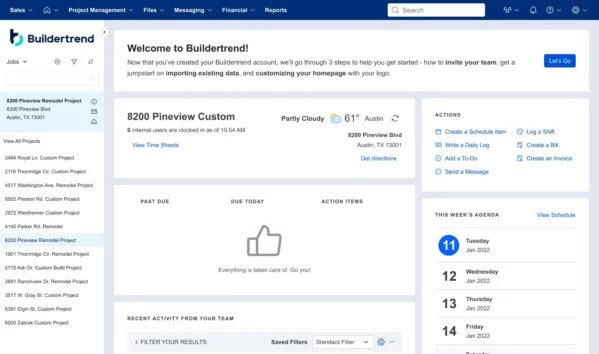
Businessman with headset in an office

Top best customer tracking software — A definitive guide

Customer tracking software keeps sales opportunities from falling through the cracks. Pick the best alternative for your business.

Top best customer tracking software — A definitive guide Read More »

30.9% of retailers report being unable to track customers across devices. With nearly a third of customers in total darkness, businesses can’t provide the same level of engagement and support that they do for the people they’re actively tracking.

Customer tracking software serves as the perfect solution, giving you a complete grasp of all your customers. With software, you keep all your customers happy without letting anyone fall through the cracks.

Keep reading to learn:

  • What customer tracking software is and why you need it.
  • The precise customer information you should be tracking.
  • Your top five options currently on the market.

Let’s dive in!

What is customer tracking software?

Customer tracking software is a specialized tool that stores comprehensive customer data and monitors customer interactions. It also:

  • Analyzes customer behavior. 
  • Enhances customer relationship management (CRM). 
  • Automates sales processes.
  • Streamlines marketing campaigns.

Whether you’re accessing it through a mobile app or a dashboard on your computer, this software offers a centralized place for you to manage and navigate all customer-related information.

Benefits of using customer tracking software

Using a customer tracking platform offers numerous benefits. It:

  • Simplifies access to customer information, making it easier for teams to personalize customer experiences and promote long-term customer relationships.
  • Enables data-driven decision-making so you can evaluate and improve performance.
  • Assists in identifying weak points in sales pipeline strategies, ensuring that you nurture and convert leads more effectively.
  • Facilitates task automation and time management, freeing up your sales agents to focus on enhancing the customer experience.
  • Generates performance reports so companies can track their marketing ROI and adjust strategies accordingly.

What customer information should you track?

Track downloads to better understand customers

By tracking downloads, you can analyze what’s most appealing to your customers. This data-driven approach offers insights into customer needs and preferences, allowing for more targeted strategies.

Track purchase history to gauge what customers want

Purchase history provides a clear record of what products or services a customer prefers. This data makes it easy for you to: 

  • Personalize offers.
  • Enhance customer satisfaction.
  • Improve lead nurturing and conversion.

Track customer contact information so you can reach them

Having a system that manages contact information efficiently is crucial as it facilitates effective communication with customers. Whether it’s logging details like their name and phone number or tracking interactions like emails and chat conversations, having organized and updated contacts ensures that you can connect with your customers with ease.

Track your sales funnel to understand your sales process

Monitoring the sales funnel helps in identifying where potential clients drop off or where deals stagnate. This helps your company pinpoint areas for improvement, facilitating an efficient sales process.

Track traffic channels to gauge your marketing ROI

Understanding where your traffic comes from enables tracking of marketing ROI. This information helps you evaluate the effectiveness of your marketing strategies and adjust them for better results.

Track email metrics to check customer engagement

Email metrics, such as open rates and click-through rates, provide valuable information about customer engagement. By monitoring them, you can measure your email campaigns’ effectiveness to capture and maintain customer interest.

Connecting sales and marketing teams through customer tracking software

This software acts as a bridge between sales and marketing teams, joining their efforts and ensuring they work in harmony. You can automate processes and monitor progress in sales and marketing from a centralized place.

Utilizing customer tracking software for sales team and marketing campaigns

Implementing a customer tracking solution lets your sales team organize and manage contact information efficiently. Also, its analytics feature provides insights into customer behavior for your marketing campaigns. 

Automating tasks with customer tracking software

From updating customer statuses to segmenting contacts, automation is key. It saves time and reduces mistakes by ensuring that no customer support tickets or important notes get missed.

Measurement and reporting on campaigns

A customer tracking platform helps in measuring and reporting on campaigns. With its reporting and analytics functionalities, you can monitor the effectiveness of your online marketing efforts and make data-driven decisions. As a result, you optimize every campaign for maximum impact.

Building long-term relationships with customer tracking software

This software offers customizable features and functionalities that promote long-term customer relationships through personalized service.

Establishing custom fields and segments

For one, you can establish custom fields and segregate your customers into specific segments. Organizational tools let you tailor service to every customer, enhancing their overall experience.

Getting real-time insights into customers’ experiences

A customer tracking platform provides real-time customer insights. Whether it’s feedback on a product or notes on a recent customer service interaction, you can respond promptly to deliver top-notch customer support.

Use third-party integrations to personalize experiences

This software also integrates with other software solutions, including Salesforce and other third-party business tools. Seamless integration supports personalized customer experiences, ensuring that every interaction caters to the needs and preferences of individual buyers.

Streamlining sales funnel and processes with customer tracking software

A customer tracking app is invaluable if you’re looking to optimize your sales process. Here’s why.

Improving potential conversions with effective lead nurturing

Effective lead nurturing is essential if you’re looking to convert potential customers. This software improves lead nurturing and conversion by offering tools that create tailored strategies for each lead. This enhances the customer’s journey and promotes long-term customer relationships.

Identifying weak points in the sales pipeline

One of the standout features of this software is its ability to provide real-time insights into the sales pipeline. By analyzing these reports, you can identify and address any weak points and bottlenecks, ensuring an efficient sales process.

Streamlining the sales funnel with automation tools

Automation tools let you streamline your sales funnel. From automatically updating lead statuses to syncing essential customer data, these tools ensure that you never overlook a potential customer.

Use a CRM that works the way you do.

How to select the best customer tracking software

Choosing the right software is difficult for any business and for any process. Here are key some key factors to consider:

User interface (UI)

A software’s UI should be intuitive and user-friendly so all users, whether tech-savvy or not, can navigate its features with ease.

Usability

Beyond the UI, the overall usability of the software is essential. You should be able to implement it easily for minimal disruption. Once configured, it should be straightforward and free of performance issues.

Integrations

Choose software that integrates with the other tools and platforms that your business uses. This way, your data flows seamlessly between systems, enhancing efficiency and ensuring that all your customer data is up to date.

Pricing

While features and functionality are crucial, pricing is also a significant consideration. You should look for software that offers a good balance between cost and functionality to get the best value.

Best customer tracking software solutions

Method CRM

Method CRM is the #1 customer tracking solution for QuickBooks and Xero users.

Its seamless two-way sync with your accounting software eliminates issues around double data entry and keeps your files accurate and up to date.

Method also offers a mobile CRM app for teams on the go and free trial, so you can try before you buy.

LiveAgent

Image credit: LiveAgent

LiveAgent is a popular Help Desk solution for small to midsize e-commerce businesses. 

LiveAgent is most renowned for its impressive live chat functionality, but it offers several other features that enhance the customer experience. 

For example, the software has a ticket management service and online self-service portals, making it a great choice if you’re looking to improve customer service.

Users can choose between a range of plans, including a free version.

Hiver

Image credit: Hiver

Hiver is a Gmail-based communication and collaboration platform that helps you improve your team dynamics and engage meaningfully with customers and vendors. 

It’s a great customer tracking tool for Google Workspace users looking for an easy-to-use, service-oriented solution. 

With Hiver, you can collaborate on shared Gmail inboxes, standardize communications, and access support at any time. It also boasts world-class security and compliance, ridding you of audit-related headaches.

Bigin by Zoho CRM

Image credit: Capterra

Bigin is a “pipeline-centric CRM” created by Zoho. It’s easy to use and inexpensive, making it a good starting point for small businesses. 

Bigin’s key features include:

  • Real-time notifications.
  • Customizable web forms.
  • Personalized list views and smart filters.
  • Built-in telephony system.

While it offers several customer tracking tools, note that Bigin’s overall automation capabilities are lacking.

Jitbit Helpdesk

Image credit: JitBit

Jitbit is a help desk automation software designed to simplify customer support processes. It features automated triggers that: 

  • Send canned responses.
  • Track customer requests.
  • Assign tickets to technicians with due dates.

By taking these routine tasks off your plate, Jitbit lets your support team focus more on assisting customers. 

Get time back to focus on growth with Method.

Key takeaways

No matter the size, industry, or purpose of your business, you should track your customers efficiently.

Now that you’re equipped with the knowledge of so many great customer tracking options out there, there’s no excuse to neglect organizing and monitoring your interactions.

Overall, this software saves you from the aggravation of tracking customers manually and the impending doom of not tracking them at all. 

FAQs

How can customer tracking software improve my business?

This software improves business by: 

  • Centralizing customer data
  • Providing real-time insights into customer behavior. 
  • Simplifying sales processes. 
  • Enhancing lead nurturing.
  • Facilitating personalized interactions.

What features should I look for in a customer tracking software?

No matter your industry, look for features like: 

How much should I invest in customer tracking software?

Your investment in customer tracking software depends on your business’ size, needs, and growth goals. While pricing is an essential consideration, it’s important to prioritize software that offers a balance between cost and functionality.

Start your free trial of Method, your most vital partner (MVP) in customer tracking.

Image credit: Yan Krukau via Pexels

Person pointing at something on computer screen

Best client management apps you can use in 2026

A client management app speeds up your lead-to-cash process so no lead goes unnoticed. Find the best fit for you on our list!

Best client management apps you can use in 2026 Read More »

Did you know that 91% of businesses with over 11 employees use CRM software? With such a hefty majority, it’s clear that using a client management app is a good idea. Based on firsthand experience, it boosts efficiency and increases cash flow while reducing manual effort.

Luckily, there’s no shortage of powerful client management solutions. But with so many options on the market, where do you begin?

In this article, you’ll learn:

  • What a client management app is and why you need one.
  • The top 5 client management apps for 2026.
  • How to choose the right solution for your business.

Let’s get started!

What is a client management app?

A client management app is a platform designed to organize, coordinate, and track all client-related activities. It’s a powerful tool that: 

  • Simplifies your sales process. 
  • Manages contact data.
  • Updates client records in real-time. 

By offering a centralized view of all your customer data, this tool optimizes the way you communicate and collaborate with your clients.

Need for client management software

A client management system is essential because it: 

  • Organizes client information.
  • Facilitates easy communication with clients. 
  • Schedules meetings. 
  • Prioritizes leads. 

The best part is that it does this automatically, saving you time and money that you can reinvest in your business.

Need an easier way to keep your QuickBooks data up-to-date?

Features of a client management app

Contact management

With a client management app, you can access and manage your contacts in one place. Robust contact management makes lead and customer details (i.e., email, phone, notes, etc.) easily accessible to your team. 

The app updates your records in real time so that everyone always has accurate, up-to-date information.

Custom fields

A client management app customizes fields to meet specific business needs. Companies can customize client data to deliver personalized service and generate relevant insights.

Whether you’re using custom fields for scoring prospects or categorizing clients, this functionality ensures that your CRM software fits your company’s processes like a glove.

Customer communications

The app also stores customer communications for easy access, letting teams track client interactions and coordinate follow-ups. 

With integrated chat and email functionalities, it’s easier than ever to facilitate and streamline communication with your customers, keeping you connected at all times.

Unlimited users

Whether you’re a small business or a large enterprise, the best client management apps allow an unlimited number of users to collaborate on projects.

Without a user cap, strong client management apps make it easy to connect your team members to collaborate on work and share insights. 

Advanced features

From automated workflows to comprehensive reporting capabilities, a client management app offers a range of advanced tools to improve your sales and client relationships. 

These advanced features let you:

  • Integrate with applications like Microsoft Teams and Gmail.
  • Sync files and documents between platforms.
  • Evaluate customer behavior patterns to drive better results.

Email tracking

CRM apps ensure that you’ll never miss an important email again. Email tracking lets your sales teams monitor client communications so that every email ends up in the right hands. As a result, you’re able to find and close more deals.

Automated reports and insights

The best client management apps let you automate your reporting processes and gain insights into your operations. 

You’ll particularly benefit from a system that monitors team performance. For example, you can generate reports on client interactions and sales metrics to identify your team’s strengths and weaknesses. 

Plus, personalized dashboards and analytics make it possible to: 

  • Evaluate business performance. 
  • Analyze customer behavior. 
  • Optimize your sales strategy for better outcomes.

Sick of endless paperwork and missed payments?

Benefits of using a client management app for your business

Streamlines sales processes and team performance

A client management app coordinates client interactions. It also tracks client communications, ensuring that every touchpoint is recorded and accessible. 

By providing a unified interface, your business navigates through client data effectively. This structured approach lets your sales teams focus on what they do best: driving results and enhancing the customer experience.

Optimizes lead and customer relationships

A client management app prioritizes leads based on various factors. It tailors every interaction to the client. By using a system that analyzes customer behavior and patterns, you can tailor your strategies to better cater to your customers’ needs. This way, you foster stronger and more fruitful relationships.

Automates marketing campaigns and project management tasks

Automation is the key to efficiency. With a client management app, you can automate repetitive tasks. For example, it schedules client meetings and follow-ups automatically, ensuring nothing falls between the cracks.

You can manage marketing campaigns and projects from a single platform, reducing manual effort and ensuring consistency. And enabling automatic notifications connects team members for collaborative work, ensuring that everyone is on the same page.

Choosing the best client management software

There are plenty of client management products on the market, so how do you choose the right one? Here’s a list of your five best options. 

Method CRM

Up first on our list is Method, the #1 client management app for QuickBooks and Xero users.

Its powerful two-way sync with these accounting software keeps your data updated on both ends, eliminating issues around double data entry. Method keeps your clients, leads, and data organized so you can forecast demand to keep clients happy.

Not to mention, you can automate your workflow using intuitive drag-and-drop features, making system personalization possible without any coding needed. 

Method offers functionality for desktop, web, and mobile, so you can update information anywhere, any time. 

HubSpot CRM

HubSpot product shot
Image credit: HubSpot

Image credit: HubSpot

HubSpot is a great client management app for those interested in creating a completely custom plan. 

The software is broken down into different “hubs” that include marketing, sales, service, and more. This way, you only pay for the features you actually want to use. Each hub works well on its own, but they work better together as an all-in-one system.

HubSpot users like it for its:

  • Email marketing functionality.
  • 360-degree view of client information.
  • Help resources and in-house education program HubSpot Academy. 
  • AI-powered sales assistant and chatbots. 

Salesforce

Image credit: Salesforce

Salesforce is another popular client management app. It connects your business processes together with the goal of simplifying workflows for you and your team. 

In connecting your sales, marketing, and support processes, Salesforce promotes engagement with customers, leads, and other contacts. 

The software boasts powerful features for:

  • Client activity and interaction tracking.
  • Segmenting leads and paying customers.
  • Email marketing automation.
  • Reporting and analytics.

Freshworks CRM

Image credit: Freshsales

Powered by Freshworks, Freshsales (sometimes known as Freshworks CRM) is another top all-in-one client management solution. It gives you a 360-degree view of your customers so you can meet their needs effectively.

Freshsales helps your sales team close more deals and increase revenue through its:

  • Sales and marketing process automation.
  • AI-powered reporting.
  • Unique sales funnel mapping with contact lifecycle stages.
  • Powerful third-party app integrations.

Pipedrive

Image credit: Pipedrive

Pipedrive is a user-friendly software solution ideal with a simple design. It’s made for smaller organizations looking to structure their sales pipeline. 

After trying out this product, we found that Pipedrive visualizes your sales process from start to finish to improve the way you track your sales and serve customers. 

Its features include:

  • The ability to create and send invoices directly from the system.
  • Email and communication tracking across multiple channels.
  • Integrations with over 300 third-party applications.
  • LeadBooster lead generation tool.

Criteria for selecting an effective client management software

While every client management software is different, there are some criteria that you can’t overlook. 

For one, the software should offer robust support, ensuring that you address any issues promptly. 

The interface and user experience are also crucial. A well-designed system will make it easier for teams to: 

  • Report on client interactions. 
  • Share updates internally and externally. 
  • Store essential emails and documents. 

Plus, the software’s activity tracking and scheduling capabilities should align with your business’ needs. This way, you can prioritize and manage your customers effectively.

It’s also important to note that using a platform that integrates with other business applications helps you navigate through client data effectively. A system that shares client-related updates with the team keeps you on the ball, maximizing opportunities.

Key takeaways

You can’t be everywhere at once, nor should you be. With a client management app, you take a hefty manual workload off the plates of you and your team members.

Remember that client management apps:

  • Boost your sales process.
  • Increase client engagement and satisfaction.
  • Improve team collaboration and morale.
  • Automate everyday marketing, sales, and administrative tasks.

Now you’re equipped with everything you need to make the best choice for your unique business needs. Good luck!

Get time back to focus on growth with Method.

Client management app FAQs

What is the difference between client management and customer management?

Client management focuses on building and maintaining long-term relationships with individual clients or businesses, ensuring their specific needs are met. It often involves personalized service. 

On the other hand, customer management deals with a broader audience and emphasizes understanding and catering to the needs of a larger group of consumers through segmentation and targeted marketing.

How can a client management app drive business growth?

A client management app simplifies processes, ensuring efficient communication and coordination with clients. 

By centralizing client data, you gain insights into client behavior, preferences, and needs. This knowledge lets you provide tailored services, leading to increased client satisfaction and retention. 

These apps also automate everyday tasks, freeing up time for teams to focus on growing and driving sales.

What are the potential drawbacks of using a client management app?

There are a few potential drawbacks to using a client management app.

For one, you might face resistance from staff who are accustomed to older systems — and training them to use the app effectively demands resources. 

Also, over-dependence on such an app poses problems down the line, especially in the event of technical glitches or outages. Make sure you have a backup system in place in the case of a technological emergency.

Start your free trial of Method so you can be there when your clients need you.

Image credit: John Schnobrich via Unsplash

Man looking at computer at construction site

Best construction CRM software 2026

Start boosting your profits with the best construction software. Find out which system fits your needs to save time and money.

Best construction CRM software 2026 Read More »

Like it or not, staying competitive in the construction industry requires more than just laying bricks. It involves finding, managing, and closing projects  — then taking measures to retain clients and leverage future opportunities.

In this post, you’ll discover: 

  • How to achieve efficient construction and project management.
  • Key features and benefits of construction software.
  • The top 5 construction CRM software of 2026

After reading this blog, you’ll be an expert on software for construction companies and individual contractors aiming to optimize their workflows. Let’s jump in!

What is construction CRM software?

Construction CRM software is a specialized solution designed for the construction industry. At its core, it: 

  • Provides tools for customer relationship management.
  • Streamlines project management.
  • Enhances team collaboration. 

Whether you’re a contractor, subcontractor, or run a construction business, this software aligns with your needs, offering features that help you plan and manage resources efficiently.

How does construction CRM software work?

At its core, construction CRM software:

  • Analyzes project data to offer insights into progress and efficiency.
  • Automates tasks like scheduling and invoicing, to free up your time.
  • Coordinates various project tasks and ensures that materials and equipment are in the right place and time.
  • Enables document storage and sharing, making blueprints, change orders, and reports accessible for everyone involved.
  • Facilitates real-time updates so your team stays in the loop.
  • Integrates with other systems, such as accounting tools like QuickBooks or Google Maps for GPS tracking.

Need an easier way to keep your QuickBooks data up-to-date?

Understanding project management in construction

Project management is the backbone of the construction industry. It ensures projects are:

  • High quality.
  • Within budget. 
  • Completed on time. 

Effective project management in construction involves a meticulous process of planning, coordinating, and controlling every aspect of a job, from initial design to the final inspection.

How do you manage a construction project?

Managing a construction project involves following these steps:

  1. Plan: Design the project’s scope, from blueprints to budgets. Estimate and calculate costs to ensure that you use resources efficiently.
  2. Schedule: Use automated tools to streamline scheduling, ensuring workers, materials, and equipment align with project timelines.
  3. Coordinate: Collaborate with teams, subcontractors, and clients, facilitating communication to ensure everyone’s on the same page.
  4. Monitor: Create a system that tracks project progress. Then, continually review performance and adjust your processes accordingly.
  5. Control: Manage changes, assess risks, and ensure safety standards are met.
  6. Report: Document every step, from daily progress to safety inspections. Better yet,  share updates with your team and stakeholders easily.
  7. Review: Analyze the project’s success, measure productivity, and forecast future needs.

Benefits of using construction CRM software

Software elevates your construction management by simplifying your operations and empowering your team to achieve more. Here are the top reasons to implement construction software.

Streamline your business’ processes

  • Organize and store crucial project information, from bid management to pricing.
  • Automate everyday tasks, reducing manual effort and errors.
  • Control project scope and changes, so that your building projects stay on track.

Boost collaboration and improve communication

  • Improve team collaboration, ensuring everyone from the field to the office is on the same page.
  • Provide a platform for communication, making it easier for employees to share updates, photos, and video files, even under unpredictable weather conditions.
  • Integrate with other systems, allowing seamless information flow across different apps and tools.

Make more informed decisions

  • Analyze project data to understand progress and areas for improvement.
  • Construction software visualizes project timelines and plans, giving you a clear picture of upcoming tasks and milestones.
  • Monitor project milestones, ensuring timely completion and maximizing profits.

Sick of endless paperwork and missed payments?

Key features of construction CRM solutions

Here are the key tools that make construction software an indispensable asset for your business.

Real-time updates and communication

Construction CRM systems update you in real time, ensuring everyone is informed about your company’s latest progress. You can communicate seamlessly with team members, regardless of their location on the construction site. And of course, CRMs make connecting with clients easier too.

Cloud-based solutions for remote accessibility

Cloud technology makes it possible to access your construction management software from any device, anywhere, so that vital information is always at your fingertips.

Automated scheduling and time cards

You simplify the estimating process and reduce manual input when using construction software. As a result, you can schedule jobs efficiently and track employees’ time accurately.

Customer relationship management (CRM) tools

Build and maintain strong relationships with your customers, from initial service inquiry to final product delivery. This drives customer retention and loyalty, earning you more jobs in the future.

Project management tools for complex projects and teams

Some construction tools offer features for complex project management, so you can handle even the most intricate jobs with precision. You can efficiently coordinate various project tasks, ensuring that resources, people, and timelines align perfectly.

Document storage and sharing capabilities

A good CRM enables document storage and sharing, ensuring that plans and documentation are easily accessible and shareable. Advanced software lets you customize these documents with branding elements like your company logo.

Support functionality

Look for construction software with solid support functionality. Resources like dedicated support teams, help articles, and tutorials ensure that you address software issues promptly.

Use a CRM that works the way you do.

Types of construction CRM software solutions

The world of construction CRM software is diverse. Here are the different types so you can discover the perfect fit for your unique needs.

Standalone solutions vs. integrated ERP systems

Standalone solutions are dedicated solely to construction CRM functionalities. They excel in tasks like:

  • Automating scheduling.
  • Tracking project progress.
  • Providing a platform for communication. 

They’re ideal for businesses that need a focused tool without the complexities of broader systems.

On the other hand, integrated ERP systems offer a comprehensive approach. They manage resources efficiently while integrating with other enterprise functionalities. These systems: 

  • Assist in planning and design.
  • Control project scope and changes.
  • Offer automation features for complex project management. 

ERP systems are suitable for larger construction firms that require seamless integrations across various departments.

Cloud-based platforms vs. on-premise systems

Cloud-based platforms are accessible from anywhere. These platforms streamline project management by storing and organizing project information online. They enhance team collaboration by letting users visualize project timelines and plans remotely and in real time. They’re ideal for teams that value flexibility and remote accessibility.

In contrast, on-premise systems are installed directly on company servers. They provide powerful security and are customizable to your company’s specific needs. On-premise systems excel in tasks like calculating costs and estimates and monitoring project milestones. They’re best suited for businesses that prioritize data control and have the infrastructure and server capacity to support on-site solutions.

Specialty contractors vs. generalist platforms

Specialty contractor platforms are designed with specific trades in mind. They offer specialized tools that cater to the unique needs of specialty contractors. These platforms are ideal for niche trades that involve unique tools.

Conversely, generalist platforms are broader, catering to a wide range of construction needs. They assist in simplifying various construction processes, from planning to monitoring. These platforms are ideal for businesses that handle diverse projects and require a versatile tool.

Top 5 best construction CRM software of 2026

Method CRM

The first on our list of construction CRM software products is Method. Method’s construction CRM software improves your sales process and client relationships. Its robust features ensure smoother transitions from lead capture to project commencement. 

As the #1 CRM for QuickBooks and Xero users, Method is popular for its seamless two-way sync with your accounting software. Now, you don’t need to worry about double data entry ever again. 

Plus, Method has a mobile app for those on the go, keeping them updated whether they’re on-site or in the office. It also offers a free trial.

Jobber

Image credit: Jobber

Jobber is a project management tool for construction professionals looking to optimize their operations. It provides a comprehensive suite of tools, from scheduling to invoicing and payments. 

With Jobber, your construction business can efficiently manage projects, teams, and client interactions for efficient workflows and improved productivity.

Houzz Pro

Image credit: Houzz Pro

Houzz Pro is an all-in-one business management tool tailored for home renovation and design professionals. It lets users leverage integrated marketing and business tools in a single platform, simplifying operations and saving time. 

Houzz Pro is popular for its:

  • 3D floor planning tools.
  • Proposal generation.
  • Project scheduling.
  • Mobile functionality.

Buildertrend

Image credit: Buildertrend

Buildertrend’s commercial solution offers centralized project management for construction professionals. It offers multiple ways to view data from a single hub, where users can: 

  • Manage job schedules. 
  • View documents.
  • Annotate project plans
  • Send estimates. 

Buildertrend makes construction management easier by making essential information accessible anytime and anywhere.

Buildxact

Image credit: Buildxact

Finally, Buildxact is a construction management solution designed to simplify building processes. It offers specialized tools tailored for builders and contractors, ensuring efficient project handling and optimal resource allocation. 

Additionally, the Buildxact team provides free training and support, with dedicated experts committed to setting users up for success.

Builxact users like the software for its:

  • Lead management capabilities. 
  • Scheduling tools.
  • Accounting integrations.
  • Gantt charts.

How to find the right construction software for your business

Choosing the ideal construction software is pivotal for simplifying your operations and ensuring project success. Here’s how:

  • Assess your needs: Understand your requirements. Do you need a tool that assists in planning and design, or are you looking for something that automates scheduling and time cards?
  • Features and functionality: Opt for software that offers features for complex project management, especially if you handle large-scale projects. Ensure it can visualize project timelines and plans for better clarity.
  • Collaboration and communication: A platform that enhances team collaboration and provides a platform for communication ensures everyone stays on the same page.
  • Cost management: Effective construction software automatically calculates costs and estimates and controls project scope and changes, which is crucial for budget adherence.
  • Trial runs: Before committing, test the software. Does it streamline project management as promised? Can it track project progress effectively? Don’t dip into your wallet until you’re sure you’re happy with the product.

Key takeaways

In a nutshell, finding the best construction CRM software depends on your unique needs, but here are a few things to remember:

  • The right construction software manages resources efficiently and effectively.
  • Prioritizing software that stores and organizes project information significantly reduces administrative burdens.
  • Always consider the scalability of the software, ensuring it can grow with your business and handle increased users and challenges.

No matter your decision, you should pat yourself on the back for doing the research and taking the steps toward finding the perfect software for your needs.

Get time back to focus on growth with Method.

Construction software FAQs

How does construction software facilitate cost management?

Construction software aids in cost management by providing tools that calculate costs and estimates. It also controls project scope and changes, ensuring that your projects remain within budget and that you account for any alterations financially.

Can construction software help with compliance and safety measures?

Absolutely! Many construction software solutions come with a designated tool that monitors project milestones, ensuring compliance with industry standards. Additionally, you can integrate most platforms with safety modules to ensure that your team follows safety protocols on-site.

What considerations are crucial for the implementation of construction software?

When implementing construction software, it’s essential to:

  • Ensure it aligns with your business goals and processes.
  • Train your team adequately so they can leverage the software’s full potential.
  • Consider its integration capabilities to ensure it can seamlessly work with your existing tools.

Remind your construction business who’s boss with your free trial of Method.

Image credit: Ivan Samkov via Pexels