
When you’re considering Zoho CRM for your business, some of your first questions are bound to be: How much does Zoho CRM cost? What do you get for the price? What type of business is Zoho CRM best for?
These are important questions to ask, as understanding Zoho’s pricing plans and who it’s best for, will help you budget and choose the right edition for your needs. However, other CRM options may make more sense for your business.
Here at Method CRM, we’ve been supporting QuickBooks-based businesses since 2010. Method is loved by business owners for its two-way QuickBooks sync, customization services, and end-to-end sales automation.
In this article, we’ll show you a detailed breakdown of Zoho CRM’s costs and plans, plus tips to pick the best option for your business. 👩🏻💻🎯
What is Zoho CRM? 🤔
Zoho CRM is an all-in-one customer relationship management platform that helps provide the core functionality to streamline your sales process and customer interactions.
It allows you to organize leads and contacts, track deals through your sales pipeline, automate routine tasks, and acquire insights from analytics. Companies ranging from small startups to large enterprises use Zoho CRM because it’s highly scalable and feature-rich.
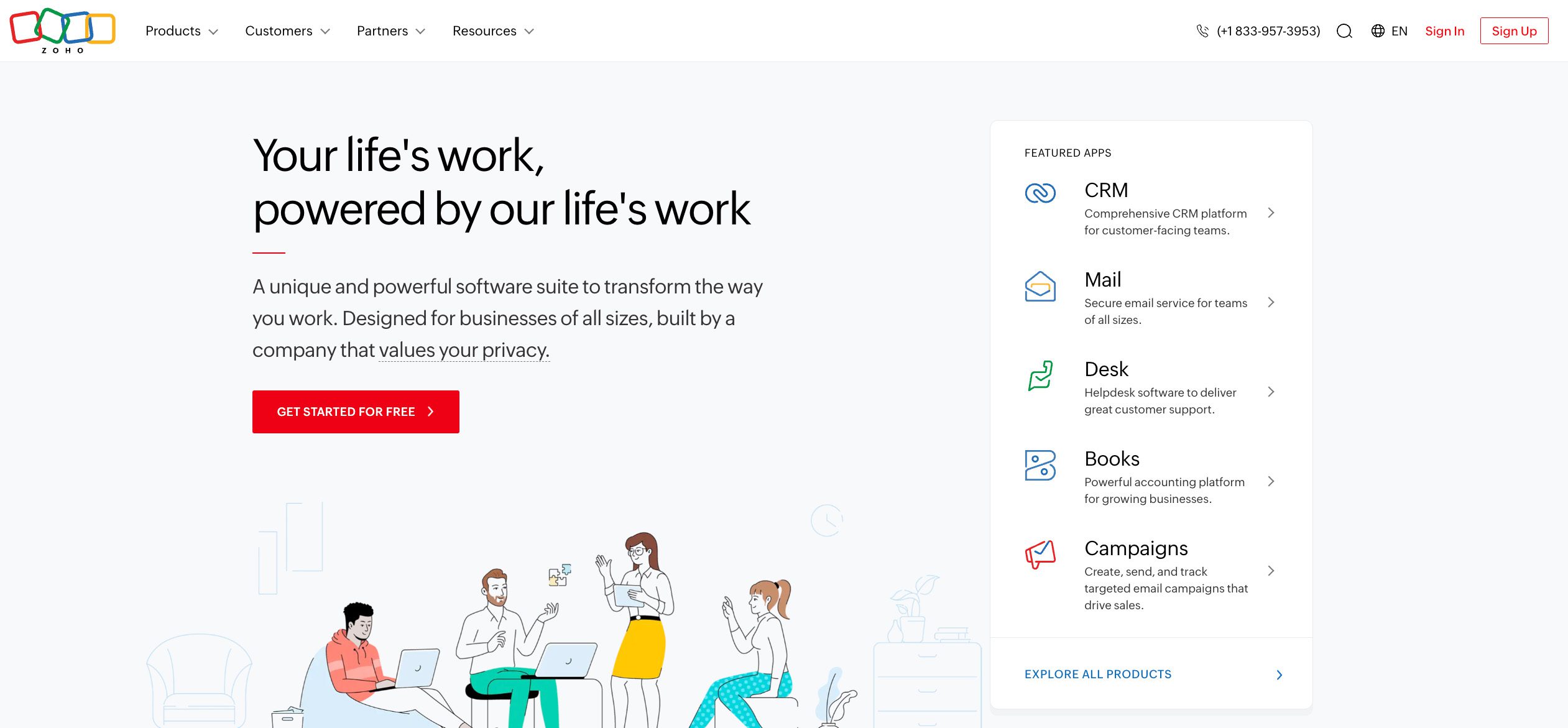
Notably, Zoho CRM includes an AI assistant called Zia for predictive insights. It also integrates with many other tools (both within the Zoho product suite and third-party apps) to fit a variety of industries and workflows.
Small teams appreciate the free plan and affordable Standard tier, while growing SMBs often leverage the Professional or Enterprise plans for automation and customization.
Large organizations can opt for the Enterprise or Ultimate editions to access advanced features (such as AI analytics, extensive customization, and increased file storage) to support complex sales operations.
Zoho CRM pricing plans 💰
Zoho CRM offers five main editions: a Free plan and four paid tiers (Standard, Professional, Enterprise, and Ultimate). All paid plans are priced on a subscription per user, per month.
You can choose monthly billing or save by paying annually (at a discounted rate of roughly 20–30% less per month).
Below is a summary of Zoho CRM’s pricing structure:
| Plan | Per-user cost (billed annually) | Per-user cost (billed monthly) |
| Free | $0 (for up to 3 users) | $0 |
| Standard | $14 per month | $20 per month |
| Professional | $23 per month | $35 per month |
| Enterprise | $40 per month | $50 per month |
| Ultimate | $52 per month | $65 per month |
Pricing is in USD, per user.
Summary: Example costs for teams and businesses of all sizes
To put these per-user prices in perspective, let’s look at a few scenarios that vary depending on how many user licenses you need and other details:
Small Teams
- If you have a small team of 5 users, Standard plan will cost you about $70 per month with annual billing or $100 per month with monthly billing.
- The Professional plan for that same team runs around $115 per month annually or $175 monthly.
- The Enterprise plan comes in at $200 per month with annual billing or $250 monthly.
Midsize Teams
- For a midsize team of 10 users, expect to pay roughly $140 per month when billed annually, compared to $200 per month for the Standard plan.
- The Professional plan is $230 per month on an annual plan or $350 with monthly billing.
- Enterprise pricing for 10 users is about $400 per month with annual billing or $500 per month on a monthly billing plan.
Large Teams
- A larger team of 50 users would pay about $700 per month on the Standard plan with annual billing, or $1,000 per month if paying monthly.
- For Enterprise, the cost is approximately $2,000 per month annually or $2,500 per month if billed monthly.
- Annual billing typically offers about 30% savings, which becomes more substantial as team size increases.
In summary, Zoho CRM’s pricing is pay-as-you-go per user, so your total monthly cost = number of users × price per user.
What each plan includes: Features & limitations ⚙️
Each Zoho CRM edition comes with a different set of features and limits.
Here’s a breakdown of what you get (and what you might be missing) at each plan level:
Free plan
Free for up to 3 users, this plan includes basic CRM features such as leads, contacts, and deals, plus mobile access. You get 1GB storage, one pipeline, and basic reports, but no mass email or automation, and limited integrations.
The Free plan is best for individuals or very small teams with simple business needs.
Standard plan
At $14/user monthly (annual), Standard adds mass emailing (250/day), multiple pipelines, custom dashboards, forecasting, reporting, and workflows. It includes custom fields, lead scoring, and access to Zoho Marketplace.
This option is a strong fit for small teams that need automation and basic customization.
Professional plan
Priced at $23/user monthly (annual), Professional introduces sales process automation (Blueprint), quote and inventory management, Google Ads integration, and expanded automation with webhooks and custom buttons. Email limits increase to 500/day.
The Professional plan is ideal for teams needing deeper automation and integrations.
Enterprise plan
At $40/user monthly (annual), Enterprise unlocks advanced automation, AI (Zia), territory management, custom functions, multi-user portals, sandbox testing, and custom reports.
This plan is best-suited to larger teams managing complex processes and multiple departments.
Ultimate plan
At $52/user monthly (annual), Ultimate includes everything in Enterprise plus advanced analytics (Zoho Analytics), 2,000 daily emails, expanded storage, priority support, and dedicated infrastructure.
The Ultimate plan is best for data-heavy teams or enterprises wanting the highest limits and advanced reporting power.
Summary of plan differences:
The Free plan is for very small-scale use.
Standard introduces core CRM features needed by any growing business (multiple pipelines, dashboards, basic automations) at a low price. Professional brings in advanced process automation and integrations suitable for a serious sales team.
Enterprise adds AI and heavy customization for a sophisticated, large operation.
How to choose the right plan for your business ✅
With five editions to pick from, how do you decide which Zoho CRM plan is the best fit for your business?
The choice will depend on your team size, feature needs, and growth plans.
Here are some guidelines to help you choose:
- Freelancers or startups (1–3 users): The Free plan may be enough for basic contact and lead tracking. If you need features like multiple pipelines or light automation, consider starting with Standard.
- Small to mid-sized teams (4–15 users): Standard works well for basic workflows, while Professional suits teams that need more automation, forecasting, or integrations, such as Google Ads.
- Growing businesses (15–50 users): As complexity grows, Enterprise becomes a better fit with its advanced customization, AI-powered tools like Zia, and multi-team support.
- Large organizations (50+ users): Enterprise covers most needs, but if you require full analytics, expanded storage, and premium support, Ultimate may be worth the upgrade.
Other factors to consider in choosing a plan:
- Focus on features you truly need: If you require tools like territory management or multiple pipelines, that narrows your customization options. For example, territory management starts at Enterprise, while multiple pipelines are available from Standard up.
- Plan ahead for growth: If you expect to expand soon, it may be better to choose a plan that can support that growth now rather than upgrading later and dealing with disruptions or prorated changes.
- Use free trials to test plans: Trialing a higher-tier plan helps you decide whether its extra features are worth it before committing.
- Balance cost and value: Don’t just look at price. Consider whether features like automation will save time and justify the upgrade. Only pay for what your team will use.
Finally, remember that you can mix and match Zoho’s broader product suite if needed.
What to watch out for ⚠️
When calculating Zoho CRM’s cost, be aware that the sticker price per user isn’t the whole story.
Here are a few additional cost considerations and potential “gotchas” to watch out for:
Zoho CRM plans include plenty of out-of-the-box features, but costs can rise with add-ons such as extra storage, custom modules, additional portals, or higher API usage. These vary by region and usage, check your plan’s limits.
Since pricing is per user, your costs grow as your team does. If you’re scaling quickly, factor that into your budget early on.
Higher-tier plans offer more power, but also more complexity. Advanced automation and customization often require setup time, training, or outside help, all of which come with time or consulting costs.
To summarize, Zoho CRM’s published pricing is transparent, and there are no trick mandatory fees (no forced onboarding fees, and you can use the product fully at the listed prices).
But depending on your situation, you might incur extra costs for things like data migration, training, premium support, third-party integrations, or add-on storage.
Being aware of these possibilities will ensure you budget properly and aren’t caught off guard. Always read the fine print on what your chosen plan includes.
Zoho CRM vs. alternatives ⚖️
When evaluating Zoho CRM’s cost, it’s useful to compare it with other CRM solutions on the market. Zoho CRM is often praised for offering a lot of features for the price, especially compared to some big-name competitors.
But is it the right balance of cost and complexity for you?
Let’s consider how Zoho stacks up and why you might choose an alternative:
Zoho CRM offers strong value, with plans starting at $14/user annually, which is far lower than an option like Salesforce or Microsoft Dynamics.
The CRM platform includes key features like forecasting and multiple pipelines even in lower tiers, which competitors often reserve for higher-priced plans.
However, with greater depth comes more complexity. Teams without tech support may find Zoho overwhelming, especially at higher tiers.
That’s where simpler CRM software like Method CRM come in.
Built specifically for QuickBooks users, Method offers core CRM features with a two-way, real-time accounting integration; a clean interface; and flexible customization services.
Plans start at $27/user per month, and you can add only the features you need, which keeps costs in check.
Zoho’s bundles, like CRM Plus, are useful if you need a full suite of tools. But if your needs are focused, a leaner CRM like Method may be a better fit.
Read more: CRM Comparison: Method vs. Zoho
Choose based on real needs, not just feature lists.
(For a personalized comparison, you might create a list of must-have features and get pricing quotes or trials from Zoho and a couple of competitors to see what fits best.)
Recommendations 💡
Choosing the best CRM for your business is a big decision.
Based on what we’ve discussed, here are some key recommendations and takeaways to help you make the most of Zoho CRM (or any CRM solution):
- Match the plan to your needs: Identify the features you need over the next year and choose the Zoho plan that covers them without overpaying or missing key tools.
- Start with a free trial or pilot: Use Zoho’s trial periods to test plans with your team and make sure they meet your workflow needs before committing.
- Plan for the future (but don’t over-commit too early): Anticipate team growth or advanced needs, but know that you can start small and upgrade later if necessary.
- Leverage annual pricing if possible: Annual billing can save 20–30%, reduce billing hassle, and protect against future price changes.
- Monitor usage and adjust: Review your usage every 6 months to ensure you’re not overpaying for unused features or outgrowing your current plan.
- Consider total cost of ownership: Factor in add-ons, integrations, training, and support costs when comparing Zoho CRM to alternatives.
- Be mindful of feature gaps before upgrading: If one missing feature is pushing you to upgrade, weigh the added cost against possible workarounds or add-ons.
- Explore Zoho One or CRM Plus if using many Zoho mobile apps: Bundles may reduce overall costs if you’re already using multiple Zoho products.
- Don’t overlook simpler solutions: If Zoho CRM feels too complex, a more focused tool like Method CRM may be a better fit, especially if QuickBooks sync is a priority.
By following these recommendations, you can ensure that you get the maximum return on investment from whichever CRM you choose and that you’re not caught off guard by costs.
Zoho CRM’s flexible pricing is there to support your business at every stage, so use that flexibility to your advantage.
Conclusion 💬
Zoho CRM offers flexible pricing, whether that means you choose a free plan for up to 3 users to enterprise-level tiers with advanced features, so it’s generally accessible for small businesses and scalable for larger teams.
The best plan depends on your needs.
Consider not just features, but total cost, including users, add-ons, and potential onboarding. Standard or Professional may be enough for many, while Enterprise or Ultimate suits those who need deep automation, AI, or customization.
Above all, consider that while Zoho is priced competitively, it’s not the only option.
If your needs are more focused, like QuickBooks integration or simpler workflows, a specialized solution like Method CRM may be a better fit.
Start with a clear view of your goals, test Zoho’s free trials, and compare carefully. Whether you go with Zoho or an alternative, the right CRM should deliver real value without unnecessary complexity.
Ready to find your fit? See if Method CRM is the better match for your team.
Frequently asked questions
Is Zoho CRM really free?
Yes, Zoho CRM offers a free plan that supports up to three users with no time limit.
This free edition includes basic CRM functionality, including:
- Lead and contact management
- Sales pipeline tracking
- Tasks
- A document library
- Standard reporting
How much does Zoho CRM cost per user?
The cost per user depends on the edition and whether you choose annual or monthly billing.
Here’s a quick rundown of Zoho CRM’s per-user pricing (as of 2025) in USD:
- Free: $0 (for 3 users)
- Standard: $14 per user per month (if billed annually) or $20 per user (if billed month-to-month)
- Professional: $23 per user per month (annual) or $35 per user (monthly)
- Enterprise: $40 per user per month (annual) or $50 per user (monthly)
- Ultimate: $52 per user per month (annual) or $65 per user (monthly)
What is included in Zoho CRM Plus?
Zoho CRM Plus is an all-in-one customer experience platform that bundles Zoho CRM with several of Zoho’s other products in one integrated suite.
Specifically, a Zoho CRM Plus subscription includes:
- Zoho CRM: Sales automation and pipeline management
- SalesIQ: Live chat and website visitor tracking
- Zoho Desk: Helpdesk and customer support management
- Zoho Projects: Project management and tracking
- Zoho Campaigns: Email marketing tools and automation
- Zoho Social: Social media publishing and engagement
- Zoho Survey: Customer feedback collection and analysis
- Zoho Analytics: Cross-team reporting and business insights
- SalesInbox: Email client designed specifically for sales teams
- Zoho PageSense: Website testing, optimization, and personalization
- Zoho Cliq: Team chat and collaboration