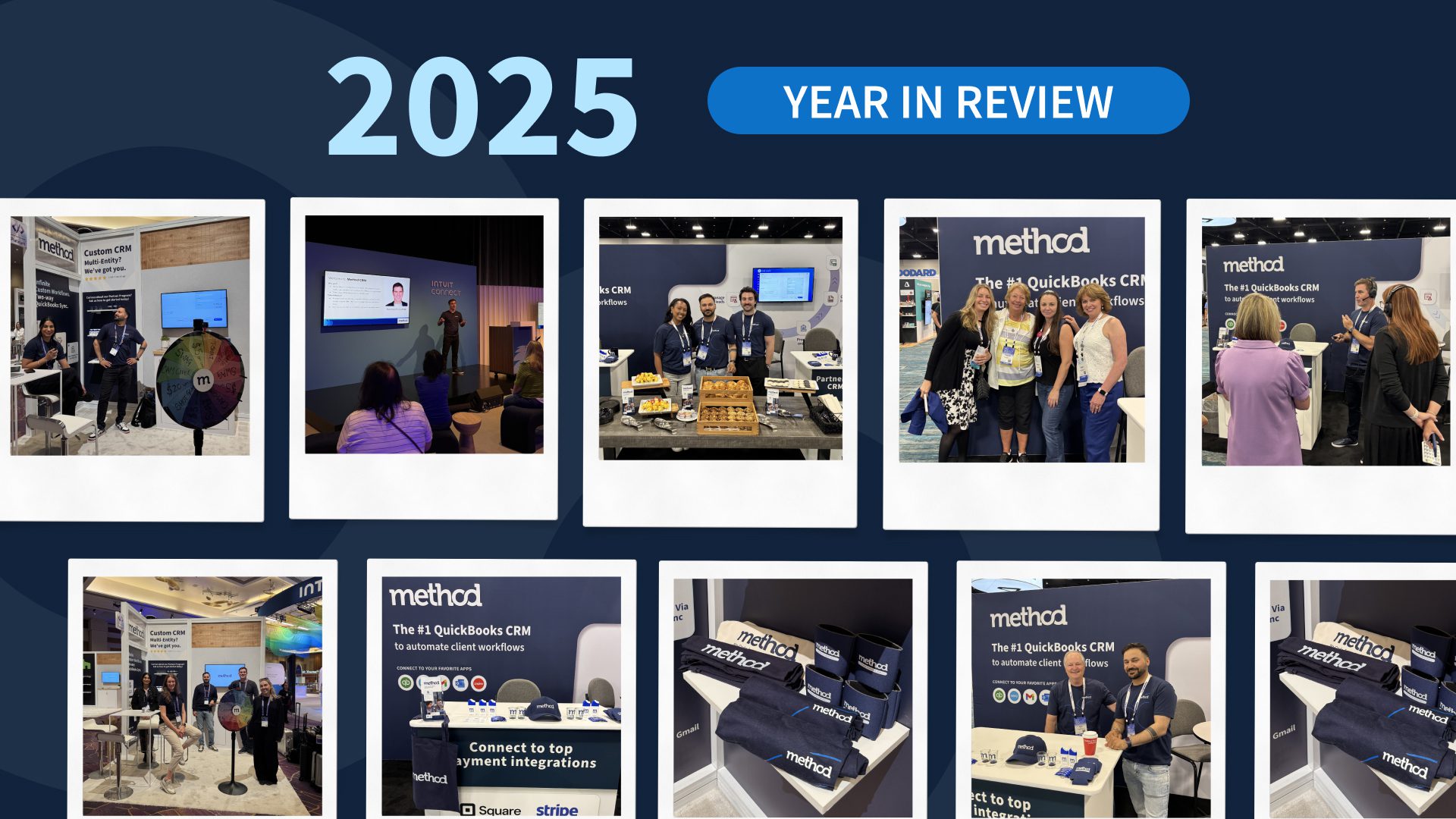
In 2025, Method spent 24,572 hours customizing CRMs for manufacturers, distributors, and service companies. The most successful businesses refuse to change their proven processes to fit rigid software, but adapt software to fit their actual workflows instead.
Last year, we tallied up how much time our team spent customizing Method businesses. The number added up to 24,572 hours.
That’s steel fabricators automating job costing. Manufacturers syncing WooCommerce, QuickBooks and Method in real time. Site services companies building custom dispatch workflows that connect field teams to back-office ops without double entry. These businesses said “no” to rigid, one-size-fits-all CRMs that force them into someone else’s workflow, and saying “yes” to a system that adapts to how they actually work.
We consistently saw the most successful small businesses refusing to replace their proven processes to fit a piece of software. They built automations around their real workflows, saving them hours, sometimes days, every week.
The year customization took center stage
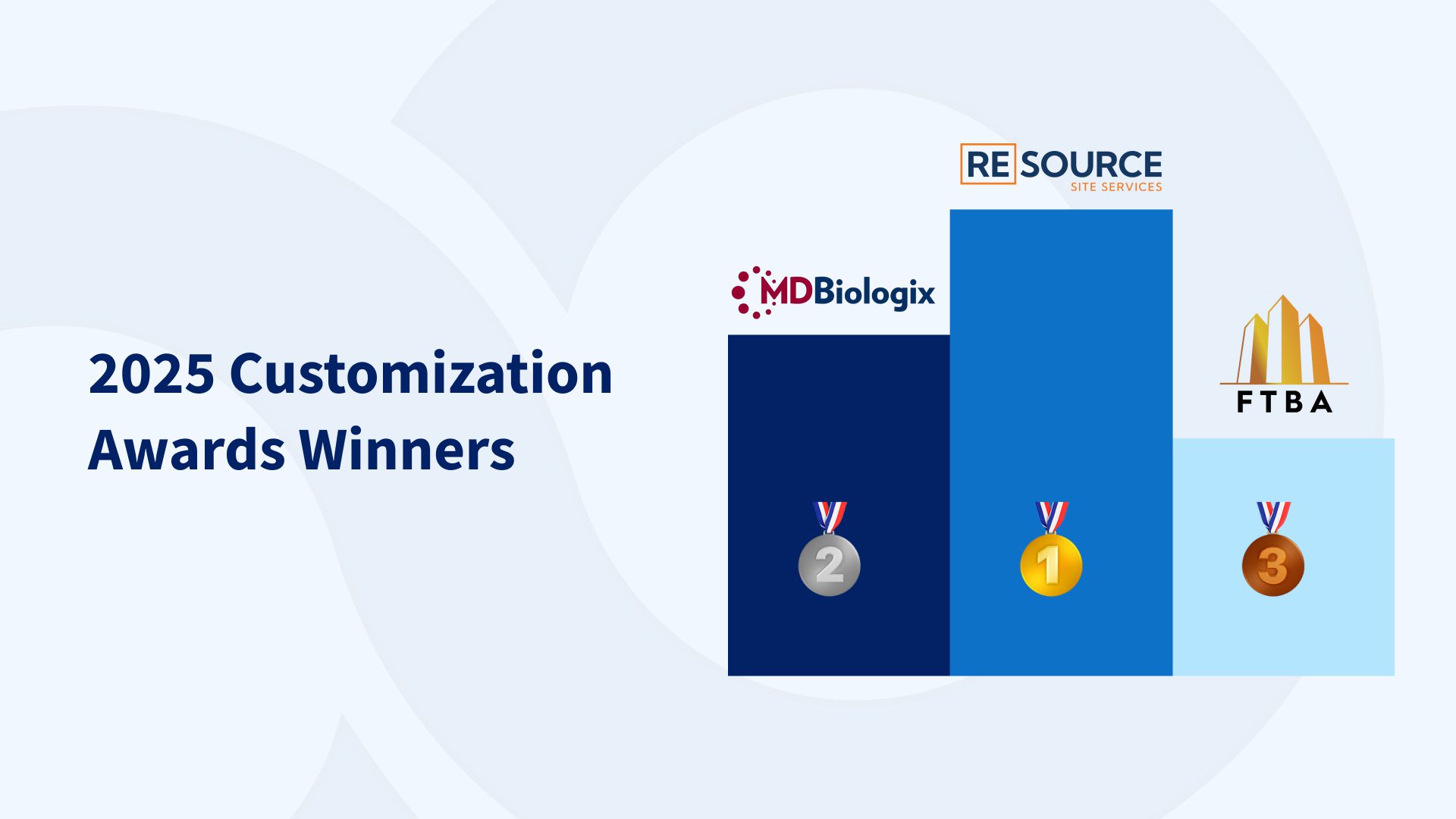
In December, we launched the first-ever Method Customization Awards to celebrate the teams and partners who pushed what’s possible. We received 34 nominations from businesses across industries—each one a story of saying “yes” to custom workflows, automated processes, and systems that finally fit.
The scores were close. Really close. But three stood out:
🥇 First Place: RE:SOURCE Site Services Built by partner Marwan Dajani (Alef Team Business Solutions), this was a complete end-to-end system for managing field jobs—crew dispatch, equipment tracking, site photos, inventory management, and real-time job costing, all synced back to QuickBooks. The kind of system that becomes mission-critical to how a business operates.
🥈 Second Place: MDBiologix Customized Method to manage laboratory sample workflows—tracking specimens, automating compliance reporting, and connecting their fulfillment process to QuickBooks in a way no off-the-shelf CRM could handle.
🥉 Third Place: FTBA A construction company that rebuilt their entire estimate-to-invoice process in Method, handling multiple service types, job-specific pricing, and automated proposal generation.
We also welcomed 64 new implementation partners last year—developers and solution experts who joined the Method community to help businesses like yours implement and scale custom workflows. These are the people who build the systems, train your team, and make sure Method fits your exact needs.
What all of this points to: businesses are tired of settling for software that says “no.” They’re building systems that adapt to their workflows, eliminate manual work, and give them hours back every week.
If you’ve been living with a CRM that doesn’t fit, or if you’re still running your business out of spreadsheets and QuickBooks alone, there’s never been a better time to see what’s possible.
Time is one of the most expensive resources on the manufacturing floor. When work hours are tracked inaccurately or too late, labor costs rise, payroll errors creep in, and managers lose sight of what’s actually happening on a daily basis. 👀
The best way to bring structure to that chaos? Effective manufacturing time tracking.
Gone are the days of relying on paper timesheets or manual entries; modern time tracking systems let employees log hours as work happens. That shift gives manufacturers clearer insight into labor usage, production flow, and staffing needs. 💡🕒
Modern time tracking doesn’t stop at payroll systems, though.
You’ll find that it also supports job costing, scheduling, compliance, workforce planning, and overall project management. When time data is reliable, leaders can make decisions with confidence rather than react after problems surface.
Here at Method CRM, we’ve been supporting QuickBooks-based businesses since 2010. Method is trusted by manufacturing teams for its two-way QuickBooks sync, customization services, and end-to-end workflow automation.
In this guide, we’ll show you how manufacturing time tracking works, what to look for in a system, and how to use it to gain better control over labor and operations. ✅
It’s time to maximize your manufacturing efficiency.
The manufacturing business and the environments it operates in move fast, and labor is often the largest operating expense. Without accurate time data, small issues can snowball into major cost and scheduling problems.
Time tracking gives managers visibility into who is working, where time is being spent, and how labor aligns with production goals.
Instead of guessing or waiting for end-of-week reports, supervisors can see hours shortly after they’re logged. That visibility makes it easier to spot bottlenecks, rebalance workloads, and keep production on schedule.
Manual timesheets bring with them a lot of unnecessary risk. Things like missed punches, rounded hours, and delayed approvals all create payroll discrepancies that take time to fix.
When time tracking is automated, these errors can be prevented. This happens by capturing time entries consistently and routing them through approval workflows before payroll runs.
Labor cost control improves when hours are tracked accurately, too. It’s much easier to monitor overtime, and managers can address scheduling issues before extra hours pile up.
Before long, you’ll have better visibility into labor trends that support smarter staffing decisions and more predictable labor expenses.
Time tracking also supports better employee scheduling. With a better understanding of how long tasks actually take, managers can plan shifts more realistically and not overload their teams.
In turn, they can reap rewards like better employee productivity and less burnout.
Method supports this visibility through configurable dashboards and reporting that sync time data with QuickBooks, giving managers access to labor and job-level insights without relying on spreadsheets or disconnected systems.
Core time tracking features manufacturers need ⚙️
Given how unique manufacturing environments can be, a specific time-tracking tool is needed.
The right system should match the realities of the shop floor while remaining simple for employees to use.
With that in mind, let’s move on to the must-have features to seek out in me tracking software specifically for the manufacturing industry.
Time clock options
Some teams rely on shared kiosks, others prefer mobile devices, and some use desktop access. A time tracking system should support all of those options without forcing everyone into one process.
Mobile access that fits how work really happens
Mobile access adds flexibility. This is particularly useful for larger facilities or teams that move between stations.
With mobile access, employees can clock in and out without walking to a central terminal. Along with that convenience comes better adoption and accuracy.
Clock-in/clock‑out simplicity
Clock-in and clock-out actions should be simple and fast. Complicated processes discourage proper use and lead to missed entries.
Wherever you can, remove time-tracking friction to make keeping time a routine rather than a disruption.
Employee time off requests, approvals, and scheduling
Another way to do this is by keeping time off requests and approvals in the same system. When vacation and sick time are tracked alongside work hours, schedules stay accurate, and payroll calculations stay clean.
Alerts for overtime thresholds help managers intervene early.
Integrations with accounting, job costing and more
Integration is one of the most fundamental features. Time tracking should connect to payroll, accounting, job costing, and workforce planning systems. Without integration, time data still needs to be moved manually, which defeats much of the purpose.
Method’s time-tracking features let employees log time through mobile and web entry, with those time entries syncing directly to QuickBooks for job costing and invoicing.
Approved time entries flow automatically into accounting, reducing errors and saving administrative time.
Choosing the right manufacturing time tracking software 📱🖥️
Selecting the right time tracking software starts with understanding how your operation works today and where problems occur.
Cloud-based systems offer flexibility and visibility across locations. Managers can review time data, approve entries, and run reports from anywhere. On-premise systems may suit certain environments, but often require more internal support.
A system should work just as well for a 10-person shop as it does for a growing operation with multiple shifts and departments. Look for pricing and functionality that won’t force a system change as your workforce expands.
Accuracy and compliance features help protect manufacturing companies. Automated overtime calculations, approval workflows, and audit trails reduce payroll risk and support labor law compliance.
These features are especially important in environments with variable shifts and overtime.
It’s time to maximize your manufacturing efficiency.
Manufacturing time tracking: Implementation of best practices 💯
Successful implementation depends as much on people as it does on software.
Here are some strategies for implementing best practices throughout your organization:
Define which employees will use the system, how time should be tracked, and what approvals are required.
Employees should understand how and when to log time entries, how time off is requested, and why the system is being implemented.
Walk employees through clocking in, submitting time, and correcting mistakes. Supervisors should understand approvals, reporting, and exception handling.
Change resistance is common, especially on the shop floor. Involving supervisors early and showing how labor tracking supports fair pay and smoother scheduling helps gain buy-in.
Run a short pilot to confirm payroll accuracy, approvals, and reporting.
Measuring success and ROI 📈
Measuring success with manufacturing time tracking starts with tracking the right metrics.
For many teams, the first and often most substantial benefit they’ll notice is spending less time on manual entry. In fact, data from Deloitte reports that automated payroll can reduce errors by as much as 50%.
Along with time saved, payroll errors tend to decline once time data is automated and approved before processing. Naturally, fewer corrections to make saves even more time, but it also bolsters trust.
With the right time tracking tool, overtime becomes easier to manage. Live time-tracking visibility helps managers adjust schedules before overtime grows unnecessarily.
User-friendly KPI dashboards can quickly show you overtime trends, hours per job, and labor costs. With all of this information readily available, it’s much easier to demonstrate ROI and guide ongoing improvements.
It’s time to maximize your manufacturing efficiency.
Conclusion: Manufacturing time tracking with Method 🎯
Manufacturing time tracking plays an integral role in controlling labor costs, improving visibility, and supporting smarter decisions.
The right system simplifies payroll, supports compliance, and gives managers real insight into workforce performance.
Method CRM helps manufacturers achieve this with flexible time tracking, real-time reporting, and deep QuickBooks integration. With the right setup, time tracking becomes a tool for clarity rather than a source of frustration. Start a free trial today to watch Method in action. 🚀
Frequently asked questions
What does time tracking look like for manufacturers?
Manufacturers typically use digital time clocks, mobile apps, or shared kiosks to record work hours. Time is logged as work happens and reviewed by supervisors before being used for payroll and job costing. For QuickBooks-based manufacturers, platforms like Method can be used to customize how time data connects to jobs, customers, and accounting workflows—without forcing teams into one-size-fits-all systems.
What is manufacturing time tracking software?
It’s a time tracking solution designed to record employee work hours in manufacturing environments while supporting scheduling, payroll, compliance, and production tracking.
What is the difference between timesheets and automated time tracking?
Timesheets rely on manual entry after work is completed. Automated time tracking records hours as they happen, so you’ll have fewer errors and better visibility.
How does manufacturing time tracking help streamline workforce management?
Manufacturing time tracking helps streamline workforce management by giving managers real-time visibility into labor activity across shifts, jobs, and departments. With accurate data, teams can optimize employee allocation, balance workloads more effectively, and ensure billable hours are captured correctly. This visibility supports smarter scheduling decisions and reduces last-minute adjustments that disrupt production.
Learn how manufacturing quality management systems (QMS) improve product quality, support ISO 9001 certification, streamline audits, and drive continuous improvement across production processes.
A single quality failure can cost more than the product — it damages customer trust, increases rework costs, and creates compliance risk. For manufacturers, reputation is built on consistency, and that requires a structured quality management system. This guide covers how to assess and maintain quality in your manufacturing process — including the key components, metrics, and best practices that hold up in production.
What is manufacturing quality management? 🧐
Manufacturing quality management is the process that manufacturers use to make sure all products meet defined specifications. It can also assess if the products are made efficiently or if there are things that can be optimized. It includes things like processes, documentation, metrics, audits, and improvements that ensure every product will be made the same way, with the same specifications.
In manufacturing, you want to be known for high-quality products, and when dealing with quality issues, the following terms will be front and center.
Quality management system (QMS): The processes, procedures, and records that maintain quality. In practice: Controlled documents, inspections, audits, nonconformances, and CAPA follow defined workflows.
Total quality management (TQM): A philosophy focused on continuous improvement, employee engagement, and customer focus.
Within that framework, quality assurance (QA) and quality control (QC) handle execution. QA focuses on prevention through standards, training, validation, and control plans. QC focuses on detection through inspections, testing, sampling, and final checks. A simple way to think about it: QA works upstream, QC works downstream.
Quality assurance (QA) — Prevents defects through standards, training, validation, control plans, and risk reviews.
Quality control (QC) — Detects defects through inspections, sampling, testing, and final checks before shipping.
Simple rule: QA is proactive (prevent), QC is reactive (detect). You need to include both to be solid with Manufacturing Quality Control
Why manufacturing quality management matters 💡
The importance of maintaining high quality standards in manufacturing cannot be overstated. You want to offer a product that works first and foremost, as well as the following:
It supports regulatory compliance and industry standards (including ISO 9001)
Compliance is really important, particularly in developed markets like the EU, North America, and Australia, which tend to have more regulation. Many will abide by ISO 9001, which is the international standard for quality management systems. A solid quality management system can make audits much easier and eliminate much of the work involved in dealing with various government bureaucracies.
It improves business outcomes like profitability and on-time delivery
Quality problems quickly become schedule problems. Rework and scrap consume capacity, delay shipments, and increase costs. A strong system lowers the cost of poor quality (COPQ) and helps keep delivery predictable.
The breakdown above explains how the cost of poor quality (COPQ) can accumulate across different areas of a manufacturing operation, sometimes very quietly. While the specific dollar amounts will vary by shop, this example shows how scrap, rework, and downstream issues like expedited freight and warranty service often represent a meaningful and measurable drain on margins.
It’s time to maximize your manufacturing efficiency.
A QMS doesn’t need to be an overcomplicated labyrinth of processes and oversight; it can be executed in a few simple steps.
1. Quality planning & objectives
The first part is to understand what the targets or objectives you are aiming for are. For example, if you manufacture sneakers and there is constantly negative feedback regarding the insoles of your footwear, this could be an objective for you to fix. It could also include measurable objectives aligned with customer and regulatory requirements, such as first pass yield or scrap rate targets. For example, if a manufacturer sets a first-pass yield target of 98% and a scrap rate below 2%, aligning those goals with customer quality agreements and ISO 9001 requirements ensures performance can be tracked and audited.
Many smaller or medium-sized shops will have goals and objectives, but are not sure how to implement them into everyday workflows. They need to think about both the goals and the objectives, as well as the controls that facilitate them. Again, let’s take the example of the defective insoles inside the sneakers. Without having an idea of the controls in the process, how do you know if it’s a production problem or an engineering one, and how can you determine which step of the process is causing problems?
2. Document control and workflows
Document control is also an important part of the whole process because it delineates processes and governs all of the workflows. For example, if one of your workflow stations has old work instructions and instructs you to use products that haven’t been readily available for decades, then that could cause some serious confusion. Make sure you check the following documents:
Document type
Why it matters
Common failure in spreadsheets
Work instructions / SOPs
Ensures consistent execution
Old versions circulate; changes aren’t tracked
Inspection plans
Defines what to measure and when
Checks drift; accountability is unclear
Control plans
Links risks to controls
Plans don’t update when processes change
Training records
Proves competence
Hard to show who was trained and when
At Method, QuickBooks based manufacturers often use customized approval workflows to manage work instructions after quality issues. Instead of emailing PDFs or relying on shared folders, updated instructions can be reviewed, approved, and distributed through Method so teams are working from the same version. This gives managers confidence during audits that the right process was followed.
3. Audits & checkpoints
Audits are the confirmation that is needed to make sure the processes are followed and are actually working. Only then will the product meet customer expectations. Whether it be internal audits or external audits, the goal is to eliminate any issues as soon and as fast as possible. Checkpoints, such as incoming inspection, first-article checks, in-process inspections, and final tests, catch issues before they ship.
Method can significantly help with the above by embedding inspections, approvals, and corrective actions directly into day-to-day work. Incoming inspections, in process checks, and final approvals can be captured as structured data tied to orders and jobs. When audit time comes, evidence is already organized and traceable because it was collected as the work happened, not recreated afterward.
4. Corrective and preventive actions
Corrective and preventive action (CAPA) turns quality issues into fixes that actually last. When a defect or complaint occurs, CAPA defines how the root cause is investigated so that actions can be taken to rectify it.
CAPA step
What “good” looks like
Output
Containment
Stop the impact quickly
Disposition decision + traceability
Root cause analysis
Identify the true driver
Root cause statement + evidence
Corrective action
Fix the cause
Change record + proof
Preventive action
Reduce recurrence risk
Updated controls + monitoring
Effectiveness check
Confirm results over time
Closed CAPA
5. Risk management and control plans
Risk management helps manage the risk of failure and its consequences, as there is always a risk that there will be some scrap. For example, a manufacturer will identify a high risk of defects during a manual assembly step, so they add a control plan that requires a first-piece check and a documented in-process inspection every 25 units. If a measurement falls outside tolerance, then production pauses, and a corrective action is triggered before scrap or rework spreads downstream.
It’s time to maximize your manufacturing efficiency.
There are several different metrics that go into quality assessment and quality control. They are hard data points that paint a picture as to what is going on with the quality of the product. Below are some common metrics that all manufacturers should be familiar with.
Metric
What it tells you
Why it matters
Defect rate
How often defects occur
Tracks stability and process variation
Scrap rate
Material lost due to defects
Direct margin impact; reveals waste
First pass yield (FPY)
% completed without rework
Measures true process capability
Rework hours
Labor spent fixing issues
Steals capacity and delays shipments
Cost of poor quality (COPQ)
Total cost of defects
Connects quality to finance and profitability
You should always be aware of these numbers, and the best way to do that is to have easy-to-see dashboards. When integrated with QuickBooks, Method lets teams track quality related data alongside jobs, inventory, and costs. Defects, scrap, and rework can be captured as part of day-to-day operations and tied back to the transactions that hit the P&L.
ISO 9001 and international standards ✅
ISO 9001 is a widely recognized quality standard that encourages manufacturers to abide by certain systems and processes to ensure quality. ISO inspired practices improve general credibility, which is very important when dealing with the global supply chain, but they also help the manufacturer’s business as a whole. ISO standards require businesses to strengthen daily operations by improving documentation, structuring corrective actions, and increasing visibility into quality trends. So, in short, while ISO 9001 is often required for other entities and individuals to trust you, abiding by those standards can be a huge boon for the business operations as well.
Best practices for quality control and assurance 📋
Quality best practices are simple in concept: define standards clearly, verify at the right points, and remove variation over time. The challenge is execution, getting practices out of binders and into daily operations.
Establish quality checkpoints Focus inspections where risk is highest.
• Incoming material inspection, first-piece verification, and final testing
• Avoids over-inspection while catching issues that drive scrap and returns
Employee training & work instructions Make quality repeatable.
A QMS tool should make quality easier to run. The right platform helps you track issues, control documents, manage audits, and execute CAPA with clear accountability. For small to mid-sized manufacturers, the goal is operationalization: quality processes run in the same rhythm as production, purchasing, and fulfillment.
Capability
Why it matters
What it prevents
Nonconformance tracking
Standardizes how issues are logged and resolved
Lost issues, inconsistent responses, repeat defects
CAPA workflows
Enforces root cause, ownership, and verification
Email threads, vague fixes, no effectiveness checks
Document control
Keeps procedures current and auditable
Old SOPs, uncontrolled edits, training gaps
Real-time alerts
Speeds response when quality drifts
Late detection, large scrap batches, customer impact
Dashboards & visualization
Makes trends visible to leadership
Reactive management, surprises in audits and shipments
Continuous improvement in quality management 📈
Quality management isn’t something you do once and move on from. It requires ongoing attention and improvement. And if you’re not doing it well, your competitors likely are. For SMBs, quality improvement works best when it’s practical and repeatable, built around short feedback loops and simple routines like quick quality huddles and regular CAPA checks.
The example below shows how even a focused quality improvement initiative can deliver measurable results over time. While outcomes vary by operation, tracking a small set of before-and-after metrics helps teams validate what’s working and prioritize the next improvement cycle.
Manufacturing quality management in mission-critical industries
In mission-critical sectors like aerospace and medical devices, quality management carries higher stakes and heavier documentation demands. These industries often require stricter traceability, more rigorous audit trails, and tighter control over design changes and supplier qualification.
Manufacturing quality management in mission-critical industries 👩🏻⚕️
In mission critical sectors like aerospace and medical devices, quality related issues carry higher stakes and heavier documentation requirements. Teams need stronger traceability, clearer audit trails, and tighter controls around changes, approvals, and supplier data. Method does not replace a formal QMS, but it gives these businesses a flexible system to connect quality related workflows, customer orders, and supplier records directly to QuickBooks.
Common challenges and solutions 🎯
Even manufacturers with strong intent run into predictable obstacles when implementing quality management systems. The solutions are rarely about “trying harder.” They’re about designing processes that actually fit work in real life.
Challenge
What it looks like
Practical solution
Resistance to change
Teams avoid new forms, don’t log issues, or treat audits as “quality’s job”
Start with the biggest pain point (e.g., CAPA) and make the workflow simpler than the current workaround
Compliance vs efficiency tension
Documentation feels like bureaucracy and slows production
Use streamlined templates and automation so evidence is captured in the flow of work, not after the fact
Siloed quality data
Inspection data, NCRs, and corrective actions live in different tools
Centralize records and integrate with operational systems so teams share one source of truth
Weak root cause analysis
Same defects repeat with different “quick fixes”
Standardize RCA methods (5 Whys, fishbone) and require effectiveness checks before closing CAPAs
Audit panic
Teams scramble to find documents and prove controls
Build audit readiness into routine workflows (document control, training records, inspection logs)
Bottom line: Manage the quality, reap the rewards 💬
Manufacturing quality management is not just a compliance exercise; it’s a system that protects margins and builds customer trust and customer satisfaction. Most manufacturers don’t fail at quality because they lack standards. They fail because quality processes live in silos, spreadsheets, or disconnected tools. The path forward is operationalization: make quality management processes part of the daily rhythm of production, purchasing, and fulfillment.
With Method, you can pull quality out of spreadsheets and emails and embed it directly into day-to-day workflows, so inspections, nonconformances, and corrective actions happen as work moves forward. That keeps quality visible in real time and ensures standards are followed consistently without holding up production.
While frameworks vary, most QMS models include quality planning, document control, performance monitoring (metrics and audits), and corrective/preventive action. Benchmarking is another way to ensure the product meets all customer requirements. Together, these components define standards, control execution, verify compliance, and drive improvement. The strongest systems connect those components into consistent workflows.
What are the benefits of a streamlined QMS?
A streamlined QMS reduces rework, limits the usage of raw materials that turn into scrap, and reduces audit stress by making quality processes repeatable and easy to follow. It improves on-time delivery by preventing defects from consuming capacity. It also strengthens customer trust because issues are handled consistently and backed by clear documentation.
When you’re considering Zoho CRM for your business, some of your first questions are bound to be: How much does Zoho CRM cost? What do you get for the price? What type of business is Zoho CRM best for?
These are important questions to ask, as understanding Zoho’s pricing plans and who it’s best for, will help you budget and choose the right edition for your needs. However, other CRM options may make more sense for your business.
Here at Method CRM, we’ve been supporting QuickBooks-based businesses since 2010. Method is loved by business owners for its two-way QuickBooks sync, customization services, and end-to-end sales automation.
In this article, we’ll show you a detailed breakdown of Zoho CRM’s costs and plans, plus tips to pick the best option for your business. 👩🏻💻🎯
Still entering sales leads manually? Let’s automate that.
Zoho CRM is an all-in-one customer relationship management platform that helps provide the core functionality to streamline your sales process and customer interactions.
It allows you to organize leads and contacts, track deals through your sales pipeline, automate routine tasks, and acquire insights from analytics. Companies ranging from small startups to large enterprises use Zoho CRM because it’s highly scalable and feature-rich.
Notably, Zoho CRM includes an AI assistant called Zia for predictive insights. It also integrates with many other tools (both within the Zoho product suite and third-party apps) to fit a variety of industries and workflows.
Small teams appreciate the free plan and affordable Standard tier, while growing SMBs often leverage the Professional or Enterprise plans for automation and customization.
Large organizations can opt for the Enterprise or Ultimate editions to access advanced features (such as AI analytics, extensive customization, and increased file storage) to support complex sales operations.
Zoho CRM pricing plans 💰
Zoho CRM offers five main editions: a Free plan and four paid tiers (Standard, Professional, Enterprise, and Ultimate). All paid plans are priced on a subscription per user, per month.
You can choose monthly billing or save by paying annually (at a discounted rate of roughly 20–30% less per month).
Below is a summary of Zoho CRM’s pricing structure:
Plan
Per-user cost (billed annually)
Per-user cost (billed monthly)
Free
$0 (for up to 3 users)
$0
Standard
$14 per month
$20 per month
Professional
$23 per month
$35 per month
Enterprise
$40 per month
$50 per month
Ultimate
$52 per month
$65 per month
Pricing is in USD, per user.
Summary: Example costs for teams and businesses of all sizes
To put these per-user prices in perspective, let’s look at a few scenarios that vary depending on how many user licenses you need and other details:
Small Teams
If you have a small team of 5 users, Standard plan will cost you about $70 per month with annual billing or $100 per month with monthly billing.
The Professional plan for that same team runs around $115 per month annually or $175 monthly.
The Enterprise plan comes in at $200 per month with annual billing or $250 monthly.
Midsize Teams
For a midsize team of 10 users, expect to pay roughly $140 per month when billed annually, compared to $200 per month for the Standard plan.
The Professional plan is $230 per month on an annual plan or $350 with monthly billing.
Enterprise pricing for 10 users is about $400 per month with annual billing or $500 per month on a monthly billing plan.
Large Teams
A larger team of 50 users would pay about $700 per month on the Standard plan with annual billing, or $1,000 per month if paying monthly.
For Enterprise, the cost is approximately $2,000 per month annually or $2,500 per month if billed monthly.
Annual billing typically offers about 30% savings, which becomes more substantial as team size increases.
In summary, Zoho CRM’s pricing is pay-as-you-go per user, so your total monthly cost = number of users × price per user.
Still entering sales leads manually? Let’s automate that.
What each plan includes: Features & limitations ⚙️
Each Zoho CRM edition comes with a different set of features and limits.
Here’s a breakdown of what you get (and what you might be missing) at each plan level:
Free plan
Free for up to 3 users, this plan includes basic CRM features such as leads, contacts, and deals, plus mobile access. You get 1GB storage, one pipeline, and basic reports, but no mass email or automation, and limited integrations.
The Free plan is best for individuals or very small teams with simple business needs.
Standard plan
At $14/user monthly (annual), Standard adds mass emailing (250/day), multiple pipelines, custom dashboards, forecasting, reporting, and workflows. It includes custom fields, lead scoring, and access to Zoho Marketplace.
This option is a strong fit for small teams that need automation and basic customization.
Professional plan
Priced at $23/user monthly (annual), Professional introduces sales process automation (Blueprint), quote and inventory management, Google Ads integration, and expanded automation with webhooks and custom buttons. Email limits increase to 500/day.
The Professional plan is ideal for teams needing deeper automation and integrations.
Enterprise plan
At $40/user monthly (annual), Enterprise unlocks advanced automation, AI (Zia), territory management, custom functions, multi-user portals, sandbox testing, and custom reports.
This plan is best-suited to larger teams managing complex processes and multiple departments.
Ultimate plan
At $52/user monthly (annual), Ultimate includes everything in Enterprise plus advanced analytics (Zoho Analytics), 2,000 daily emails, expanded storage, priority support, and dedicated infrastructure.
The Ultimate plan is best for data-heavy teams or enterprises wanting the highest limits and advanced reporting power.
Summary of plan differences:
The Free plan is for very small-scale use.
Standard introduces core CRM features needed by any growing business (multiple pipelines, dashboards, basic automations) at a low price. Professional brings in advanced process automation and integrations suitable for a serious sales team.
Enterprise adds AI and heavy customization for a sophisticated, large operation.
Still entering sales leads manually? Let’s automate that.
With five editions to pick from, how do you decide which Zoho CRM plan is the best fit for your business?
The choice will depend on your team size, feature needs, and growth plans.
Here are some guidelines to help you choose:
Freelancers or startups (1–3 users): The Free plan may be enough for basic contact and lead tracking. If you need features like multiple pipelines or light automation, consider starting with Standard.
Small to mid-sized teams (4–15 users): Standard works well for basic workflows, while Professional suits teams that need more automation, forecasting, or integrations, such as Google Ads.
Growing businesses (15–50 users): As complexity grows, Enterprise becomes a better fit with its advanced customization, AI-powered tools like Zia, and multi-team support.
Large organizations (50+ users): Enterprise covers most needs, but if you require full analytics, expanded storage, and premium support, Ultimate may be worth the upgrade.
Other factors to consider in choosing a plan:
Focus on features you truly need: If you require tools like territory management or multiple pipelines, that narrows your customization options. For example, territory management starts at Enterprise, while multiple pipelines are available from Standard up.
Plan ahead for growth: If you expect to expand soon, it may be better to choose a plan that can support that growth now rather than upgrading later and dealing with disruptions or prorated changes.
Use free trials to test plans: Trialing a higher-tier plan helps you decide whether its extra features are worth it before committing.
Balance cost and value: Don’t just look at price. Consider whether features like automation will save time and justify the upgrade. Only pay for what your team will use.
Finally, remember that you can mix and match Zoho’s broader product suite if needed.
What to watch out for ⚠️
When calculating Zoho CRM’s cost, be aware that the sticker price per user isn’t the whole story.
Here are a few additional cost considerations and potential “gotchas” to watch out for:
Zoho CRM plans include plenty of out-of-the-box features, but costs can rise with add-ons such as extra storage, custom modules, additional portals, or higher API usage. These vary by region and usage, check your plan’s limits.
Since pricing is per user, your costs grow as your team does. If you’re scaling quickly, factor that into your budget early on.
Higher-tier plans offer more power, but also more complexity. Advanced automation and customization often require setup time, training, or outside help, all of which come with time or consulting costs.
To summarize, Zoho CRM’s published pricing is transparent, and there are no trick mandatory fees (no forced onboarding fees, and you can use the product fully at the listed prices).
But depending on your situation, you might incur extra costs for things like data migration, training, premium support, third-party integrations, or add-on storage.
Being aware of these possibilities will ensure you budget properly and aren’t caught off guard. Always read the fine print on what your chosen plan includes.
Still entering sales leads manually? Let’s automate that.
When evaluating Zoho CRM’s cost, it’s useful to compare it with other CRM solutions on the market. Zoho CRM is often praised for offering a lot of features for the price, especially compared to some big-name competitors.
But is it the right balance of cost and complexity for you?
Let’s consider how Zoho stacks up and why you might choose an alternative:
Zoho CRM offers strong value, with plans starting at $14/user annually, which is far lower than an option like Salesforce or Microsoft Dynamics.
The CRM platform includes key features like forecasting and multiple pipelines even in lower tiers, which competitors often reserve for higher-priced plans.
However, with greater depth comes more complexity. Teams without tech support may find Zoho overwhelming, especially at higher tiers.
That’s where simpler CRM software like Method CRM come in.
Built specifically for QuickBooks users, Method offers core CRM features with a two-way, real-time accounting integration; a clean interface; and flexible customization services.
Plans start at $27/user per month, and you can add only the features you need, which keeps costs in check.
Zoho’s bundles, like CRM Plus, are useful if you need a full suite of tools. But if your needs are focused, a leaner CRM like Method may be a better fit.
Choose based on real needs, not just feature lists.
(For a personalized comparison, you might create a list of must-have features and get pricing quotes or trials from Zoho and a couple of competitors to see what fits best.)
Recommendations 💡
Choosing the best CRM for your business is a big decision.
Based on what we’ve discussed, here are some key recommendations and takeaways to help you make the most of Zoho CRM (or any CRM solution):
Match the plan to your needs: Identify the features you need over the next year and choose the Zoho plan that covers them without overpaying or missing key tools.
Start with a free trial or pilot: Use Zoho’s trial periods to test plans with your team and make sure they meet your workflow needs before committing.
Plan for the future (but don’t over-commit too early): Anticipate team growth or advanced needs, but know that you can start small and upgrade later if necessary.
Leverage annual pricing if possible: Annual billing can save 20–30%, reduce billing hassle, and protect against future price changes.
Monitor usage and adjust: Review your usage every 6 months to ensure you’re not overpaying for unused features or outgrowing your current plan.
Consider total cost of ownership: Factor in add-ons, integrations, training, and support costs when comparing Zoho CRM to alternatives.
Be mindful of feature gaps before upgrading: If one missing feature is pushing you to upgrade, weigh the added cost against possible workarounds or add-ons.
Explore Zoho One or CRM Plus if using many Zoho mobile apps: Bundles may reduce overall costs if you’re already using multiple Zoho products.
Don’t overlook simpler solutions: If Zoho CRM feels too complex, a more focused tool like Method CRM may be a better fit, especially if QuickBooks sync is a priority.
By following these recommendations, you can ensure that you get the maximum return on investment from whichever CRM you choose and that you’re not caught off guard by costs.
Zoho CRM’s flexible pricing is there to support your business at every stage, so use that flexibility to your advantage.
Still entering sales leads manually? Let’s automate that.
Zoho CRM offers flexible pricing, whether that means you choose a free plan for up to 3 users to enterprise-level tiers with advanced features, so it’s generally accessible for small businesses and scalable for larger teams.
The best plan depends on your needs.
Consider not just features, but total cost, including users, add-ons, and potential onboarding. Standard or Professional may be enough for many, while Enterprise or Ultimate suits those who need deep automation, AI, or customization.
Above all, consider that while Zoho is priced competitively, it’s not the only option.
If your needs are more focused, like QuickBooks integration or simpler workflows, a specialized solution like Method CRM may be a better fit.
Start with a clear view of your goals, test Zoho’s free trials, and compare carefully. Whether you go with Zoho or an alternative, the right CRM should deliver real value without unnecessary complexity.
Ready to find your fit? See if Method CRM is the better match for your team.
Frequently asked questions
Is Zoho CRM really free?
Yes, Zoho CRM offers a free plan that supports up to three users with no time limit.
This free edition includes basic CRM functionality, including:
Lead and contact management
Sales pipeline tracking
Tasks
A document library
Standard reporting
How much does Zoho CRM cost per user?
The cost per user depends on the edition and whether you choose annual or monthly billing.
Here’s a quick rundown of Zoho CRM’s per-user pricing (as of 2025) in USD:
Free: $0 (for 3 users)
Standard: $14 per user per month (if billed annually) or $20 per user (if billed month-to-month)
Professional: $23 per user per month (annual) or $35 per user (monthly)
Enterprise: $40 per user per month (annual) or $50 per user (monthly)
Ultimate: $52 per user per month (annual) or $65 per user (monthly)
What is included in Zoho CRM Plus?
Zoho CRM Plus is an all-in-one customer experience platform that bundles Zoho CRM with several of Zoho’s other products in one integrated suite.
Specifically, a Zoho CRM Plus subscription includes:
Zoho CRM: Sales automation and pipeline management
SalesIQ: Live chat and website visitor tracking
Zoho Desk: Helpdesk and customer support management
Zoho Projects: Project management and tracking
Zoho Campaigns: Email marketing tools and automation
Zoho Social: Social media publishing and engagement
Zoho Survey: Customer feedback collection and analysis
Zoho Analytics: Cross-team reporting and business insights
SalesInbox: Email client designed specifically for sales teams
Zoho PageSense: Website testing, optimization, and personalization
Learn how to create your own CRM system tailored to your business needs — step‑by‑step guide to design, build, integrate, and automate a custom CRM that improves workflows, customer data, and scalability.
At some point, businesses will begin to scale, and those mundane tasks that were handled with ease before start to become ever so burdensome on the operations of a business. When this point arrives, many business leaders will ask themselves: Should I invest in software for customer relationship management? And will an off-the-shelf CRM work, or is it better if I create my own? 🎨
A custom CRM can be incredibly powerful, but it can be costly, particularly if not done correctly. So, is building your own CRM a good idea, and do you need to be an expert in software development as well?
Here at Method CRM, we’ve been supporting QuickBooks-based businesses since 2010. Method is loved by business owners in the manufacturing sector for its two-way QuickBooks sync, customization services, and end-to-end sales automation. In this article, we’ll explore when it makes sense to build your own CRM, and why many teams choose a flexible platform like Method. ✨
Most businesses will naturally start with an off-the-shelf CRM, particularly one with a solid and easy-to-use UX, so that they don’t have to dive too deeply into the technical aspects at first. Off-the-shelf CRM features will work wonderfully at first, but eventually the team using it may begin to notice some limitations.
Limitations of off-the-shelf CRM software
Limitation
How It Shows Up Day to Day
Rigid workflows
Sales, salesforce, service, and project stages don’t match your real process, so reps track extra steps in spreadsheets or notebooks.
Constrained data model
Critical details (job sites, equipment, custom pricing rules) end up crammed into generic fields.
Limited integrations
Accounting, operations, and CRM don’t fully talk to each other, leading to double entry and out-of-date records.
Paywalls for key features
Advanced automation, roles, or reports often sit behind expensive enterprise tiers.
Benefits of a custom CRM
There are some very solid benefits to building a custom CRM, as delineated below.
Workflow fit. Your stages, tasks, and notifications mirror how work actually moves from interest to invoice to repeat business.
Flexibility over time. As you add services, locations, or team members, you can adjust fields, forms, and automations without changing platforms.
Deeper integrations. A custom CRM can hook into your accounting, scheduling, inventory, or project tools so data flows both ways instead of being manually copied.
Better reporting. Because the data model matches your reality, dashboards finally answer the questions you care about: job profitability, pipeline health, time to cash, and customer lifetime value.
When a custom CRM is worth it
Creating your own CRM solution is rarely the first step for a brand-new business, or at least one that operates in a newer, more efficient capacity than before.
It’s usually time to build when…
You’ve outgrown generic tools, your team runs on workarounds, and you’re losing visibility into performance because your systems no longer reflect how you actually sell and deliver.
Typical triggers include complex sales cycles, industry-specific requirements, multi-location operations, or tight coordination between different entities like field teams and accounting. For example, a franchise network like Mobility City struggled when each of its 50+ locations used different systems and paper trails for sales, service, and rentals, so leadership introduced a unified, customized CRM that replaced disconnected processes and manual notes with centralized workflows — making operations consistent, faster, and easier to scale.
A “custom CRM” doesn’t have to mean hiring developers and starting from scratch. Many businesses take a build-with approach using a customizable platform like Method. You get a proven CRM core, deep QuickBooks integration, and prebuilt apps, then tailor screens, fields, and workflows to fit your process.
Before you decide to create your own CRM, it helps to zoom out from “features” and think in terms of business outcomes. What do you actually want this system to do for you?
Define your goals and CRM objectives
Start by naming the problems you want the CRM to solve. Is it pipeline visibility, forecasting, or both? For instance, a roofing contractor may discover that most delays come from missed follow-ups and unclear job status, which turns “better pipeline visibility” into a clear priority.
Coordinate and map stakeholders and workflows
How does workflow move through your business, and who is involved? How is communication done between major stakeholders in the operation? For example, a residential HVAC company may involve sales, dispatch, field techs, and accounting in a single job, and each handoff needs clear steps so nothing gets lost.
Decide on your scope
Keep your first version focused, launch it with real users, and expand once you know what actually works. For example, a small plastics manufacturer might launch a Minimum Viable Product (MVP) that handles quotes, work orders, and basic production tracking so the floor team can start using it right away. Once that foundation holds up, they can layer in capacity planning or quality checks as the operation grows.
Budget, resources, and timeline
Building a custom CRM involves far more than writing software; it requires planning, design, configuration, testing, user training, and ongoing maintenance. Most teams underestimate the time and technical expertise needed, and end up spending time on a half-baked program that actually cuts efficiency.
A platform like Method removes much of that burden. You get a ready-made CRM with QuickBooks sync, then customize it without managing developers or infrastructure.
Once you’ve clarified why you want to create your own CRM and who it will serve, you can move into design and implementation. The steps below apply whether you’re coding from scratch, using low-code tools, or configuring a customizable platform like Method in your back end.
Step 1: Requirements and planning
Start by defining the fundamental capabilities that your CRM needs to support. In the manufacturing world, many times it will look like this.
Component
What It Covers
Contact & account management
Companies, people, sites, and related records in one place.
Lead & opportunity tracking
Pipelines, stages, estimated values, and next steps.
Activities & follow-ups
Calls, emails, meetings, tasks, reminders, and assignments.
Quoting & proposals
Estimates, approvals, and handoff to jobs or projects.
Automation
Emails, task creation, status changes, and notifications triggered by events.
Reporting
Dashboards that show pipeline health, performance, and trends.
With Method, many of these pieces are available through packs like Sales Pipeline, Contact Management, Time Tracking, and Proposals. You can start with these and then customize screens, fields, and logic instead of inventing everything from scratch.
Step 2: Information architecture and data model
Next, design how the data will be structured. That means deciding which “objects” you need (such as customers, contacts, jobs, quotes, invoices) and how they relate to each other.
Core entities What you track
Accounts, contacts, deals, jobs, tickets, projects, invoices.
Relationships How they connect
One account → many contacts, one deal → many activities, one job → many invoices.
Key fields What you store
Custom fields for industries, service types, locations, pricing tiers, equipment, or contracts.
Using Method’s customization services, you can add new tables, relate them to existing ones, and design screens so the right information is front and center for each team.
Step 3: Choose your build approach
There are several ways to create your own CRM, each with different trade-offs in flexibility, cost, and time to value.
Code from scratch Full custom build.
✅ Maximum control.
⚠️ High cost, long timeline, ongoing dev maintenance.
Low-code platform Visual builder with code options.
✅ Faster than raw code.
⚠️ Still requires technical skills and integration work.
No-code CRM builder Templates + drag-and-drop.
✅ Accessible for non-developers.
⚠️ Limited depth for complex workflows.
Build with Method Customizable CRM for QuickBooks users.
✅ Prebuilt CRM + deep customization + two-way QuickBooks sync.
⚠️ Best suited to businesses ready to invest in process design.
For many small and mid-sized companies, building on top of Method strikes the right balance between flexibility and speed.
Step 4: Design the interface and user experience
Even the most powerful CRM will fail if no one can use it. Design screens around real daily workflows: what a sales rep needs to see when calling a lead, what a dispatcher needs when scheduling a job, what management needs on a pipeline review call.
In Method, you can tailor layouts by role, simplifying views for some users and surfacing advanced detail for others. That keeps adoption high and training time low; your sales team will appreciate it.
Step 5: Integrations and automation
This is where your existing CRM stops being a standalone database and becomes the hub of your business. Common integrations include email, calendars, marketing tools, project management, and, critically for many businesses, accounting.
Why QuickBooks sync matters:
If your CRM and accounting system don’t stay in sync, you’ll always be fighting duplicate records and outdated data. Method’s real-time, two-way QuickBooks sync keeps customers, items, estimates, and invoices aligned without manual re-entry.
Beyond integrations, you can set up workflow based follow ups, reminders, approvals, and email templates using Method Packs like Sales Pipeline, Time Tracking, and Proposals. For more advanced automations like routing and event triggered messages, Method can be configured with you so it matches your process.
Step 6: Dashboards and reporting
Once your CRM is capturing the right data, you can surface it through dashboards tailored to each role. A sales manager might care about pipeline coverage and win rates, while operations may focus on job backlog and on-time completion.
Dashboard
Key Questions It Answers
Sales pipeline
What’s in each stage, what’s at risk, and what’s likely to close this month?
Account health
Which customers are growing, stagnant, or at risk based on activity and revenue?
Operations & jobs
Which jobs are in progress, delayed, or waiting on approvals or materials?
Cash and invoicing
Which invoices are outstanding, and how quickly are jobs moving to billing?
Because Method pulls data from both CRM records and QuickBooks, you can build a more accurate picture of performance without stitching together reports from multiple systems.
Step 7: Testing, migration, and launch
Before rolling your new CRM out to everyone, test it with a smaller group of users. Import a subset of data, run live deals through the system, and document what works and what doesn’t. Use those findings to refine fields, views, and automations.
Then plan a phased rollout with training sessions, quick reference guides, and a clear process for capturing feedback. Method’s team can support you during this stage with guided onboarding and configuration adjustments.
Even with a solid plan, custom CRM projects can go off track. Most problems fall into a handful of predictable patterns.
Common pitfalls when you create your own CRM
Scope creep: Trying to build every possible feature in version one leads to long delays and frustrated users. An MVP approach keeps momentum.
Poor adoption: If the CRM feels slower than email or Google sheets, people will avoid it. Involve end users in design and prioritize ease of use.
Underestimating maintenance: Custom code and home-grown integrations need ongoing care. Using a managed platform like Method reduces this burden.
Ignoring integrations: A CRM that doesn’t connect to your accounting, scheduling, or marketing tools quickly becomes another silo.
Weak data hygiene: Without clear rules for data entry, ownership, and cleanup, even the best system will fill up with inconsistent records.
Decision framework: Build vs buy vs build-with ⚖️
By this point, you might be weighing three options: keep your current CRM, build a completely custom system, or create the best CRM on top of a platform like Method.
When to buy an off-the-shelf CRM
An off-the-shelf CRM is usually the right choice if your team is small, your workflows are relatively standard, and you need to get up and running quickly with minimal upfront cost. Many businesses start here to prove out basic processes before investing in deeper customization.
When to build a custom CRM from scratch
A fully bespoke build tends to make sense for organizations with in-house development teams, highly specialized requirements, and the appetite to own long-term maintenance. This can include complex enterprise environments or software companies embedding CRM into their own product. Remember, an important part of this is for the customer. A good CRM can help you track customer experience, customer behavior and offer maximum customer support.
The middle path: Build with Method
For many SMBs, the sweet spot is a customizable CRM platform that provides a robust foundation and then adapts to your business.
Method offers:
A proven CRM core. Contacts, pipelines, and quoting are available out of the gate. Add packs like Sales Transactions, Field Services, and Portal Access as needed.
Deep QuickBooks integration. Two-way sync with QuickBooks Online, Desktop, and Enterprise so your front- and back-office stay aligned with maximum data security.
Customization Services. Extend Method with custom tables, fields, screens, and workflows, built with you by Method’s customization team.
Industry-specific flexibility. Method is widely used in field services, manufacturing, wholesale, construction, and professional services, where workflows rarely fit generic CRMs.
Maintenance, scalability, and future-proofing 👩🏻💻
Creating your own CRM is not a one-and-done project. The real value appears when you treat it as a living system that grows along with your business.
A proven CRM core Ready-to-use functionality.
Contact management, pipelines and estimates, work orders, and customer portals are available out of the box so teams can get started quickly.
Deep QuickBooks integration Two-way sync that keeps data aligned.
Syncs customer data, items, estimates, invoices, and payments across QuickBooks Online, Desktop, and Enterprise.
Customization services Adapt screens and workflows without coding.
Adapt screens and workflows to your processes, with Method’s team designing and extending the system alongside you.
Industry-level flexibility Built for businesses that don’t fit generic CRMs.
Used across field services, manufacturing, wholesale, construction, and professional services.
For many businesses, this “build-with” model delivers the flexibility of a custom CRM without the cost and maintenance burden of building one from scratch.
Your CRM: Built for success 🚀
A CRM is designed to help your business processes run more efficiently, and building your own custom CRM system is about creating a better way to run your business that mirrors the inner workings of the entire operation. Think of building your CRM the same way you build a business; find the problems, find the solutions, and streamline everything to be as efficient as possible.
If you want a custom CRM solution that already syncs with QuickBooks and adapts to your processes without the cost of a full custom build, Method’s team can help you map a path to a system that truly fits. Try Method for free today. 📈
Frequently asked questions
How much does it cost to build a custom CRM?
CRM development costs vary widely based on complexity and your business needs. A fully custom CRM system built by developers can run into the tens or hundreds of thousands of dollars when you factor in design, development, testing, and ongoing maintenance. Using a customizable platform like Method spreads costs over subscription and implementation, reducing upfront investment while still giving you extensive flexibility.
How long does it take to build a CRM system?
A simple MVP CRM using a configurable platform might be live in a few weeks, while a complex, fully bespoke system can take many months. The biggest timeline drivers are the clarity of your requirements and how many people are involved to achieve customer satisfaction.
Manufacturing is about production, and production revolves around making sure that you can turn raw materials into a finished product. Among the most important facets of the production process is time. How do you make sure all of these moving parts operate simultaneously so that everyone arrives at the end goal, which is the finished product? This is where manufacturing scheduling comes into play — to make sure that no jobs overlap, no machines are left waiting, and that time is of the essence for everyone involved in the production process. 🏭
Here at Method CRM, we’ve been supporting QuickBooks-based businesses since 2010. Method is loved by business owners in the manufacturing sector for its two-way QuickBooks sync, customization services, and end-to-end sales automation. In this guide, we’ll break down everything you need to know about manufacturing scheduling, some quick wins you might not know about, and how to make the whole process much simpler. 🙌
It’s time to maximize your manufacturing efficiency.
Manufacturing scheduling is the process of deciding what to produce and in what order. It also determines resource allocation based on the timing of assembly lines and production facilities. Manufacturing scheduling usually takes place after production planning. The planning determines the “what and how much”, and the scheduling determines the “who and when”.
Why manufacturing scheduling matters
More reliable on-time delivery.
Better resource allocation across labor, equipment, and materials.
Reduced downtime and fewer bottlenecks.
Lower Work in Progress (WIP) and inventory carrying costs.
Greater ability to react to demand changes or supply delays.
When complexity increases, the use of manual schedules becomes almost impossible. This is where Method + QuickBooks comes in. Together they work to give teams a single place to manage orders, WIP, and job progress so the schedule stops slipping. Method captures the day-to-day movement of each job, while QuickBooks keeps the financials synced in the background, which helps manufacturers plan with more confidence and react faster when things change.
Key components and data you need before scheduling ⚙️
Materials, capacity, demand, and the actual time that it takes things to happen need to be recognized, estimated, and analyzed before manufacturing scheduling can take place. Below is a breakdown of how to look at each concept.
Demand forecasting
Before producing something, you need to know how much you are going to produce, and before you can know that number, you need to get a grasp of the demand. This is where forecasting for demand is so important; it allows you to plan production, which unlocks every other part of the process, including manufacturing scheduling. For example, say you produce insoles for popular sneaker brands. You need to communicate with them beforehand regarding how much quantifiable demand there is, which will then determine everything down the line, such as batch sizes and delivery timing. You can then schedule the manufacturing accordingly.
Raw materials and inventory levels
Raw materials are the foundational element of the manufacturing process, and material shortages can throw a schedule off. Manufacturers need a clear picture of what’s on the shelf, what’s already committed, what’s on order, and how long replacements take to arrive. When that information updates in real time jobs stop getting stuck halfway through because someone ran out of a critical part. For example, a metal shop cutting brackets can keep work flowing if it sees that the steel plate is running low and places a PO before the next batch hits the floor. With a system like Method, this can be achieved by building a custom inventory workflow, or integrating your software with an inventory management system.
It’s time to maximize your manufacturing efficiency.
A schedule only works if it matches what the plant can actually handle. That means knowing which machines are open, which operators are available, how long each run truly takes, and where maintenance or tooling limits create natural pauses. When this data is accurate, the team can spread work across stations without overloading one area while another sits quiet. For example, a plastics manufacturer avoids backups by spotting that its molding press is booked solid next week and shifting lighter jobs to secondary equipment before the crunch hits.
Routing logic for each product
Every product moves through the plant in its own pattern. Good routing lays out the steps, setup time, inspection checks, wait time, and any alternate paths that keep jobs from colliding. This matters even more for custom or engineered work, where no two orders follow the exact same route. A furniture maker building a custom desk can keep the process smooth by routing each piece through milling, sanding, and finishing in the right sequence so no station ends up waiting on the wrong part.
Lead times, buffers, and safety stock considerations
Things go wrong in production. Suppliers miss dates, machines go down, parts need rework, and urgent orders cut the line. Lead times, small buffers, and the right amount of safety stock help soften those hits so delivery dates stay realistic. And don’t even get us started on backward scheduling. When these pieces connect cleanly with inventory and supply planning, the schedule can bend without breaking.
Even with solid forecasts and clear routing, delays often come from weak inputs. Most late orders trace back to assumptions that weren’t accurate, not the schedule itself. Once you see how each data point shapes schedule reliability, it becomes obvious that better data is the quickest path to a smoother, more predictable operation.
Step-by-step guide to creating a production schedule 🗓️
The first rule in scheduling production is to have a crystal clear process. Below is a step-by-step guide on how to make a production schedule and streamline it.
Step 1: Define goals and constraints
Define exactly what you want to achieve. How much is needed by what time, and what sequences do things need to follow to make that happen? That becomes the anchor for the entire schedule. Once the output goal is set, the next step is to map the limits around it. This includes equipment capacity, labor availability, supplier timing, and any fixed delivery commitments. With the production goal and the constraints side-by-side, the schedule stops guesswork and becomes a clear plan the shop can follow. A plant may need to finish 300 units by Friday, but only has enough available machine time to run 250 unless shifts are adjusted or work is sequenced differently.
Step 2: Collect and organize your data
Once you know what you are trying to achieve, you need to organize your “inputs”. Scattered or inconsistent inputs can undermine the success of any start to the manufacturing process. Get a grasp of important variables such as demand forecasts, open orders, inventory levels, supplier lead times, cycle and setup times, routing rules, and capacity by work center. Make sure the data is correct and harvest as much as possible while ensuring utmost organization.
Step 3: Route the workflow and sequence operations
Define the journey that each product takes through the facility before it becomes that sparkling finished product. Usually, that journey looks like this: operation order, setup and changeover times, inspection steps, and dependencies. Once you map the routes, you can define the bottlenecks.
Step 4: Allocate resources and build the schedule
Assign everything that needs to be assigned: machines, labor, materials, and time slots. Once that is done, allocate resources for different points and build the schedule based on that. It’s important to understand capacity as it pertains to labor; there is a difference between long-term (weekly/monthly) and short-term (shift by shift), so plan accordingly. Load leveling between stations prevents overload at one station vs. idleness at the station next door. For instance, a shop may notice that two high-setup jobs are scheduled back-to-back, so they rearrange the order and insert a quicker job in between to keep the line running smoothly.
It’s time to maximize your manufacturing efficiency.
There are different types of scheduling, as manufacturing is not a one-size-fits-all industry. Below are some of the common scheduling methods and when to use them.
Method
Description
When It’s Most Useful
Forward scheduling
Starts jobs as early as possible based on capacity.
To reduce lead time and keep equipment busy.
Backward scheduling
Works backward from the due date.
To meet strict customer deadlines.
Finite scheduling
Respects capacity limits.
For realistic, executable schedules.
Infinite scheduling
Ignores capacity limits.
For rough-cut or long-range planning.
Batch scheduling
Groups similar jobs to reduce setups.
When setup time is costly or frequent.
Step 6: Dispatching and execution
Turn the schedule into actionable instructions, work orders, pick lists, or digital job queues. Clear dispatching ensures the right materials, specs, and priorities reach operators. This is also where mismatches between estimated and actual cycle times become obvious, prompting data updates for future schedules.
Step 7: Continuous monitoring and adjustment
Every schedule changes. Breakdowns, call-outs, late materials, and urgent orders all require rapid adjustment. Dynamic scheduling tools help reflow work, show downstream impacts, and keep teams aligned on the latest version. Over time, this feedback loop strengthens your master data and improves schedule accuracy.
How Method supports your scheduling workflow
Method CRM lets you mirror your real-world routing and scheduling steps inside a customizable system that stays in sync with QuickBooks. It’s the best production scheduling software around. You can configure workflows for approvals, material allocations, and work order status changes, then trigger notifications or task updates as jobs move through each stage.
Because Method keeps customer orders, scheduling logic, and financial data connected, planners see the full impact of schedule changes on delivery dates and cash flow, while the back office avoids double entry or out-of-date records.
Common challenges and bottlenecks in scheduling 🚧
Even the best schedules that are designed to incorporate the minutiae of every detail of the production line will face challenges. Most manufacturers face a similar set of challenges, and many of them stem from bottlenecks that weren’t visible until the schedule was forced to absorb them. Bottlenecks can occur all over the place when it comes to scheduling something. Things like:
Supplier variability
Machine or labor constraints.
Excessive changeovers
Outdated cycle times
Lack of real-time visibility
Variability comes with risk and stress, but the ability to handle said variability separates the best manufacturers from the rest. The following strategies can help with some of the challenges faced in manufacturing scheduling.
Strategy
How It Supports a More Resilient Schedule
Safety buffers
Using safety stock or slack time to absorb late suppliers, longer-than-expected cycle times, or unexpected delays.
Alternate routing
Allowing jobs to move to secondary machines or work centers when primary resources are overloaded or offline.
Dynamic scheduling
Updating schedules in real time as conditions change instead of rebuilding plans manually after disruptions.
Balanced capacity planning
Aligning workload, inventory levels, and throughput to avoid overproduction, stockouts, and excessive WIP,
Not all bottlenecks carry the same weight. While manufacturers often experience several types of constraints at once, a small group of issues typically drives the majority of production delays. Understanding which ones occur most frequently, and which have the greatest downstream impact, helps teams focus their improvement efforts where they’ll matter most.
The Pareto chart below illustrates this distribution, showing how a handful of recurring constraints account for the bulk of schedule disruptions across manufacturing environments.
Metrics and KPIs to track 📊
A manufacturing schedule is only as strong as the feedback loop behind it. Tracking the right KPIs helps you understand whether production is flowing as planned, where bottlenecks persist, and how reliably the schedule supports customer commitments. These metrics form the core of ongoing performance monitoring.
On-time delivery: Measures how consistently production meets promised ship dates and customer expectations.
Lead time and cycle time: Tracks how long it takes to move from order to completion, revealing flow efficiency and system delays.
Capacity utilization: Shows how effectively key resources, machines, labor, tooling, are being used.
Downtime and changeover time: Highlights equipment availability, setup losses, and the impact of batching or sequencing.
Inventory turnover: Indicates the balance between demand and supply, calling out excess inventory or frequent shortages.
Schedule stability: Measures how often planners must reschedule work, an early warning sign of unreliable data or recurring disruptions.
Manual scheduling vs automation 💻
Most manufacturers start with Excel because it’s familiar and inexpensive. But as production volume rises or variability increases, spreadsheets cannot account for capacity constraints, lead-time variability, or real-time shop-floor updates.
Manual SchedulingSpreadsheets and whiteboards.
Simple at first, but error-prone and difficult to update as complexity grows.
Production SoftwareAutomated capacity and scheduling tools.
Improves visibility, speeds rescheduling, and reveals bottlenecks faster.
ERP SchedulingEnterprise-level coordination.
Powerful but costly and often too rigid or complex for SMBs.
Method acts as the ideal next step for SMBs. It isn’t a full ERP, but it centralizes customer demand, scheduling tasks, and job routing, all while keeping financials synced with QuickBooks.
It’s time to maximize your manufacturing efficiency.
Best practices to optimize manufacturing scheduling 💡
Optimizing a production schedule takes more than placing jobs on a timeline; it requires disciplined control of capacity, data, and communication. Use capacity planning to balance workloads across work centers, and apply lean or JIT principles to reduce WIP and shorten changeovers. Strong scheduling also depends on collaboration across sales, procurement, and production so plans reflect real constraints. Build flexibility through buffer capacity, alternate routing, and reliable backup suppliers to absorb disruptions. Real-time data from machines, inventory, and labor must flow back into the schedule continuously, and always assign clear ownership — a schedule only works when someone actively maintains it.
How modern scheduling software and ERP fit in 👨💻
Large ERPs offer sophisticated scheduling engines but often come with complexity, cost, and long implementation timelines. Many SMBs benefit from lighter, more flexible tools that integrate with existing systems.
Two-way QuickBooks integration that keeps all financial and customer data aligned.
Customizable workflows for routing, approvals, and production tasks.
Flexible data models for materials, jobs, labor, and scheduling inputs.
Automation that replaces repetitive manual updates.
For manufacturers not ready for a full ERP, Method provides a scalable platform that grows with operations while preserving the workflows they rely on.
How to get a head start with your manufacturing schedule 🚀
A strong manufacturing schedule is a living system, not a static chart. Production management improves as inputs improve: cycle times, inventory accuracy, routing clarity, and real-time shop floor visibility.
A simple way to start:
Map your current scheduling approach and find delays or bottlenecks.
Collect accurate data for inventory, cycle times, and capacity.
Define your scheduling goals, faster throughput, fewer reschedules, or improved on-time performance.
Choose KPIs and establish baselines.
Test a pilot schedule, refine it, and expand gradually.
Not ready for a full ERP? Start by customizing a tool like Method to match your scheduling needs while keeping production, sales, and accounting connected, so that your finished product is the best in the business. 🎯
Frequently asked questions
How do I create a manufacturing schedule?
The first step is forecasting: how much do you need to produce, when do you need to produce it, and what do you need to prioritize? Once you get a hold of that information and have all of the subsequent raw materials to produce (Gantt charts can help), you need to define the steps in your process while looking for bottlenecks and constraints. Once you have these, you can choose the appropriate scheduling method. Then you can create a master production schedule with all the requisite production costs.
How can I improve manufacturing scheduling efficiency?
The main thing to do is to improve the inputs. Many times, data accuracy will be the culprit, particularly in forward scheduling. Then you can look at bottlenecks, changeover times, and workloads to see if you can smooth things out a bit and increase production efficiency. Scheduling becomes much easier when supported by functions that update in real time.
What does a production scheduler do?
A production scheduler coordinates machines, labor, materials, and timing to ensure orders move through the plant on schedule and at the expected cost to meet a production order. Their role includes sequencing jobs, resolving conflicts, adjusting the plan when disruptions occur, and communicating priorities to both the shop floor and management.
Master manufacturing cost estimating before production starts. Learn methods to forecast total cost, avoid hidden expenses, and protect your profit margins.
Manufacturing is about margins — but without accurate cost estimates, there’s no way to protect them. When production costs are guessed rather than calculated, the impact ripples through pricing, planning, and profitability. The fix is a structured estimating process that accounts for materials, labor, overhead, and hidden costs before production begins. This guide breaks down how manufacturing cost estimating works, which methods to use, and how to build a reliable process for your shop.
What is manufacturing cost estimating? 🤔
Manufacturing cost estimating is the process of forecasting all costs required to produce a part or product, before you commit to making it. It’s the spreadsheet that defines all of the inputs and outputs involved in the production process. It allows manufacturers to model out costs and variables before they start the complete production process. Accurate estimates help protect margins and can add buffers to make sure everything falls in line. A poor estimate can impact production planning, material sourcing, and a whole host of other important facets in manufacturing. To put it simply, solid manufacturing cost estimating is vital for production.
When to do cost estimating in the product lifecycle 🔄
Design and prototyping
The first cost analysis and estimate can be done during the design and prototyping phase, in which early estimates are made to test whether a product can be manufactured at a reasonable cost. This step helps teams catch expensive decisions before they reach the shop floor to develop the final product.
Example: A metal shop prototypes a stainless steel bracket and runs a first-pass estimate to see if the part is viable for low-volume production.
Estimate Input
Value
Batch size
50 units
Set up cost spread
$250 spread across 50 units
Labor per unit
11 minutes
Material per unit
$6.10
Total cost per unit
$12.40
During quoting
Accurate estimates keep quotes tight and prevent missed costs like setup time or indirect labor. It can also help to identify scrap rate, and overall, this helps to prevent underpriced jobs that drain margin.
Example: The same shop builds a formal quote using updated cycle times and current stainless pricing to avoid undercharging.
Estimate Input
Value
Setup time
1 hour at $45/hr
Scrap allowance
3%
Revised labor per unit
10 minutes
Material per unit
$6.35
Quoted cost per unit
$11.80
Before scaling production
It must be recognized that in manufacturing, a shift in volume will change the math. Labor becomes more efficient and overhead spreads across more units, helping bring down the total manufacturing cost.
Example: When the order jumps to 2,000 units, setup and overhead are spread out and push the unit cost down.
Estimate Input
Value
Batch size
2,000 units
Setup cost spread
$250 spread across 2,000 units
Labor per unit
7 minutes
Material per unit
$6.10
Total cost per unit
$9.10
When the supply chain or processes change
Let’s face it, we live in a world where supply chains are in constant flux due to geopolitical considerations. This can, in turn, change the whole production process for better or for worse. Cost estimating on the supply chain side nowadays is absolutely vital.
Example: A supplier switches to a new stainless grade in Vietnam with a higher price but lower scrap rate, changing both materials and expected yield.
Estimate Input
Old Value
New Value
Material cost per unit
$6.10
$6.80
Scrap rate
3%
1%
Adjusted cost per unit
$6.28
$6.87
Cost estimating works best when it is treated as a living process, not a one time check before production begins. Method supports that by keeping your estimates connected to real time QuickBooks data, so pricing, customers, and transactions stay current as things change, instead of relying on outdated information from months ago.
Ready to take control of your manufacturing costs?
Building a repeatable cost estimation process 👨🏻💻
Direct material costs
Material cost includes raw stock, components, coatings, packaging, and freight into your facility, and these numbers move fast. Using up-to-date vendor quotes is essential because even small changes can shift the entire estimate.
Labor
Direct labor costs are another important part of the cost estimation process. Cycle time, operator skill, training, and machine-assisted workflows all shape the true cost per unit, and real data prevents guesswork.
Manufacturing overhead
Overhead costs include utilities, indirect labor, supervision, QC, tooling upkeep, and shop consumables. It quietly affects margins if it’s underestimated, and real-world adjustments matter.
Depreciation
Depreciation spreads equipment cost across the units it helps produce, making sure long-term investment shows up in the estimate. Ignoring it can distort pricing.
Hidden costs
Hidden Cost
Why It Matters
Setup and changeover time
Adds cost long before the first unit is made.
Scrap and rework
Even a modest scrap rate dramatically changes cost per unit.
Delays and idle machine time
Reduces throughput and inflates overhead per unit.
Supply chain risks
Material variability affects price and lead times.
Method makes estimating easier by pulling your quoting workflow into one place and keeping key numbers in sync with QuickBooks, including items and estimates, so you are not working off stale spreadsheets. If your material costs are maintained in QuickBooks, Method can keep those item inputs current through its real time two-way sync. And if your shop has quirks like long setups or higher scrap, Method can be customized with fields and workflow steps so your estimate process matches how your team actually operates day to day.
Ready to take control of your manufacturing costs?
Assigns overhead based on activities (setups, inspections, material handling).
High indirect cost environments, complex workflows.
Hybrid Approaches
Combines detailed engineering steps with parametric shortcuts and ABC for overhead.
Most SMEs aim for accuracy without slowing workflow.
To make these estimating methods easier to compare, let’s walk through a few simple examples. Each method approaches cost from a different angle, engineering detail, data-driven models, production style, or overhead allocation, so seeing them side by side helps clarify when and why you’d use each one.
Bottom-Up / Engineering-Based Estimating — Example
This approach breaks down the process into its individual manufacturing steps. For a machined aluminum bracket, you’d estimate cost by calculating the material used, the machine time required, and the labor involved in setup and finishing.
Step
Time
Rate
Calculation
Cost
CNC machining
12 min
$60/hr
(12 ÷ 60) × 60
$12.00
Deburring
4 min
$40/hr
(4 ÷ 60) × 40
$2.67
Material
—
Flat cost
—
$3.00
Total bottom-up cost per unit
—
—
—
$17.67
Activity-Based Costing (ABC) — Example
ABC assigns overhead based on the specific activities a product requires. In this case, we estimate the cost impact of setup, inspections, and material handling to understand how indirect work drives the total cost.
Activity
Driver
Rate
Calculation
Cost
Machine setup
2 hours
$40/hr
2 × 40
$80
Quality inspections
4 runs
$9/run
4 × 9
$36
Material handling
5 moves
$10/move
5 × 10
$50
Total ABC cost
$166
Hybrid approaches
These methods work on their own, but combined, they can deliver an even stronger estimate. A hybrid approach pairs the detail of bottom-up estimating with the broader view of overhead drivers from ABC, giving teams a more balanced model. For example, a shop may price material and machine time using a bottom-up calculation, then layer on ABC activities like setup and inspections to capture the indirect work that often gets missed.
Scenarios that change your manufacturing cost estimate 💡
Cost isn’t fixed, even though we all wish it were. It can move with volume, process, vendor communication, and constraints on design. It’s important to keep a constant watch on these variables so that your actual estimate is on point.
Increasing production volume
Higher volume often lowers cost per unit due to labor efficiency, bulk materials, and better machine utilization. But scaling may introduce new overhead or automation costs, which must be modeled correctly.
Example scenario: A shop running a 50-unit batch at $12.40 per part saw cost drop to $9.10 when the order jumped to 2,000 units because setup and labor spread across far more pieces.
Switching from manual to automated processes
Automation raises upfront costs but reduces labor and scrap. Estimating helps compare long-term ROI versus short-term expense.
Example scenario: A wood manufacturer might find that adding a sanding robot raised capital cost but cut labor per piece by nearly half, shifting the break-even point into year’s end.
Changing quality standards or materials
Tighter tolerances, advanced coatings, or new suppliers can increase cost, and sometimes reduce it. Estimating clarifies the trade-offs before committing to a design revision.
Example scenario: A parts maker could move from a ±0.010 tolerance to ±0.005, and see machining cost rise by 18 percent even though the material stays the same.
Vendor or sourcing changes
New suppliers may offer better pricing or longer lead times. Estimates should model the full impact, including logistics, minimum order quantities, and reliability.
Scenario
Cost Impact
Adjusting the Estimate
Higher production volume
Lower labor cost per unit; higher overhead allocation accuracy
Recalculate labor standards and machine utilization
Automation
Higher capital expenditure (CapEx), lower variable cost
Include depreciation + new scrap assumptions
Material change
May raise price but lower defects
Update raw material + quality control assumptions
New supplier
Freight, MOQs, and reliability vary
Model multiple price and lead-time scenarios
Costs can fluctuate. Method helps by keeping your estimates connected to real time QuickBooks data, so item and pricing changes and vendor activity reflected in QuickBooks stay current. If you use Method for purchasing, you can also track purchase orders and vendor bills with QuickBooks sync. And because Method is customizable, you can capture the extra steps and exceptions that impact how you quote, so the process matches how your team actually operates.
Ready to take control of your manufacturing costs?
Common mistakes that lead to underestimated costs ⚠️
If you’re in the manufacturing space, chances are you’ve had to deal with inaccurate cost estimates at some point. This usually happens for the following reasons:
Using outdated or incomplete data — Even small errors in material or labor assumptions compound across large production volumes.
Ignoring indirect costs or depreciation — Underallocating overhead is one of the most common causes of underestimated unit cost.
Underestimating labor or setup requirements — Setup, fixture changes, calibration, and training frequently take longer than initially assumed.
Overlooking supply chain volatility — Steel, plastics, resins, and electronics fluctuate dramatically; estimates must reflect current pricing.
Lack of benchmarking — Comparing estimates with historical jobs helps flag inconsistencies before production begins.
Creating a reliable manufacturing cost estimation process 📝
The most successful manufacturers don’t rely on one-off spreadsheets. They use documented, standardized workflows that ensure everyone, engineering, finance, purchasing, and production, follows the same playbook.
Create reusable cost models
Reusable templates for machining, fabrication, assembly, finishing, or packaging give your team a consistent starting point. Instead of rebuilding estimates from scratch, you plug in variables like material type, machine time, or labor steps, speeding up estimating while reducing variability between estimators.
Standardize data sources
Reliable estimates depend on reliable inputs. Pull material prices from current supplier quotes, use real labor rates from payroll, and apply machine cycle times captured from your actual production floor. Standardized data removes guesswork and keeps estimates aligned with real operating conditions.
Validate estimates with historical data
Forecasted costs rarely match reality the first time. Comparing each estimate against actual job results reveals where assumptions were off, whether in labor hours, scrap rates, or overhead allocation. Over time, this feedback loop dramatically improves accuracy.
Review estimates after production
A structured post-production review (sometimes called a “costing post-mortem”) helps teams identify recurring blind spots: setups that consistently run long, materials with higher-than-expected scrap, or overhead categories that were underestimated. These insights refine future estimates and strengthen project profitability.
How cost estimating feeds better pricing and profit decisions 📈
A precise cost estimate directly shapes pricing strategy. Manufacturers who know their true cost per unit can set competitive prices while protecting margins.
Outcome
How Accurate Estimating Supports It
Translate estimates into pricing strategy
Reliable cost data guides markup vs. margin decisions so pricing reflects actual production needs, not assumptions.
Set margin targets with confidence
Accurate estimating provides the foundation for consistent margins, whether using cost-plus or value-based pricing.
Run “what-if” pricing simulations
Simulate how changes in material, volume, or price affect profitability before committing to a quote.
Avoid the “race to the bottom.”
Sound cost data helps justify pricing in competitive bids and prevents underquoting.
Ready to take control of your manufacturing costs?
Many manufacturers start with spreadsheets, but as quoting and order volume grows, that approach breaks down fast. For QuickBooks based manufacturers, Method CRM fills a key gap by centralizing your quoting and order workflow in one place, then keeping estimates and transaction data in sync with QuickBooks in real time. You can also customize fields and workflows to capture the cost drivers that matter to your shop and automate repeatable estimating steps, so your process reflects how your team actually works instead of relying on guesswork.
Business is about forecasting and making sure you have reliable data and reliable models to back up the forecasting. Forecasting needs excellent inputs, and without a proper grasp of inputs, you’ll find that your manufacturing cost estimates might be way off track. We live in a world full of technology that makes life easier, so why not embrace a CRM with a built-in cost estimator to help you optimize and produce the best finished product?
Method, paired with QuickBooks, offers an ultra-malleable CRM that can be customized to fit your needs.
Frequently asked questions
How do you estimate manufacturing costs?
Start by calculating direct materials, labor, and overhead. Then factor in depreciation, scrap, setup time, and supply chain variables. Using historical job data or structured cost models helps improve accuracy. Method supports this by centralizing cost inputs tied to the customer, job, or item.
What are the main methods of manufacturing cost estimation?
The most common approaches are bottom-up estimating, parametric models, job costing, process costing, and activity-based costing. Many shops blend these depending on complexity and data availability.
Use our wholesale price calculator that factors in cost price, markup, overhead, and desired profit margin — plus, learn to price your products profitably.
When it comes to manufacturing and supply chain, the right wholesale price is intrinsically linked to profitability. If the wholesale price is too high, then you won’t be able to shift the product to retailers and distributors. If you charge too little, you shrink profitability and sometimes might not even be able to cover your costs. So how do you decide on the right price? 🤔
At Method, we have helped manufacturers using QuickBooks revolutionize their CRM process for the better part of 15 years. We know wholesale through and through. In this article, we give you a dynamic calculator you can use yourself, as well as a breakdown of things to consider when coming up with a production plan. Let’s break it all down below. 👇
Wholesale pricing is important because, for manufacturers, it directly affects revenue and profitability. Setting the right wholesale price helps them understand the margins they need to maintain for their own operations while still allowing retailers to price the product competitively.
Wholesale vs retail, what’s the difference?
Wholesale price: The discounted price you charge retailers or distributors for purchasing in bulk.
Retail price: The end-consumer price, typically 2× the wholesale price (but not always).
Margin expectations: Retailers often expect 50–60% margins, depending on your niche.
Common mistakes sellers make 🤦♂️
Many new sellers underprice because they forget:
Cost Category
What Sellers Often Forget
Why It Matters
Packaging & Fulfillment
Packaging, labels, pick/pack time
Directly increases per-unit cost
Labor
Assembly time, handling, and admin work
Labor is frequently undervalued or unpaid
Fees & Losses
Merchant fees, returns, and shrinkage
Eats into margins if not priced in
Overhead
Rent, utilities, software, equipment
Must be allocated into the cost per unit
Shipping Materials
Boxes, mailers, fillers, freight
Essential costs that scale with volume
Where Method fits in 💯
For QuickBooks users, Method CRM brings customer, vendor, and sales data like estimates and invoices into one place. From there, you can use cost data in your pricing workflows and, with Method customization services, set up wholesale and tiered pricing for retailers, distributors, or bulk buyers.
Core concepts of wholesale price: Cost, markup, margin & total cost ✍️
Before you can calculate a reliable wholesale price, you need a clear picture of what your product actually costs to produce. Most sellers jump to a “markup formula” too quickly, but the foundation is always the same: know your costs, then build pricing on top of that.
Cost price vs COGS
Cost price is the amount a business pays to acquire or produce one unit of a product. COGS (cost of goods sold)
is the total cost of all units sold during a period, which includes materials, labor, and overhead tied to production. One is a per-unit figure, the other captures the full cost of what actually left the shelves.
For example, if a bakery spends $2 to make one muffin, that’s the cost price. If it sells 1,000 muffins in a month, its COGS is $2,000.
Now that you have a foundation via the cost price, you can venture on to the total cost, which is the cost price + part of the expenses that keep the business operating. Rent, utilities, website fees, equipment wear-and-tear, marketing, admin work, fulfillment, and storage all fall into this category. It’s important to note that these are not tied to one specific unit; they must be implemented across the entire library of products. Otherwise, your wholesale pricing will always be incorrect, as you are not accounting for enough.
A lot of confusion comes from mixing up markup and margin, so it helps to keep the distinction simple:
Markup
is how much you increase your cost to arrive at a selling price. Selling Price = Cost × (1 + Markup %)
Margin
is the percentage of profit you keep from the selling price. Margin % = (Selling Price – Cost) ÷ Selling Price
They look similar, but they’re not interchangeable; a 50% markup does not equal a 50% margin.
To anchor the terminology, here’s a quick reference:
COGS: The direct cost of producing one unit
Markup: The percentage you add on top of cost
Gross margin: The portion of revenue left after covering COGS
Wholesale price: The price you offer to retailers or distributors
Retail price: What the end customer pays
How to calculate wholesale price 🔢
Below is the step-by-step method for calculating product cost, and a built-in calculator you can use right away.
Step 1: Calculate raw material & direct costs
Just add up everything tied directly to producing one unit.
Step 2: Add labor, packaging & shipping
Include the time it takes to make the product, plus packaging materials, and the cost to ship it to your buyer.
Step 3: Allocate overhead
Take your monthly overhead and divide it by the number of units produced. This gives you the overhead cost per unit.
Step 4: Choose a desired profit margin
Most wholesalers aim for 20–50%, depending on category and competition.
Step 5: Calculate your wholesale price
Use this embedded calculator:
Wholesale Price Calculator
Step 1: Raw Materials and Direct Costs
Step 2: Packaging and Shipping Costs
Step 3: Overhead and Operating Costs
Step 4: Desired Profit
Step 5: Calculate Wholesale Price
Step 6: Optional Retail Price
When to use cost-plus vs other pricing strategies 💡
Cost-plus pricing
Calculate your total cost to produce a product or deliver a service, then add a fixed profit amount. Most common for wholesalers.
Pros:
simple, ensures costs are covered.
Cons:
ignores customer perception and market demand.
Value-based pricing
Ideal when your product stands out, better quality, stronger brand, or unique features. The final price reflects what customers believe it’s worth, not just what it costs to make.
Market-based pricing
Works well in competitive categories with clear price ranges. You set your price by looking at competitors, demand, and what buyers are generally willing to pay.
How to decide
The right pricing method depends on how unique your product is, how crowded the market feels, where your brand sits, the volume you expect to sell, and what your customers are truly willing to pay. When these factors are clear, choosing between cost-plus, value-based, or market-based pricing becomes straightforward.
Segment customers and orders using QuickBooks synced data Use Method customization to separate wholesale and retail customers or orders, then report on performance and margins by segment using synced QuickBooks financial data.
Support differentiated pricing by customer type through custom workflows Build tailored quoting and order workflows that reflect different pricing approaches for wholesale accounts versus retail customers, with pricing data aligned to QuickBooks.
Standardize quotes and proposals with customizable templates Create consistent estimate and invoice templates in Method that sync in real time with QuickBooks, helping sales teams apply pricing consistently across customer types.
Keep sales workflows aligned with QuickBooks cost and item data Maintain up to date financial and item information through two way QuickBooks sync so quotes, orders, and reports reflect the latest data in QuickBooks.
Note: The following examples are illustrative only. Results may vary depending on business model, data quality, and configuration.
Handmade candle example
Take a small candle manufacturer producing hand-poured candles. For each unit, the labor involved is around 25 minutes, but tracking this labor is a nightmare unto itself. With Method, the manufacturer can track labor with Method Time Tracking, synced to QuickBooks for payroll and job costing, then use Method customization to build a repeatable quoting workflow that factors in labor and materials.
The result: An accurate, repeatable wholesale price that includes everything, resulting in a 13.5% increase in overall margin.
Bulk-manufactured goods
A small manufacturer can keep sales orders, purchasing, and job level costs aligned with QuickBooks using real time sync, and build custom workflows to adjust pricing when costs change.
E-commerce seller
An e-commerce brand can use Method customization plus QuickBooks synced sales data to segment customers and orders, then report on performance by segment.
Shipping, packaging, returns, payment processing, storage, and fulfillment quietly eat into profit.
Allocate overhead per unit and bake these costs directly into wholesale pricing.
Setting wholesale too close to cost
Retailers lack room to mark up, making your product less attractive to resell.
Leave clear margin space for both your business and downstream sellers.
Pricing based only on cost
Ignoring demand and perceived value leads to underpricing or missed sales.
Balance cost-based pricing with market and value signals.
No plan for volume or minimum orders
Large orders may reduce margins or complicate retailer negotiations.
Define MOQs and tiered pricing that protect profitability at scale.
Final thoughts 💬
Setting the right wholesale price starts with understanding your true costs and choosing a pricing strategy that aligns with your market. With tools like Method and QuickBooks, manufacturers can simplify the process, protect margins, and scale with confidence.
Yes. Method lets you build a custom wholesale price calculator or embed pricing logic directly into estimates and orders. You can automate markup rules, cost formulas, and pricing tiers, all while syncing data two-way with QuickBooks.
How often should I review my wholesale pricing strategy?
At a minimum, review pricing quarterly, or anytime material costs, vendor rates, or fulfillment expenses change. Businesses with volatile raw materials (metals, chemicals, textiles) may need monthly updates. Regular reviews prevent margin erosion and help ensure your wholesale offer remains competitive and your gross profit metrics are stable.
Sales activity tracking has become a cornerstone of high-performing sales teams, giving managers and reps a clear view of what’s actually driving results. With today’s data-driven workflows, relying on outcomes alone isn’t enough — you need visibility into the actions that move deals forward. ➡️
Here at Method CRM, we give teams a clearer way to keep customer details and accounting information aligned. Method’s two-way QuickBooks sync, customization options, and full set of sales tools create a strong foundation for organized, accurate work. 🎯
In this guide, we’ll break down what sales activity tracking is, why it matters, and how to implement it in a way that boosts performance without adding unnecessary complexity. ✅
Still entering sales leads manually? Let’s automate that.
Sales activity tracking means recording and monitoring every action (or touchpoint) your sales team takes with prospects and customers.
Unlike just tracking outcomes like closed deals, it focuses on the inputs that lead to those results. It’s not only about what you sold, but how you got there.
Key sales activities to track
The most consequential sales activities to log are the day-to-day actions that drive your sales forward:
Calls made
Emails sent
Meetings held
Follow-up tasks completed
Proposals/quotes sent
Volume of activity vs. quality of activity
High volume sales activities mean little if they aren’t effective.
Sometimes, fewer, well-targeted interactions yield better results than a high volume of generic touchpoints. Good tracking measures not just counts but outcomes (conversion rates).
Still entering sales leads manually? Let’s automate that.
As your customer relationship management (CRM) software fills with real activity data, patterns start to emerge that show how deals actually move through your pipeline. This section breaks down how that visibility translates into better time management, stronger forecasting, sharper coaching, and faster identification of at-risk deals.
Visibility into how your sales team spends time
When you track sales activity, you can see how much time is spent prospecting vs. following up, and identify if sales reps focus on high-value tasks or get bogged down in busywork.
Having data on activities lets you pinpoint where the team’s time is going and adjust as needed.
Better forecasting and pipeline health
Logging activities leads to better forecasting and a healthier pipeline. Clean, up-to-date activity data in your CRM provides real-time insight for forecasting. If a deal shows no recent activity, that’s a red flag; conversely, lots of calls and meetings signal momentum.
Tracking these leading indicators helps you predict results more accurately and catch warning signs early.
Coaching, optimization, and repeatable processes
Activity data allows objective coaching: you can see what top performers do and turn those practices into training for others. Managers can use these insights in coaching sessions.
For example, “You made 50 calls but only 3 meetings, so let’s work on your call approach.”
Over time, tracking helps transform individual best practices into a repeatable team process.
Identifying deals at risk and supporting follow‑Up
Tracking sales data lets you quickly spot deals that have gone cold, so you can act before they slip away.
Sales analytics: Key metrics, activities, and KPIs 📊
Once you’ve committed to tracking sales activities, the next step is deciding which metrics matter. This section breaks down the key activities, KPIs, and relationships you should track to turn raw activity data into meaningful insight.
Leading indicators vs. lagging indicators
Sales metrics come in two flavors: leading indicators and lagging indicators.
Leading indicators are activity metrics that can predict future sales team performance (e.g., number of calls or new leads), while lagging indicators are results that show what has already happened (e.g., deals closed, revenue).
Monitoring leading indicators lets you adjust course mid-period instead of waiting until the end. Of course, you should track both types, but leading metrics are especially useful for day-to-day management.
Tying activities to outcomes
Connect the dots between activities and outcomes.
For example, you might find that 50 calls → 10 meetings → 3 proposals → 1 closed deal.
This shows that revenue ultimately results from the activities your team performs, helping everyone understand how daily actions translate into sales.
Avoid tracking everything: Focus on high‑impact activities
Be selective in what you track. Logging every tiny action can overwhelm everyone and clutter your data.
Instead, identify the high-impact activities (the ones that strongly correlate with moving deals forward) and prioritize those.
This keeps the data focused and prevents analysis paralysis from too many metrics.
Still entering sales leads manually? Let’s automate that.
Implementing sales activity tracking doesn’t have to be complicated, but it does require a clear structure and the right tools. By breaking the process into a few practical steps, you can build a system that captures accurate activity data, supports your reps, and strengthens your entire sales pipeline. The following framework will walk you through how to set it up and start seeing value quickly.
Step 1 — Define your sales process and key activities
Map out your sales stages and note the critical activity that moves a deal at each stage.
For example, a discovery call might qualify a lead (stage 1 to stage 2), a demo might move a prospect to the proposal stage, and so on.
Having this defined ensures you know exactly which activities to track at each step of the pipeline.
Step 2 — Choose a CRM or sales tracking tool
Pick a CRM that makes logging easy and integrates with your email, calendar, and other critical systems.
Automate data capture (emails, calls, etc.) wherever possible so sales reps don’t have to manually log. This way, you don’t miss anything.
For instance, integrate your email and phone system with the CRM so emails and call records are logged automatically.
Fewer manual tasks mean more complete data and more time for selling since you’re not stuck in the weeds of manual sales activity tracking.
Step 4 — Build dashboards and leverage real‑time insights
Use a dashboard, report, or spreadsheets to watch key sales activity metrics in real time. This way, you can immediately spot a drop in outreach or a deal that hasn’t been contacted in too long, and respond quickly.
Up-to-date visibility turns your raw activity data into an actionable, at-a-glance view for management.
Step 5 — Set activity‑based goals and link to outcomes
Give your team of sales professionals clear activity targets that tie to their sales quotas.
For example, based on your historical ratios, you might set a sales goal of X calls or Y meetings per week for each rep.
Using these leading indicators provides a concrete path to the desired results. It also motivates reps by showing them the actions they need to take to hit their numbers.
Best practices and common pitfalls ✍️
Once you’re capturing the right activity data, the next step is using it in a way that strengthens your team rather than overwhelming them. This section covers how to avoid micromanagement, maintain clean data, prevent sales reporting fatigue, and connect your tracking efforts directly to pipeline health and forecasting.
Avoid micromanagement; focus on enabling sales reps
Use tracking to coach, not to micromanage.
Let the sales data highlight where a rep needs help. The goal is to support your reps, not to catch them doing something “wrong.”
When the team sees tracking as a tool for improvement (like identifying which step of the sales process needs work) rather than a tool for punishment, they’ll be more bought in.
Data accuracy and consistency
Make logging easy (use automation) for complete data, and set clear guidelines so everyone logs activities the same way.
Also, periodically audit the CRM data to catch any gaps. For example, run a report of open deals with no activity in the last s and nudge the responsible reps.
Consistent, reliable data builds trust in your system.
Prevent data fatigue
Keep your dashboards, spreadsheets, and reports simple. Focus on a handful of meaningful metrics so the team doesn’t tune out.
Too much information can be as bad as too little, so stick to the KPIs that truly matter for your goals.
Iterate and optimize
Expect to refine your tracking over time. On an ongoing basis, analyze the data you collect to see what’s working and what isn’t.
You might discover, for instance, that a certain activity isn’t as valuable as you thought, while another is a great predictor of success.
Use those insights to tweak your process or even adjust which activities you emphasize. Continuously improving in response to the data will make your sales team members more effective.
Align tracking with pipeline and forecasting
Make sure your tracking efforts feed into sales pipeline management and forecasts. Incorporate activity updates into pipeline reviews (e.g., noting when each deal last had a touch).
Use activity data to validate your sales forecasts.
For example, if a rep is forecasting a deal to close but there’s been no contact for 30 days, you know it’s at risk.
Aligning these elements ensures tracking is a crucial component of your sales strategy.
Still entering sales leads manually? Let’s automate that.
When you’re exploring your CRM software options for sales activity tracking, certain features will benefit you more than others.
Look for:
Easy logging (preferably automatic from emails and calls)
Integrations with your email, calendar, and especially accounting software (to keep sales and finance data unified)
Customizability (so you can tailor fields and workflows to your process)
Strong reporting/dashboards
Automation features (like follow-up reminders or workflow rules)
User-friendliness
Mobile access (if the software tool is simple and accessible, your team is more likely to use it consistently)
Sales tracking software and integrations
Beyond the CRM, consider tools that integrate with it for specific activities.
For example:
Phone dialer integrations to auto-log calls
Meeting schedulers that log appointments
Connect your CRM with your accounting software for end-to-end visibility, too. The idea is to capture all these activities in one central hub, usually your CRM.
Small business vs. enterprise considerations
The size of your business will also play a role in the right solution: small teams tend to benefit from simple, supported CRM solutions, while enterprises often need more complex, scalable systems.
Why Method CRM stands out ✨
Method CRM offers instant two-way QuickBooks sync, customization services to fit your business, and built-in automation tools for sales tasks (like email templates and follow-up reminders).
These features make it a top choice for tracking sales activities, especially for QuickBooks users. Here are three quotes from customer case studies that prove the value of Method CRM in supporting sales activities.
“Because of Method’s direct sync to QuickBooks, we’ve been able to automate the whole billing process. That was a game-changer.”
Putting it all together — Example workflow 🔀
Your goal with sales activity tracking is to connect daily sales actions to strategic decisions.
In practice, it follows a workflow like this:
1. Reps log activities without the friction
In Method, reps can log any activity from desktop or mobile, including:
Calls (logged directly from the Contact screen or a lead record)
Emails (auto-synced if using Gmail/Outlook integration)
On-site visits or field appointments
Quote follow-ups
Pipeline updates (stage changes, expected close amounts, next-step tasks)
Reps don’t have to jump between tools; it all lives inside Method and ties back to QuickBooks customers, opportunities, and estimates.
2. Managers get real-time dashboards
Because Method stores every activity as structured data, managers get instant visibility into:
Activity volume by rep
Follow-up cadence
Quotes touched vs ignored
Time between first contact → quote → closed deal
Accounts with no recent activity
Pipeline health and aging
Dashboards and reports update automatically based on logged activity.
3. The data powers coaching and forecasting
With consistent activity tracking, your team gets patterns that can be used to make more informed business decisions.
Method helps you identify:
Which activities correlate with closed deals
Which reps need help with follow-ups or stage progression
Where deals stall
Which lead sources convert best
How many activities it takes to close a typical deal
Forecast accuracy based on real activity
Standard operating procedure (SOP) and checklist
Create a simple SOP of what sales activities to track, how to log it, and when to review it (e.g., in weekly meetings). Having clear guidelines ensures everyone is consistent.
Checklist to track activities:
Calls made
Emails sent
Meetings or demos held
Follow-up tasks completed
Proposals or quotes sent
New leads or opportunities added
Deal-stage updates or pipeline movements
Still entering sales leads manually? Let’s automate that.
Sales activity tracking gives you the power to refine your sales process using real data rather than your best guess.
To recap, focus on tracking the key activities that drive sales (and monitor both the activity levels and the outcomes).
Automate sales data capture with a capable CRM (like Method) so your information stays complete and in sync. And use the insights regularly: coach your team based on the numbers and refine your sales process accordingly.
If you’re starting out, begin with one or two metrics (for example, sales calls and meetings) and get comfortable acting on that information.
As you see the benefits, you can expand to other activities.
Every big sales number is built on many small activities. By tracking and managing those activities effectively, you set your team up to consistently hit their targets.
Here’s a quick checklist for sales managers:
Define key activities and set up CRM: Decide what to track and configure your CRM (fields, integrations) to capture those actions.
Create a dashboard: Display your team’s activity metrics (e.g., phone calls per week, deals with no contact).
Set activity targets: Give reps clear goals (e.g., X sales calls or Y meetings per week) that align with your sales targets.
Communicate and review: Train the team on logging activities and discuss the reports in regular meetings.
Refine as needed: Periodically adjust what you track or the targets you set as you learn from the data.
It’s a sales tool (often part of your CRM) that logs sales rep activity, including calls, emails, meetings, tasks, etc. Your sales activity tracker gives you a timeline of every prospect and customer interaction in one place.
Which is the best CRM sales tracking tool?
Popular options include Method CRM, which is particularly well-suited for QuickBooks users. Take some time to try out a few options. The best tool is the one that suits your workflow (functionality is key) and that your team of salespeople will use consistently.
What are the key metrics to track in sales activity?
Among the most important metrics to track in sales performance activity are:
Outbound volume (sales calls/emails sent)
Number of meetings or demos
Follow-up tasks completed
New opportunities added to the sales pipeline
Conversion rates between each stage
Why do sales leaders need activity tracking?
Activity tracking gives sales leaders visibility into the actions that drive results — not just outcomes — helping them coach reps, align with stakeholders, and improve win rate.
If you’ve spent any time on your production floor, you know firsthand how many moving parts have to sync just right — inventory, scheduling, machines, suppliers, people, and more. You might think to yourself that choosing an ERP software that can handle all of that can seem like the most daunting of tasks. But how important is choosing an ERP? Finding the right software solution helps strengthen your processes, protect your margins, and keep your team aligned. The wrong one can slow you down, introduce chaos, and ultimately impact the business you’ve worked hard to build. 🏭
Here at Method, we’ve been on the side of QuickBooks-based businesses since 2010. Method is the CRM of choice for many manufacturers due to its two-way QuickBooks sync, flexibility, customizability, and end-to-end workflow automation. In this guide, we’ll tell you everything you need to know about ERP and how a smart CRM can be a huge boon. 🙌
Why small manufacturers need more than spreadsheets & accounting 🤔
Everyone loves a spreadsheet; until they don’t. Many small manufacturing businesses start with the following combination: QuickBooks for accounting software, Excel for inventory tracking, and email for production tracking. For most businesses starting out, this setup works; it’s simple, and most people are familiar with those programs. That said, most manufacturers are interested in scaling as quickly as possible. And that’s where the initial setup doesn’t work. As orders grow and the business starts to scale, cracks start to show.
💡 Common pain points for production include:
Inventory discrepancies between purchase orders, WIP, and finished goods.
Manual work orders and scheduling delays on the shop floor.
Disconnected systems for procurement, accounting, and CRM.
No real-time visibility into production costs or lead times.
Limited forecasting or demand planning capability.
Without centralized data and a straightforward communication process, teams can spend hours reconciling numbers, looking for info, and doing the same mundane things over and over again. This is where ERP systems become so important, they unify accounting, production, inventory, supply chain, and CRM data.
However, some teams outgrow spreadsheets but don’t want to get locked into a rigid ERP. Method paired with QuickBooks steps in as a flexible alternative. It covers the same ground that ERPs cover like syncing data, tracking inventory levels, automating orders, and keeping reports clean. But on top of that, it also handles the messy day-to-day tasks that ERPs struggle with, such as custom workflows, unusual approval steps, and odd production quirks that don’t fit into standard templates or need a manual entry; the quintessential best of both worlds for small manufacturers.
Below is a comparison of different types of ERP: manual, full, and Method + Quickbooks.
Process
Manual (Spreadsheets)
Full ERP
Method + QuickBooks
Data entry
Manual, error-prone
Fully automated
Auto-sync between CRM & accounting
Inventory
Periodic updates; poor visibility
Real-time tracking
Real-time sync & reorder alerts
Scheduling
Managed in Excel
Optimized job routing
Automated workflows with flexibility
Procurement
Email-based tracking
Vendor portals & automation
Linked POs & vendor lists
Reporting
Manual compilation
Live dashboards
Custom, automated reports
Implementation
Simple but manual-heavy
Complex, high setup cost
Quick to deploy & easy to learn
Full ERPs feature deep automation, but are pricey and often don’t fit small businesses well. Method + QuickBooks strikes a better balance, offering visibility similar to an ER, but more cost-effective and more malleable.That’s exactly what our NetSuite vs QuickBooks analysis demonstrates, by bridging the gap between simplicity and full ERP power.
A manufacturing ERP (Enterprise Resource Planning) is a software system that connects key areas of the manufacturing and production process. For smaller manufacturers, they offer a bird’s-eye view into the operations of a business that spreadsheets don’t offer. This includes everything from the sourcing of raw materials to the actual finished goods. ERP integrates accounting, procurement, production, inventory, and every other data point in the manufacturing and production process. A good manufacturing ERP can effectively help manage your entire business operations, or at least a significant portion of it.
Key ERP modules for manufacturing ⚙️
Below are the core components every manufacturing ERP system should include to help streamline business management. These modules act as the operational backbone of your business, connecting your shop floor, supply chain, and financials in one ecosystem.
Module
Primary Function
Why It Matters
Inventory Management
Can track raw materials, work-in-process, and finished goods.
Minimizes stockouts and excess inventory to optimize cash flow.
Production Planning
Schedules jobs, allocates resources, and tracks progress on the shop floor.
Improves throughput and ensures on-time delivery.
Procurement
Manages supplier purchase orders and incoming materials.
Reduces supply chain disruptions and improves vendor visibility.
Shop Floor Control
Monitors labor, machine utilization, and job status in real time.
Boosts productivity and traceability across operations.
CRM
Coordinates customer relationships, sales orders, and communications.
Strengthens service quality and client retention.
Financials
Oversees accounting, payroll, and cost reporting.
Ensures accurate tracking of expenses and profitability.
On-premise vs. cloud-based ERPs can be defined by their names; one is in the cloud, the other is in your office.
On-premise ERPInstalled locally, managed in-house.
✅ Total control and security.
⚠️ Large upfront cost and IT overhead.
Cloud ERPHosted online, accessible anywhere.
✅ Automatic updates, cheaper
⚠️ Requires a solid and reliable internet connection.
Method + QuickBooksCombines cloud and local deployment.
✅ Integration provides cloud and local deployment.
⚠️ May lack some ERP features; streamlined to focus on what truly matters for your business.”
The Method + Quickbooks approach is the go-to option for many small manufacturers because it allows them to scale while taking advantage of the flexibility, which is very important during the growth phase. Say you are a candle manufacturer, and due to tariffs put on Southeast Asian suppliers, your business starts to skyrocket. You don’t have the time or the will to set up a whole other accounting department, or pay and install a full-service ERP system. Furthermore, you want to know that your CRM is malleable enough to tackle changes in the supply chain.
That candle manufacturer may be more than interested in the Method CRM + QuickBooks option, as it allows him to scale with trust. They might juggle dozens of scent variations, seasonal batches, and a supply chain that shifts without warning, which makes Method + QuickBooks a lifesaver. They can track wax, wicks, jars, and fragrances in real time, get low-stock alerts before a rush order hits, and link POs to vendors so inventory updates the moment materials arrive. Custom workflows help them manage quirks like cooling stages or private-label approval, and every update flows into QuickBooks cleanly.
Key functionality to look for in an ERP for small manufacturing companies
Are all ERPs the same? Clearly not, and this is where it becomes important to pay attention. Many ERPs will be marketed towards all companies, and might not have the right tools and features that are important to manufacturers, particularly small ones. Below, we break down the core functions that make the biggest difference for small and medium-sized manufacturers.
Inventory tracking & real-time visibility 📦📦
You manufacture a product, and that product, when finished, becomes inventory. You need to know what materials are available, what’s being used, and what’s ready to ship. ERP systems bring all of this into one live dashboard, giving you visibility across warehouses, production lines, as well as supply chains in real time.
Even small delays in updates can distort decisions. Let’s use the candle manufacturer again. Let’s say wax levels in the warehouse drop faster than expected after a large order, but the spreadsheet still shows plenty on hand. By the time someone actually notices the shortage, production slows and delivery timelines slip. Meanwhile, cash sits in overstocked scents no one needs this week. Real-time tracking instead helps small manufacturers maintain flow and total visibility.
Why real-time visibility matters:
Raw materials: It can prevent shortages that delay production.
Work-in-progress (WIP): It tracks progress through every stage to identify bottlenecks early.
Finished goods: It syncs inventory with sales and shipping for faster fulfillment.
Integration: Real-time data links inventory with procurement and production planning to align operations
Here at Method, we are all about the data. Industry data shows that manufacturers relying on manual spreadsheets average only about 65% inventory accuracy, while those adopting real-time ERP systems achieve up to 90% accuracy.
Production planning, scheduling & shop floor workflows 🗓️
Bottlenecks are part of the production process and are inevitable. However, production schedules that live on spreadsheets are begging for bottlenecks. ERP systems bring structure to this chaos by automating job routing, work orders, and shop-floor reporting, giving managers a real-time view of what’s happening at every station.
Work Order AutomationCreates digital job tickets linked to materials and labor.
→ Reduces errors and wasted time.
Capacity PlanningMatches workforce and machine hours to production demand.
→ Improves on-time delivery.
Quality Control TrackingRecords inspections, rejects, and shop-floor data automatically.
→ Ensures traceability and reduces rework.
Connecting these workflows correctly and automating them can significantly increase efficiency. For example, if a work order triggers an automatic material request or a quality flag updating a batch status, production managers can see bottlenecks as they form. This allows them to avoid playing “catch-up” and aggressively fix the potential problem before it even arises. This results in a decline in stoppages and a better overall workflow.
Supply chain management is tough, especially for small manufacturers who don’t have dedicated teams or complex systems. Unpredictable lead times, limited visibility, and manual purchasing make it even harder to stay ahead. ERP tools help by consolidating supplier data, improving visibility, and automating purchasing.
Procurement automation example: ERP vs. Manual
Scenario
Manual Process
ERP Process
Purchase Orders
Created manually and emailed
Auto-generated from low inventory alerts
Supplier Updates
Tracked in email threads
Centralized supplier portal
Receiving
Manual entry into spreadsheets
Barcode scanning linked to inventory
CRM integration & customer-facing workflows 👥
ERP systems with CRM modules are key. A strong CRM keeps every quote, order, and customer conversation in one place so sales, production, and service stay aligned.
Connecting CRM with production and inventory lets teams confirm lead times, track fulfillment, and coordinate service faster, reducing errors and improving customer support and satisfaction. For smaller manufacturers, Method CRM + QuickBooks delivers the same coordination and visibility as ERP systems, at a fraction of the cost and complexity.
Why it matters:
Streamlined quoting and order approvals — gives visibility into stock and production schedules.
Centralized view of customer history — enables faster response times and more accurate forecasting.
Automated invoicing and follow-up reminders — keeps cash flow consistent and customers engaged.
Customer portals and repair/service tracking — improve after-sales support and retention.
Real-time sales data sync via Method — makes sure every quote, order, and payment stays aligned.
Automation, reporting & decision-making 📊
Automation is where everything is heading, and it’s important to jump on board now before your competitors jump on it first. In manufacturing, a good ERP can automate a lot. Workflow rules replace manual approvals, recurring tasks, and email follow-ups, saving hours each week and reducing costly data entry errors. Alerts and triggers will keep teams proactive. They can do things like notify managers when materials run low, to auto-approving recurring supplier orders within budget limits.
This immediacy helps businesses make more informed decisions across purchasing, scheduling, and cash flow management. Modern ERP systems (and good and flexible alternatives like Method + QuickBooks) also support scalability and customization. You can start with essential modules, such as inventory, production, and accounting, then add advanced analytics or quality control later, and you don’t have to rebuild your entire tech stack.
Companies that implement end-to-end workflow automation see up to a 40% drop in manual admin time and a 25% faster response to production issues.
Evaluating ERP solutions for small manufacturers ⚖️
So, which ERP solution is right for you? That depends on your own problems that need solving and your own bottlenecks. Furthermore, it can’t be overstated how overbuying software can slow down adoption and stretch your budget, especially when there are lighter, leaner options readily available.
You should start your evaluation off with a simple checklist:
Evaluation checklist:
Criteria
Questions to Ask
Why It’s Important
Functionality
Which modules solve your biggest bottlenecks?
Prevents paying for unnecessary features.
Integration
Does it connect with QuickBooks or your CRM?
Ensures data consistency across systems.
Ease of Use
Can your shop floor team adopt it easily?
Drives faster ROI through adoption.
Scalability
Will it grow with your production and staff needs?
Future-proofs your investment.
Support & Customization
Does the vendor assist with training or tailored workflows?
Improves long-term success and usability.
Pricing and complexity
ERP pricing can vary dramatically depending on system type, number of users, and deployment model.
Type
Typical Cost Range
Deployment Complexity
Full ERP (e.g., NetSuite, SAP)
$30,000–$150,000+ annually
High — requires consultants and IT resources
Cloud ERP (e.g., Acumatica, MRPeasy)
$50–$200 per user/month
Medium — easier rollout, subscription-based
Lightweight/Hybrid (Method + QuickBooks)
$25–$60 per user/month
Low — fast deployment, minimal training
Implementation readiness ✅
Before you commit, you need to clean up your data and processes so you can actually implement an ERP system and implement it the right way. Make sure you follow the checklist below:
Readiness checklist:
✅ Clean and consistent data across spreadsheets and accounting.
✅ Defined workflows and clear approval structures.
✅ Management and shop floor buy-in for new systems.
✅ Dedicated time for staff training and testing.
✅ Budget for ongoing maintenance or cloud subscription fees.
Prioritizing modules 📋
You don’t need to go full buffet all the features at once; start with the must-haves. Most smaller and medium-sized manufacturers will start with inventory, production, and accounting; then move on to supply chain and analytics.
Top ERP systems & lightweight alternatives for small manufacturers 🌟
Full ERP systems
Full ERP systems string together every aspect of manufacturing and from supply chain and accounting to production planning and reporting. They are “Oracle or SAP Level” enterprise systems that try to automate as much as is feasible. The systems are extremely powerful, but can be cumbersome, and can take a while to implement correctly. Below are some of the largest full ERP platforms.
NetSuite ERP
NetSuite is built for manufacturers that are growing fast and need strong scheduling, finance, and global tools. It scales well and can be shaped to fit complex operations, though it can be a pain for smaller teams that often find it heavier than they need. Again, full ERPs can seem massive.
SAP Business One
SAP Business One is a good fit for mid-sized companies that want inventory, finance, and purchasing all tied together. It’s steady and data-rich, but most teams rely on outside help to get it up and running.
This is great for companies already living in the Microsoft ecosystem. It links sales and production in one view, though setup can sometimes take forever and sometimes needs extra plugins.
Acumatica Cloud ERP
Most reading this will not have heard of Acumatia, but it’s gaining ground. It’s a cloud-first option that works well for small and mid-sized manufacturers. It offers solid manufacturing modules and flexible pricing, with quicker setup than older ERP systems. However, it can be difficult to use, and training is required.
DELMIAWorks (formerly IQMS)
DELMIAWorks is a strong choice for process manufacturers that need deep shop-floor and quality management. It handles traceability well but tends to fit teams with some in-house IT support.
Infor CloudSuite Industrial (SyteLine)
This is for more complex operations that need MES tools, forecasting, and multi-site planning. It’s powerful for long-range production needs but can feel a bit oversized for simpler operations.
Lightweight alternatives:
System
Highlights
Pricing
Ideal For
Katana MRP
Live inventory, production scheduling, QuickBooks sync
For many small manufacturers, Method CRM + QuickBooks delivers ERP-level functionality, including two-way data sync, automated inventory and order management, and customizable CRM workflows, without the complexity or cost of a full ERP rollout.
Implementation tips & best practices 💬
Implementation is where many small manufacturers stumble, not because the system is wrong, but because the rollout tries to do too much at once. The key is starting small, focusing on your biggest workflow pain points, and layering in complexity as your team grows more comfortable. Clear planning and early team involvement make all the difference between a smooth transition and months of frustration.
Best practices for ERP implementation:
Start with core modules —look at inventory, procurement, and workflows. Add production scheduling and CRM later as your needs evolve.
Define workflows early — identify bottlenecks before migration so your ERP is designed around real processes.
Clean up your data — remove duplicates, standardize item codes, and verify supplier details before import.
Engage your team early — include shop floor staff in testing and feedback to ensure buy-in and usability.
Train gradually — designate “ERP champions” to support peers and build internal expertise.
Avoid over-customization — feature creep is the enemy of fast deployment and user adoption.
Track KPIs post-launch — measure inventory accuracy, lead times, production efficiency, and on-time shipments.
Plan for upgrades — maintain contact with your vendor, schedule regular updates, and ensure scalability for future growth.
Pricing scenarios & ROI considerations 📈
ERP systems vary widely in cost depending on the size of your operation, the number of users, and the implementation scope. The difference between a full enterprise ERP and a lightweight system like Method + QuickBooks often comes down to how much complexity you actually need, and how fast you can see returns.
Scenario
Users
System
Monthly Cost
Implementation Time
Example ROI Timeline
Full ERP (SAP/NetSuite)
25
Enterprise ERP
$3,000+
9 months
18–24 months
Mid-tier (Acumatica/MRPeasy)
15
Cloud ERP
$1,000
4 months
12–18 months
Lean system (Method + QuickBooks)
10
CRM + Accounting
$280
1 month
6–9 months
Smaller manufacturers that adopt lightweight systems like Method + QuickBooks often realize ROI faster, primarily from reduced manual data entry, quicker quoting, and fewer stockouts. Improved visibility across accounting and production also leads to better inventory turns and stronger cash flow management.
Cost drivers to factor in:
Number of users — subscription or license-based pricing scales with team size.
Data migration — cleaning and importing historical data takes time and labor.
Training and support — essential for adoption and long-term efficiency.
Customization — complex workflows or integrations increase upfront cost.
Hardware/infrastructure — applies mainly to on-premise systems.
Upgrades and maintenance — ongoing vendor costs or cloud renewals.
Use case example: Candle manufacturer 🕯️
For illustrative purposes, let’s use an example of a mid-sized candle manufacturer that implements a lightweight ERP alternative like Method. Once they improved turns and cut stockouts, as well as trimming some of the manual entry, they saw some gains.
Improvement Area
Baseline
After ERP
Annual Impact
Inventory turns
4
6
18000
Stockouts
150000
60000
90000
Manual data entry
20
8
31200
Quoting speed
48
12
100000
Customer service
5
3.5
75000
Total Annual Impact: $ 314,200
Starting lean and expanding gradually is the moral of the story when it comes to business and costs. This is why Method and QuickBooks are so unparalleled. All the ERP bells and whistles + geared towards manufacturing + fully customizable + a fraction of the cost = a win for your business.
Let’s face it, we all need some sort of help managing business needs, and for many manufacturers, a good ERP can help every facet of the production process, from raw materials to inventory, operate at peak efficiency. So, one thing that is obvious from reading this article is that if you are in manufacturing and you aren’t utilizing an ERP, or an ERP alternative like Method CRM, that needs to happen ASAP.
Frequently asked questions
What’s the difference between manufacturing ERP and general ERP?
A general ERP is an ERP software that can be a fit for a range of businesses and business processes. A manufacturing ERP, on the other hand, is industry-specific and should focus on providing features that are applicable to manufacturers. A manufacturing ERP tracks things like (bill of materials) BOM and production planning that general ERPs will not have.
Can QuickBooks handle specific needs of manufacturers?
QuickBooks alone can help, of course, but only to a point. QuickBooks handles financial management super well, but doesn’t deal with certain production workflows like work orders, shop-floor tasking, status tracking, scheduling, recipe and batch details, quality checks, and cross-team coordination that sit between a quote and an invoice. By pairing it with Method CRM, you can handle every aspect of the manufacturing process, with software tailored to how your business functions.
When should a small manufacturing company move from spreadsheets to ERP?
It’s all about scalability. When order volume increases, errors can increase, and it’s time to move to a full ERP, or more of a lean system.