Do more in your inbox with a CRM-Gmail integration
Add new contacts, save messages, track activities, and more from your inbox with Method CRM.
Want to see it in action first? Take me there →
How will Method’s Gmail integration help my business?
ƒ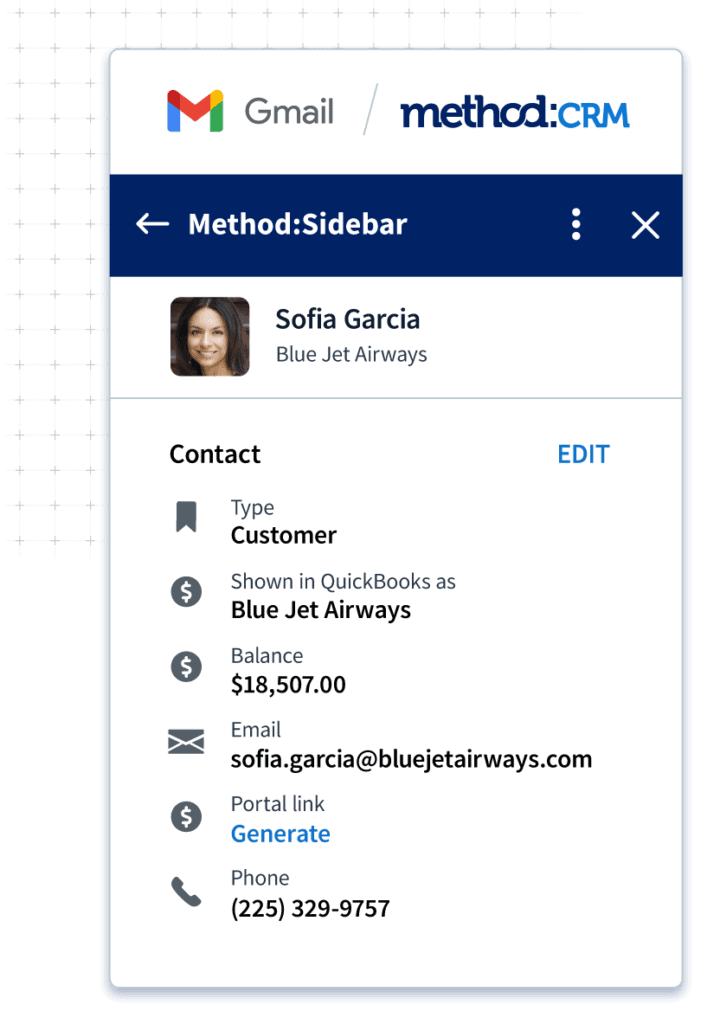
All your data, all in one place
Get a complete view of each lead and customer without having to leave your Gmail inbox. See data from QuickBooks and Method alongside your emails, including:
- Contact details
- Purchase history
- Balance
- Activities
- Sales opportunities
- Documents
Stop flipping between your CRM and Gmail account
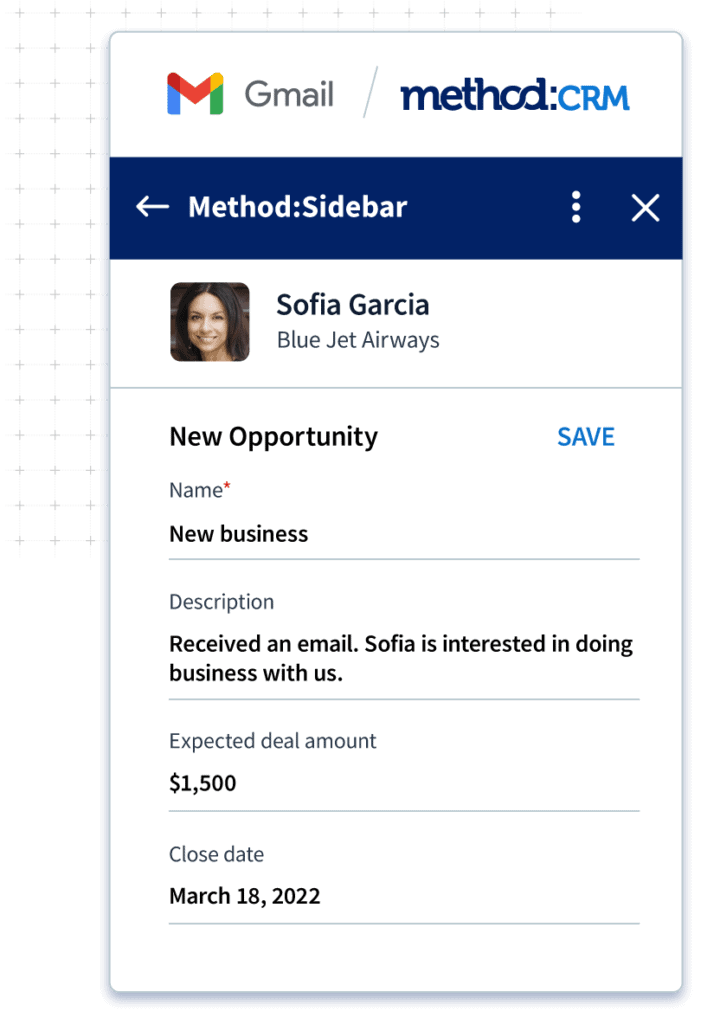
The less time you spend on data entry, the more time you can spend closing sales. Add contacts, schedule follow-ups, and log opportunities right from your inbox with Method’s CRM for Gmail integration.
Track every conversation
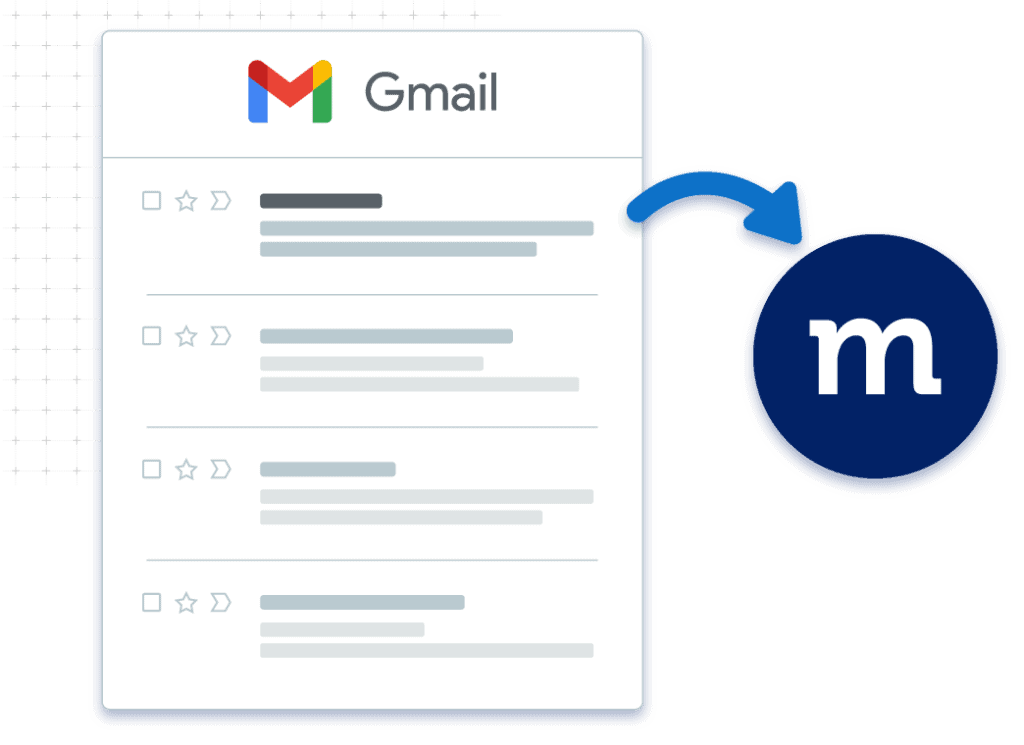
Providing top-notch service begins with tracking each customer’s needs. Save emails from Gmail to Method in just a few clicks — no need to copy and paste.
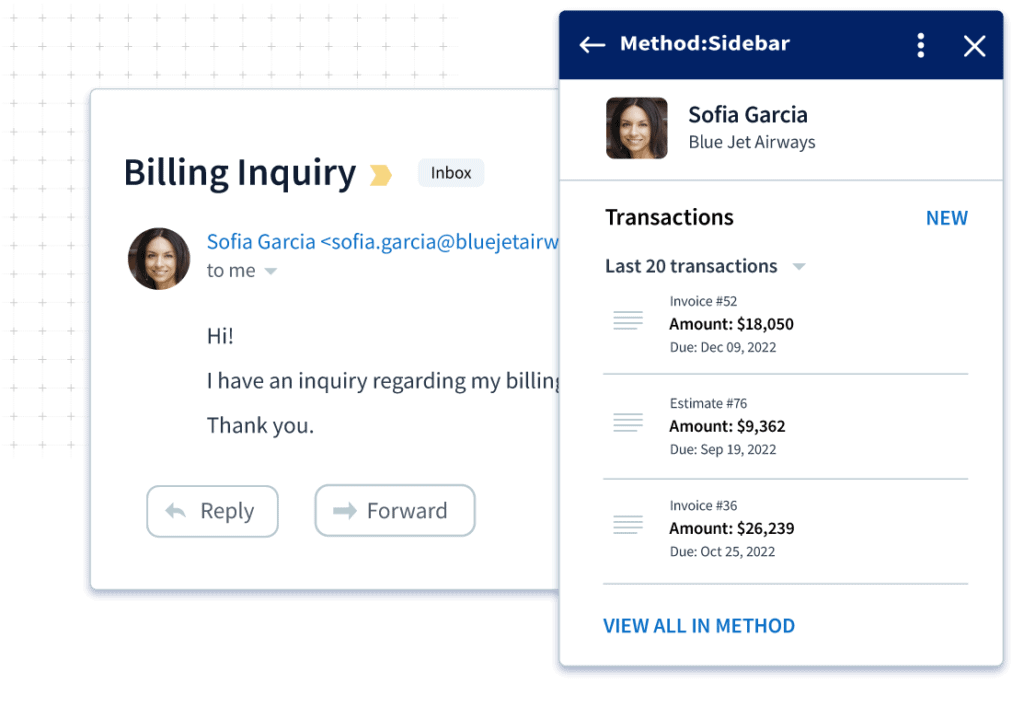
Answer questions effortlessly for improved customer support
If your customer has questions about an order, don’t waste time manually searching for answers. Instead, click the order summary in Gmail to go straight to the full transaction in Method.
Keep your sales pipeline moving
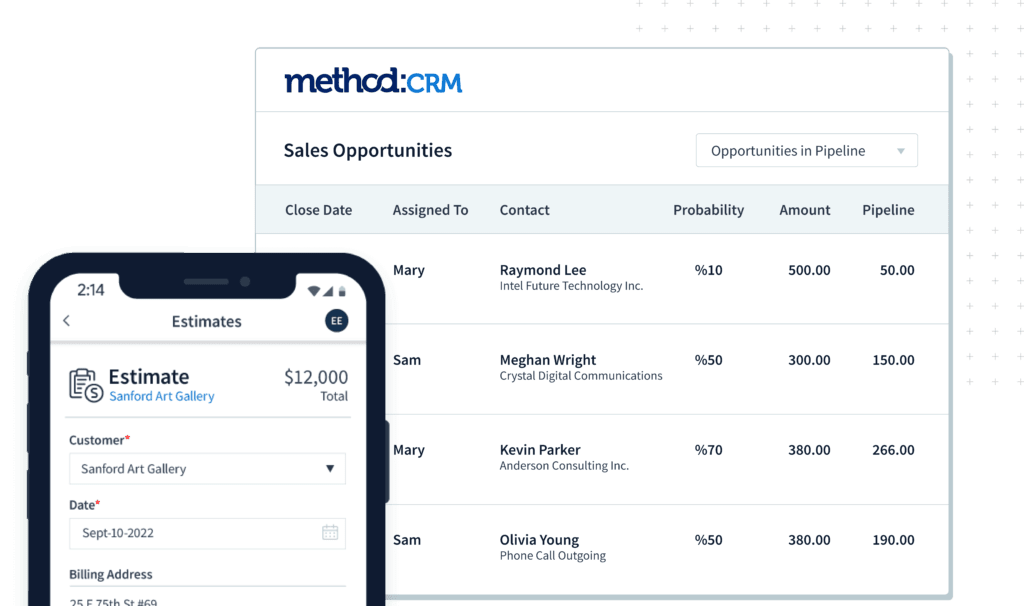
Don’t get stuck in the middle of your sales process, instead move deals forward with strong customer communication and a deep understanding of what they need.
Conveniently bring all the CRM data you need, from right inside your inbox.
Best CRM for Gmail
From finding new leads to nurturing current customers, Gmail is a big part of your sales pipeline.
Get access to sales activities, turn emails into tasks, and easily create new leads in your inbox with Method CRM.
Stay connected with your team
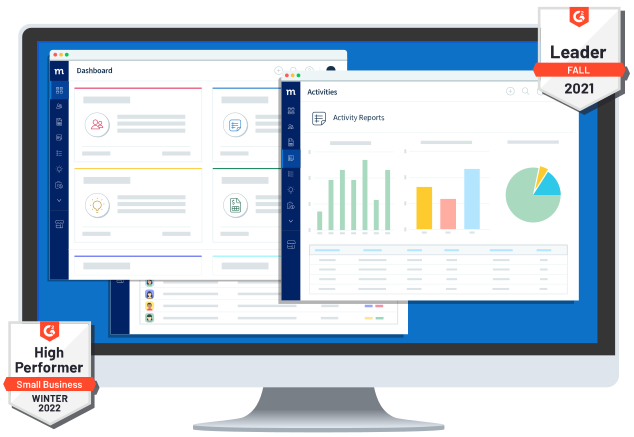
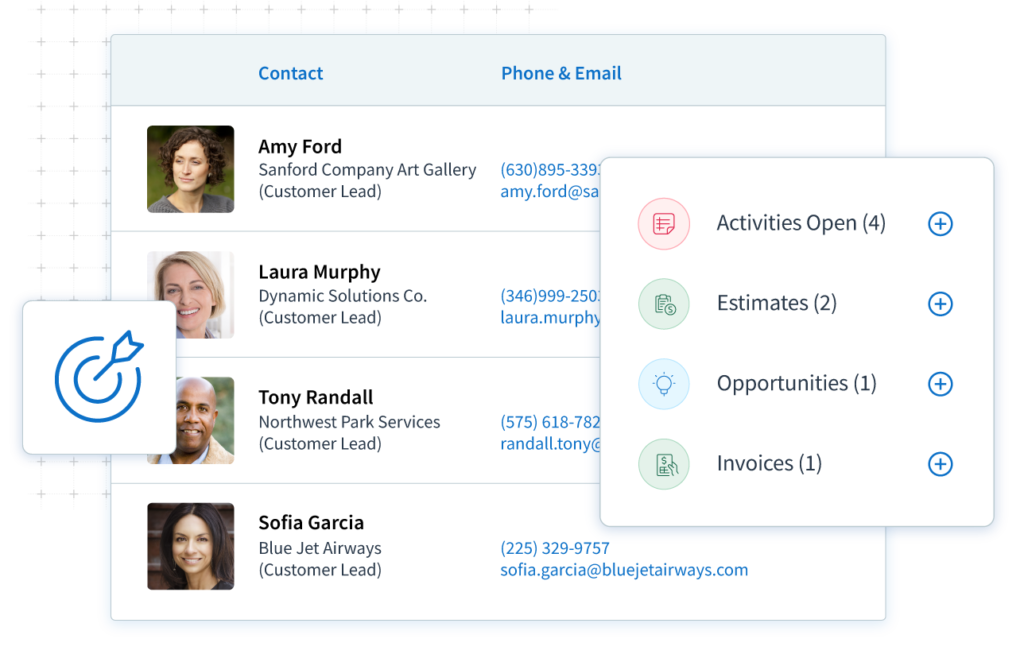
Method’s Gmail integration minimizes your need to bounce between programs. That means you empower your sales team to update contacts, leads, and sales directly their inbox.
Keeping your entire team connected and on the same page has never been easier with Method CRM.
Get the full context for each contact record
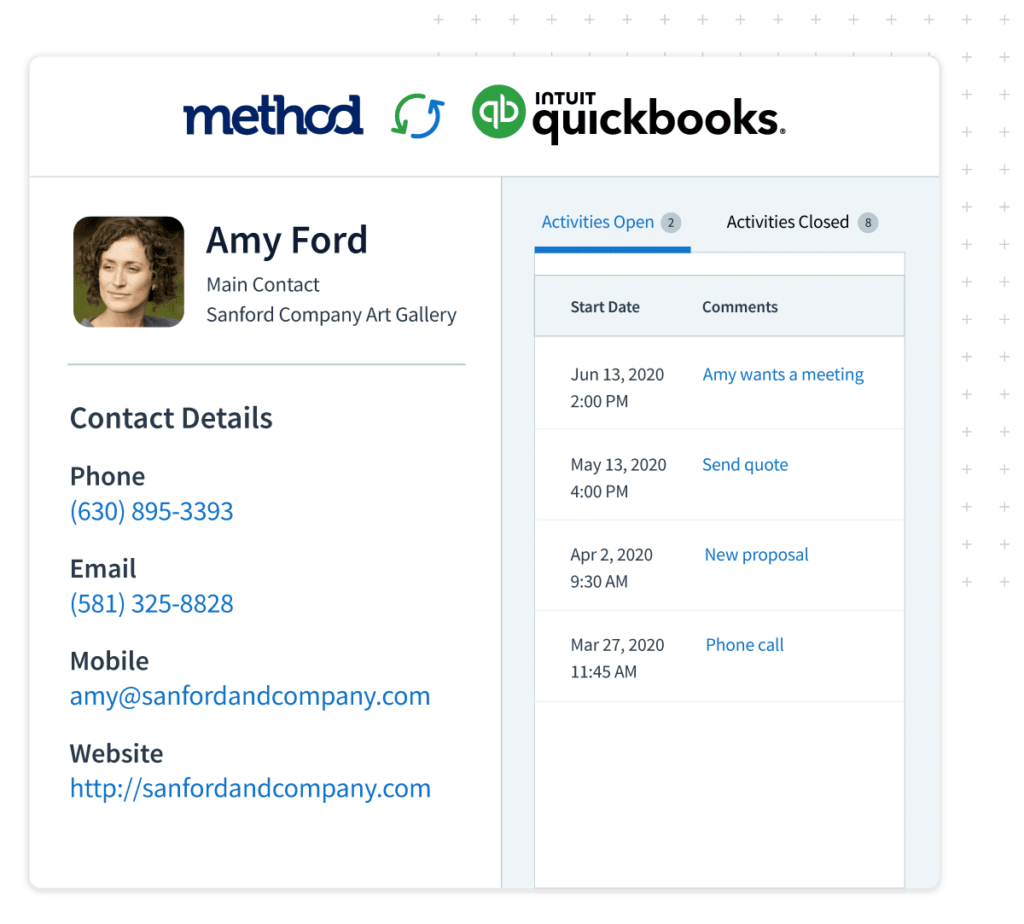
Immediately get insight into each of your contact’s history and activities with Method’s CRM for Gmail.
You’ll always be prepared to make informed responses to your customers with all the data you need at your fingertips.
Why CRM + Gmail integration matters
Most CRMs force you to adapt to their rules. Method flips that script. We say yes to your workflows, your data, and your process. With Method, you can redesign your dashboard, customize invoices, automate tasks, and more. Our team of Method Experts will work with you to create a CRM that truly fits your business.

When your CRM and email aren’t in sync, teams struggle with:
- Outdated contact information stuck in spreadsheets no one remembers to update
- Manual status updates, with employees digging through emails when managers ask for deal progress
- Context-less support replies, because past conversations aren’t visible
- Missed follow-ups, since reminders live in a different tool than the conversation
What changes with a proper CRM–Gmail integration
With the right CRM-Gmail integration approach, your inbox and customer data can communicate with each other. That means no more copying and pasting or leaving the CRM/Gmail interface just to answer a simple customer inquiry.
Since your CRM software is integrated with your email client, you’ll have more time for actual conversations and follow-ups, closing even more deals than before.
Plenty of CRM tools promise this. Very few deliver it in a way that actually fits how real teams work. Method is built for teams that want a CRM solution that adapts to their workflow, not the other way around.
How it works: Step-by-step setup guide
You won’t need a long implementation presentation or a crash course to get started with Method’s CRM Gmail integration. You’re most likely using Gmail and Google Workspace, which means you’re already halfway there.
You’ll be able to use our integration through a sidebar add-on that shows CRM data next to the emails you’re looking at, in real-time.
Install the Method:Sidebar by doing the following:
- Log in to your Gmail account as usual.
- Click on the “Get Add-ons” plus icon on the right side of your inbox. That’ll take you to the Google Workspace marketplace, where you have to search for “Method:Sidebar.”
- Click on the app listing and select “Install.” Here, you’ll click on “Continue” when prompted.
- Select a Method account you’d like to connect, grant permissions, accomplish the authorization steps, and click “Done” once the installation is complete.
If it’s your first time using the sidebar add-on, your browser will prompt you to sign in to Method in a different window.
But once you’re in, you’ll see CRM data appear.
Once installation is complete and you’ve connected your Google account, you’ll be prompted to allow some permissions:
Access to notifications so that you don’t miss important activity updates.
Access to Gmail so that Method can save emails and show conversations in the sidebar add-on.
Access to contact information for contact management and record matching.
Access to Google Calendar that supports activity context and follow up visibility.
Once the sidebar is live, you can welcome workflow automation. Most teams start with three actions: save an email to an existing contact, create a new contact using an email message, and view previous customer interactions without having to switch tabs.
Features deep dive
Let’s explore how Method’s CRM Gmail integration is useful inside the inbox and not just in product demos.
View CRM contact data inside Gmail
Method ensures that you see the important details in every email, whether contact information, account details, activity history, sales opportunities, linked documents, or even related events in the calendar.
Why this matters: Context changes conversations. When you know where a deal stands or what a customer bought last time, your replies are sharper and faster. That’s true for sales CRM teams and support teams alike.
Save emails to Method automatically
Saving and fetching emails don’t have to be stressful, and with Method, you can save emails with one click, link them automatically to contacts and opportunities, and categorize or label emails based on your Method setup.
You get a clean activity trail without relying on plain memory. On top of that, sales managers get to check customer interactions without asking teams and without scouring email threads.
Create new records from emails
New emails often mean new leads are coming in, and you can act on them immediately with Method. Our sidebar lets you create new contacts, add tasks for those contacts, and even log follow-ups for them.
Sales teams can say goodbye to dropped leads, while support representatives can solve concerns faster. For a small team juggling everything, it means less mental overhead.
Synchronize activities and follow-ups
Once emails are saved, Method tracks activity history, including calls, emails, and tasks. Activities and follow-ups remain visible alongside your calendar context. You won’t have to guess when it comes to remembering your most recent touchpoints.
Opportunity tracking without leaving Gmail
In Gmail, you’ll be able to understand the status of deals because Method will show you opportunity data directly from the sidebar add-on. That’s where you can track leads and view deal stages, with updates syncing immediately once saved.
Team collaboration via embedded CRM data
Aside from improving individual productivity, CRM integration improves shared visibility. Everyone gets to see the same customer interactions, updates, follow-up reminders, notes, and scheduled activities. There’s no need for duplicate outreach between team members and managers.
Use cases and scenarios
We’ve got plenty, because good CRM-Gmail integration means the tool adapts to different roles.
Sales teams that want to close deals faster
Gmail is where sales teams are, and Method meets them there. Emails can be connected to existing leads or contacts and new leads can be created manually from emails. On top of that, teams get to sync follow-up activities with Google Calendar.
Support teams that need to answer with context
Support teams don’t have time to hunt for answers.
With Method, you can:
- View purchase history in the sidebar.
- See past customer interactions instantly.
That means fewer back-and-forth messages and faster resolutions.
Small business owners that wear every hat
If you run a small business, your inbox is mission control.
Method helps you:
- Replace scattered spreadsheets.
- Centralize contact management.
- Stay on top of follow-ups.
- Avoid paying for multiple productivity tools.
You don’t need a free CRM that outgrows you in six months. You need something that fits now and scales later.
Customer success teams that manage long-term relationships
Your long-term customers demand and expect that you provide them with service continuity, and Method helps you do that. The Gmail-CRM integration lets you keep emails, notes, calendar events, and other important details related to customer interaction all connected to one record, in one platform.
Teams can then maintain strong relationships without relying on outdated knowledge.

Best practices for using Gmail and CRM together
- Be consistent as you tag and organize. Tags should be used to group conversations by deal, issue type, or the stage of the lead or customer.
- Use the tool’s calendar integration to keep meetings and deadlines visible next to email threads.
- Standardize naming conventions to improve ease of use for sales teams and managers.
- Use follow-up reminders. If an email requires action, you can turn that into a task with Method and easily set up follow-ups so that nothing slips through the cracks.
- Sync Method with QuickBooks wherever applicable for full visibility over the customer lifecycle.
The best CRM Gmail integration approach requires teams to follow a few simple habits, which aren’t overly complicated to follow. Here are practical ways to keep your data clean and useful:
Frequently asked questions
Can you use Gmail as a CRM?
Gmail on its own isn’t a CRM system. It’s great for communication, but it wasn’t built for contact management, lead management, or tracking customer interactions over time. Gmail users often try to turn their inbox into a makeshift CRM using labels, folders, and spreadsheets, but that only works for so long.
A proper CRM-Gmail integration fills the gap. It keeps Gmail as your main workspace while adding structure around:
- Contact information
- Activity history
- Follow-ups and tasks
- Opportunities and sales pipeline data
With Method, Gmail becomes the front door to your CRM, without forcing you to change how you work.
Does Google have a CRM tool?
Google doesn’t offer a native CRM solution. Google Workspace includes tools like Gmail, Google Calendar, and shared documents, but none of them handle customer relationship management on their own.
That’s why many businesses pair Google Workspace with a CRM system built to integrate directly with Gmail. This approach keeps your email, calendar events, and customer data connected without relying on plugins that only solve part of the problem.
What is a CRM on top of Gmail?
A CRM on top of Gmail is software that layers CRM functionality directly into the Gmail interface. Instead of switching between tabs, you see CRM data in a sidebar while reading or sending emails.
With Method’s Gmail add-on, that includes:
- Viewing contact and company records
- Saving emails automatically
- Creating tasks and follow-ups
- Tracking deals and outreach
It’s not about replacing Gmail but about adding the structure Gmail lacks.
What is the best CRM for Gmail?
The best Gmail CRM depends on how much control you want and how complex your workflow is.
Method stands out for teams that want:
- A customizable CRM solution
- Deep CRM integration with Gmail
- Visibility into accounting, sales, and project management data
- Support from a real team, not just a setup wizard
If you want the best Gmail CRM that adapts to your business instead of forcing a template, Method is built for that.
How do I choose the right CRM for Gmail?
Choosing the right CRM tools starts with how your team actually works.
Ask yourself:
- Do we live in Gmail all day?
- Do we need to track leads, deals, or support conversations?
- Do we rely on Google Calendar for scheduling?
- Are spreadsheets becoming unmanageable?
Also consider ease of use. A CRM system that looks good but never gets used won’t help your business. Look for a user-friendly setup, clear functionality, and plans that can grow with you.
Which platform offers the best CRM Gmail integration?
Many platforms claim Gmail integration, but not all integrations are equal.
Some tools only offer:
- A Chrome extension with limited access
- One-way syncing
- Basic email tracking without context
Method’s CRM Gmail integration goes further by embedding CRM data directly in the inbox. It works with Google Workspace, syncs calendar events, and supports deeper workflows without disrupting your day.
What is the process of CRM integration with Gmail?
Most Gmail CRM integrations follow a similar setup flow.
With Method, the process looks like this:
- Install the Gmail add-on from the Google Workspace Marketplace
- Grant permissions to connect Gmail, Google Calendar, and contacts
- Sign in to your Method account
- Open an email to view CRM data in the sidebar
From there, emails, tasks, and activities sync automatically. No manual importing or broken connections.
What is the best Gmail CRM extension for managing contacts?
A strong Gmail CRM extension should handle more than just names and email addresses.
Look for tools that support:
- Full contact management
- Activity timelines
- Email templates for consistent outreach
- Email opens and response tracking
- Permissions for shared visibility
Method’s Chrome extension-style add-on focuses on managing real relationships, not just storing data.
How can I sync my CRM contacts with Gmail?
With Method, email conversations are automatically connected to existing CRM contacts in Gmail. You can save emails to Method with a click, create new contacts when needed, and keep all activity history in one place without exporting lists or managing spreadsheets. Your CRM remains the source of truth, while Gmail gives you instant context as you work.
How can integrating CRM with Gmail improve my workflow?
Integrating CRM with Gmail removes unnecessary steps from your day.
Instead of:
- Switching tabs
- Copying notes
- Updating records later
You handle everything in one place. That means fewer mistakes, faster responses, and a smoother workflow from first email to closed deal.
How does integrating a CRM with Gmail improve productivity?
Productivity isn’t about doing more. It’s about removing friction.
A Gmail-CRM integration improves productivity by:
- Reducing context switching
- Centralizing customer interactions
- Automating routine updates
- Keeping follow-ups visible
What features should I look for in a CRM that integrates with Gmail?
At a minimum, your CRM software should support:
- Native Gmail interface access
- Google Calendar integration
- Contact and lead management
- Email activity visibility inside the CRM
- Notifications and reminders
- Mobile app access on iOS and Android
- CRM features that grow with your team
Free CRM tools or a free plan can be useful for testing, but paid plans often unlock the functionality teams actually need.
Method was built to support real workflows, not force you into a box. If you’re tired of juggling tools that almost work, it may be time for a CRM system that finally fits how you do business.