Customize your CRM just by asking

Method has always been customizable. Now it’s as easy as asking.

Customizing used to take design skill, or waiting on an expert for even the small changes. Now you can describe what you need in your own words and see the change where you’re already working. A CRM that fits how you actually work, with less time spent working around your software.

  • Manufacturing

  • Distribution

  • Field Services

Keep your costs private
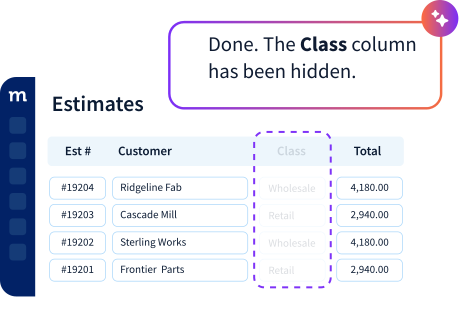
Ask Method to hide the cost column on the estimate your reps work in.
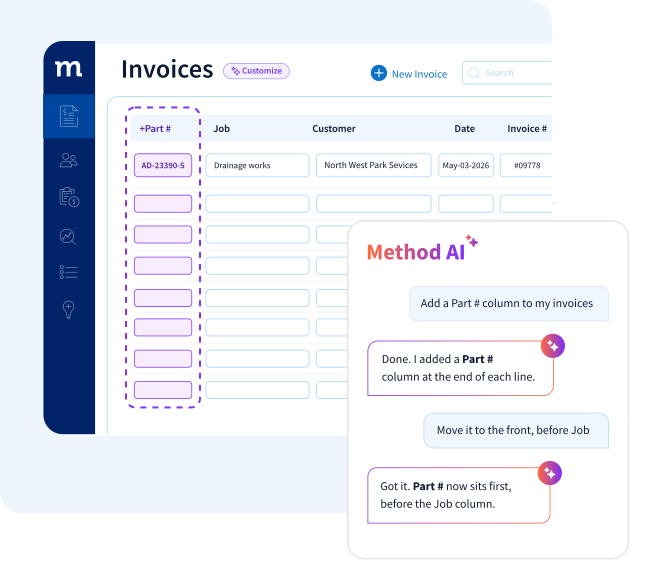
Use your existing part numbers
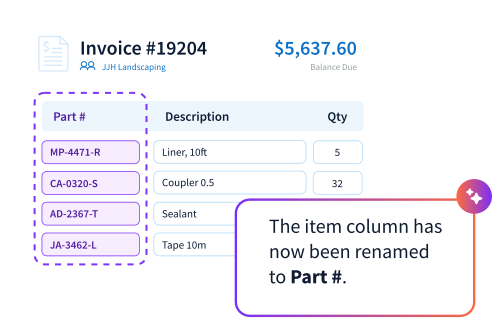
Ask Method to rename the item column to part number, on the invoice and everywhere else it appears. The invoice and the shop floor finally use the same word for the 
same thing.
Track every job
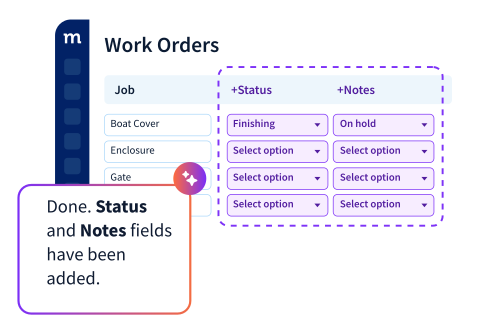
Ask for a status list and a notes field on your work order. Anyone in the office can answer where a job stands without walking out to the floor to look.
1/3
Know who owns the account
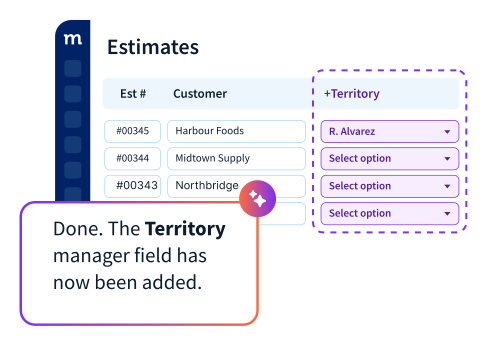
Ask for a territory manager field on your estimate and every quote carries an owner. Coverage gaps and commission questions get settled from the record instead of from memory.
Prove what shipped
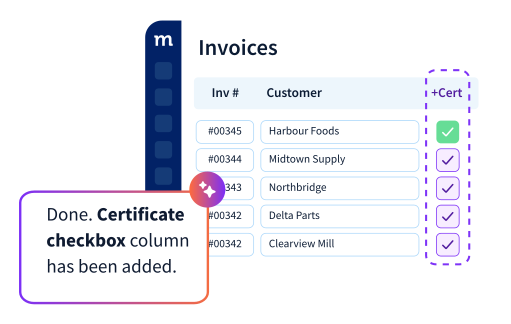
Ask for a certificate-attached checkbox on your invoice. Whoever picks up the phone can confirm the paperwork went out without opening the shipment file.
Use your customer’s part numbers
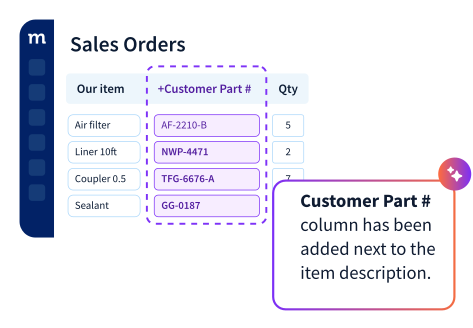
Ask for their part number as a column on the sales order and both numbers ride along. Your customer recognizes every line, and nobody digs through a lookup sheet to confirm an item.
1/3
Sent crews out with codes in hand
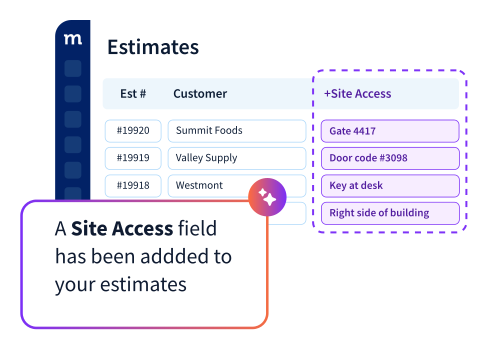
Ask for a site access field on your estimate and the detail lives on the job instead of in someone’s head. The crew gets in on the first try, and the office phone stops ringing from the driveway.
Show the job, not the price
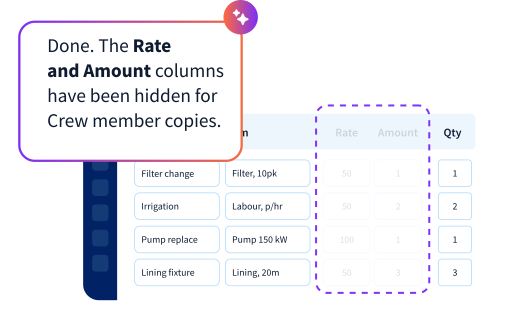
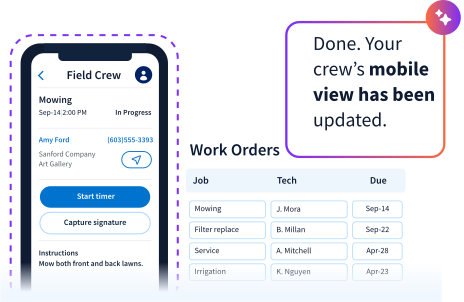
Ask Method to hide rate and amount on the copy your field crew works from. They see what to do and what to fit. The money stays in the office.
Show only what the crew needs
Ask Method to hide the buttons and columns your crew never touches. Four things on a phone screen beats twelve, so the job gets closed from the driveway instead of back at the office.
1/3

Yes to real-world business

Every business runs differently. Add invoice fields, adjust job stages, rename steps and shape Method around the way your team actually works.

Your fields

Your words

Your layouts

Your columns

Your checkboxes

Your lists

Yes, there’s a Method for that.

Some builds are bigger than a sentence

Adding a field or changing a layout is one thing. A quoting flow that crosses three teams, or a production process nobody else runs, can take more. Our experts have spent years working with manufacturing, distribution and field service businesses, so you won’t have to explain your business from scratch. The first hour is on us.

Ask, and keep asking until it fits

Say it

In your own words, ask Method AI for what you need.

Watch it build

Live, in front of you, or it tells you what it can’t do.

Keep it or roll it back

One step back if you change your mind. Bigger builds go to our experts.

Yes, there’s an 
API for that

Want to get more out of the data in Method? Connect Claude or ChatGPT to Method’s API to ask questions, build reports and work with the information your business already has in Method.

You decide what the AI can access.

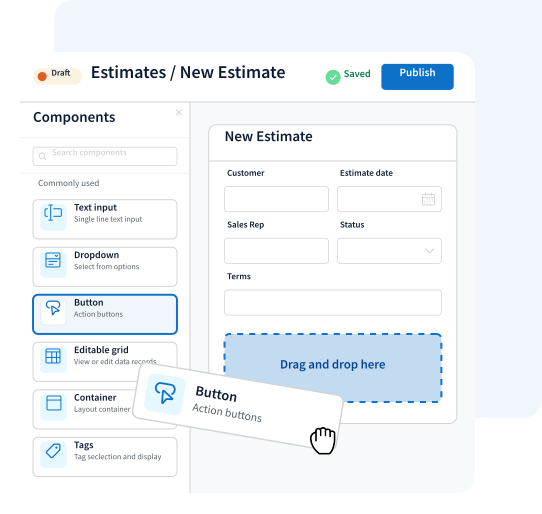
Build the automations behind your estimates and orders

The canvas where your screens get built is live today. Drag in the pieces you need, shape what happens when an estimate is won or an order ships, and ask Method AI to explain it in plain English.

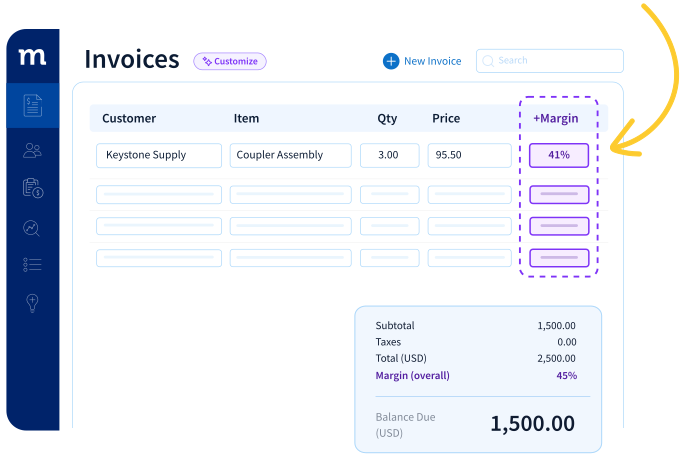
See your margin before the invoice goes out

Add a margin column that calculates profit automatically from cost and price.

Built from a formula field. No spreadsheet. No month-end surprise.

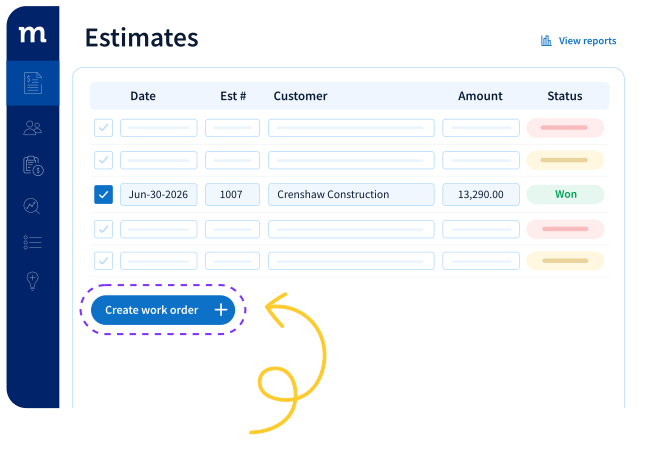
Turn a won quote into work with one click

Create the work order and carry the estimate details across automatically.

Built from a button and an automation. Nothing gets retyped.

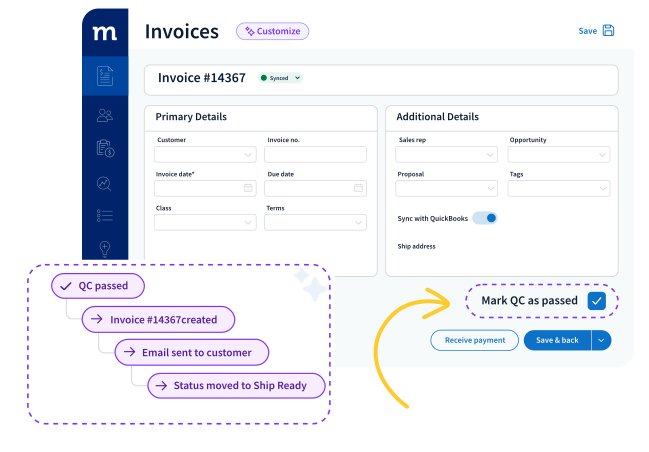
Invoice as soon as quality checks are complete

Once QC is approved, Method creates the invoice, emails the customer and moves the order to the next stage.

Built from one checkbox and three automations. Faster invoicing, fewer handoffs.

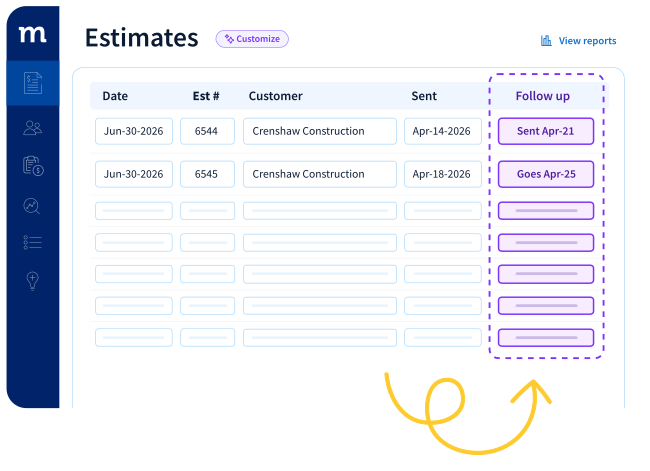
Follow up on cold quotes automatically

When a quote goes cold, Method sends the follow-up and logs it automatically.

Built from a date rule and an email automation. No quote gets forgotten.

Built for Businesses QuickBooks already runs

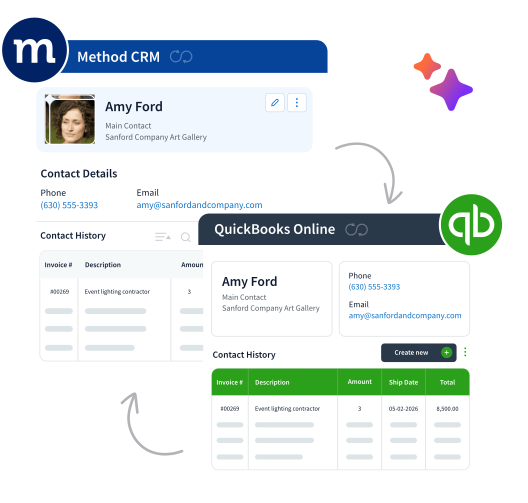
Method is the customizable CRM for manufacturers, distributors and field service teams using QuickBooks.

QuickBooks handles the accounting. Method handles the work around it — leads, estimates, orders, jobs and payments — while keeping your data synced.

With Method AI, shaping that system around the way you work is as simple as describing what you need.

FAQs

No. Method AI customizes your forms and workflows. Building those changes never sends your QuickBooks data to an AI model, and your books keep syncing the way they always have.

Yes. Customization changes roll back in one step when you make the change during that session. As building expands into workflows and calculations, controls expand with it.

Method AI is available in selected parts of Method today, and the rollout continues through 2026. Your Method expert can tell you exactly what is covered for your setup.

Method is built to support a sales pipeline that fits your actual process, with customizable forms, custom fields, columns, lists, workflows, and CRM dashboard experiences. Method AI makes supported changes easier by letting you describe what you need in plain English.

Fields, layouts, dropdowns, checkboxes, columns, and the names and labels on your forms. Deeper logic, calculations and workflows are the next phase. In the meantime, our experts build those with you — real subject-matter experts who treat you like a partner, not a ticket. The first hour is on us.

Yes. Method AI uses generative AI to understand what you require and help you work with Method. You can ask it to explain what is happening in your CRM or tell it to make supported changes, like adding a field, renaming a column, or hiding something your team doesn’t need. It’s built specifically around your Method experience, rather than being a general purpose AI chatbot.

Method AI brings AI directly into Method CRM, where your customer data and workflows already live. Unlike many AI-powered CRM systems, Method combines AI with deep customization and QuickBooks sync, so your CRM can adapt as your business grows, and your team can stay closer to customers and support customer retention.

Your workflows already exist. Now there’s a Method for them.

Getting started takes a conversation, not a rebuild — describe how your business runs and Method builds to match.