From quote to cash, all in Method
Send invoices, collect payments, and keep QuickBooks in sync automatically. No extra tools, no double entry.
Your payment processor and your CRM shouldn’t be strangers
When payments live in a separate system from your CRM and accounting software, your team spends more time reconciling transactions, tracking down information, and fixing errors.
How payments work in Method
Create an invoice.
Convert a quote to a job and invoice in one click.
Get paid.
Customers pay by card or ACH through your branded payment portal.
Sync automatically.
Payments update Method and sync to QuickBooks automatically.
Stay reconciled.
Fees, refunds, and chargebacks are managed in one dashboard.
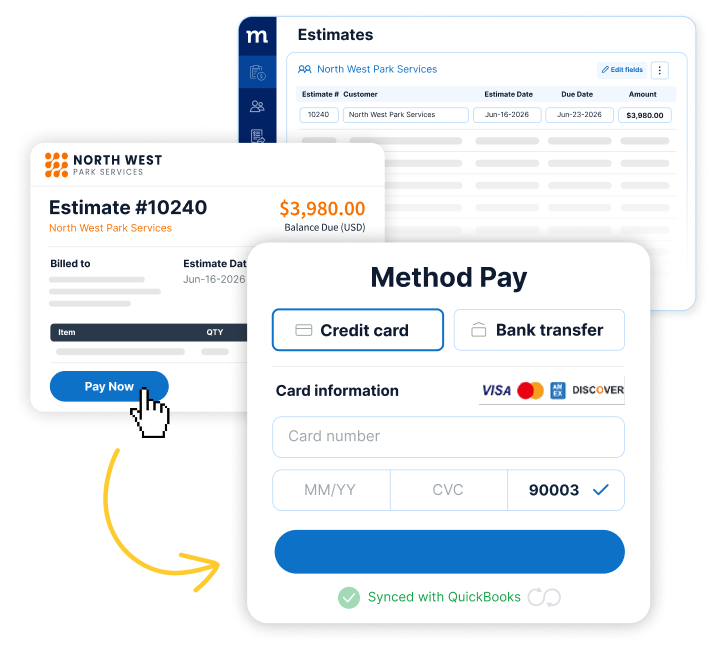
Connect the dots from quote to cash
- Convert a quote to an invoice in one click
- Every payment auto-matches its invoice
- Fees, refunds, and chargebacks in one dashboard
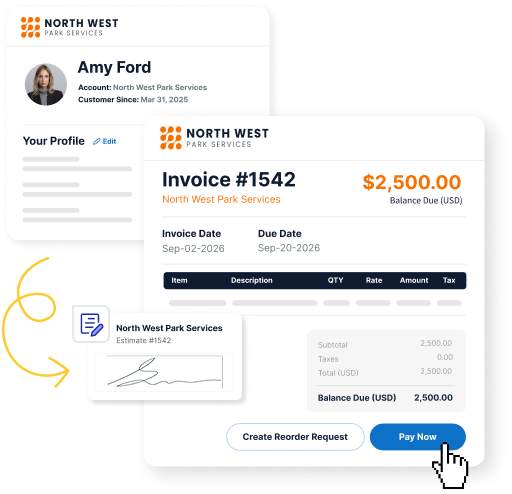
Payments that fit the way your business works
- Deposits up front, balance on completion
- Branded customer portal, e-signature and per-job terms
- Recurring invoicing and autopay
Yes to transparent pricing
The same rate whether you’re invoicing online or taking payment by phone. No setup fees, monthly minimums, or cancellation fees.
Payout T+4 days
Payout T+1
These are Method Pay’s standard published rates and may change. Your rates are set by the Method Pay Payment Processing Agreement. Available for US businesses only.