
CRM Built for QuickBooks Desktop
Method CRM connects to QuickBooks Pro, Premier, and Enterprise to sync customer, invoice, estimate, and payment data in real time. Your team gets a flexible CRM that works alongside QuickBooks Desktop — no extra Desktop seats, no double entry.
- Dedicated onboarding specialist
- No credit card required
- Free hour 1:1 workflow customization
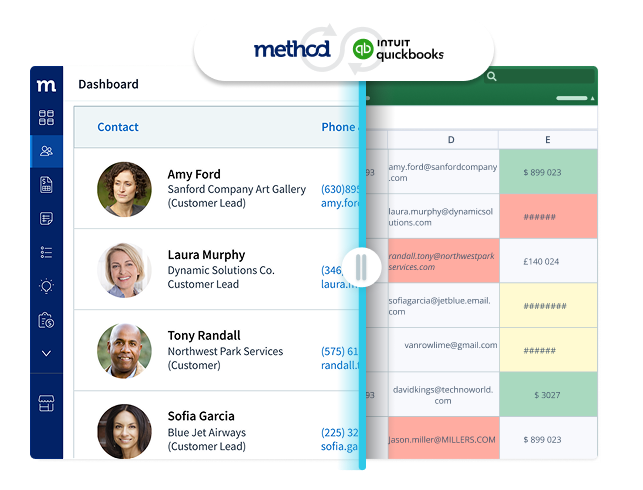

18,000+ teams on QuickBooks Online & Desktop trust Method to keep their books and sales in sync.
1,600+
Five-star ratings on Capterra & G2
18k+
Businesses run their day on Method
14yrs
Built around QuickBooks since 2010
2-way
Real-time sync with QuickBooks Online & Desktop
the difference
Built for the way real businesses actually run.
Orders change. Approvals evolve. Invoices need context. Customers expect fast answers. Method adapts to your workflow while keeping QuickBooks at the center.

Stop working around QuickBooks
Your team needs more than imports, exports, and spreadsheet fixes.
QuickBooks keeps your accounting accurate. But sales, operations, and customer work happen somewhere else — in Excel, email threads, and disconnected apps.
Method gives your team a connected CRM built around QuickBooks, so customer activity, invoices, payments, and workflow updates stay aligned.


beyond import & export
When QuickBooks import tools aren’t enough.
Importers move data. They don’t solve the bigger problem: your team still tracks follow-ups, approvals, orders, and customer updates outside the system.
Method connects the work around QuickBooks — so your team spends less time copying data and more time moving the business forward.
Without Method
- Manual CSV imports each week
- Sales lives in spreadsheets
- Duplicate customer records
- Email-thread approvals

With Method
- Real-time 2-way sync
- One source of truth
- Customizable workflows
- Customer portal & e-sign

Replace duplicate entry with one connected workflow.
Method connects directly to QuickBooks at no extra cost, keeping customer information, invoices, payments, and updates accurate across both systems. Your team can manage customer relationships and workflows in Method without duplicate data entry, changing accounting records unintentionally, or requiring direct access to QuickBooks.
- Sync invoices, estimates, customers, and payments with QuickBooks
- Give sales and accounting the same view of customer data
- Customize workflows without breaking the QuickBooks connection
- Reduce spreadsheet handoffs and manual data cleanup
- Keep QuickBooks as your accounting system of record

Recommended by Intuit and trusted by thousands






























4.7/5


4.5/5


4.7/5


4.2/5


4.4/5
There’s a Method for
getting sales & accounting in sync.
Start your free trial and see how Method connects customers, invoices, payments, and real-world workflows with QuickBooks.
- Dedicated onboarding specialist
- No credit card required
- Free hour of workflow setup
quick answers
Frequently asked questions
Yes — Method connects to QuickBooks Pro the same way it connects to Premier and Enterprise: a real-time, two-way sync for customers, invoices, estimates, and payments, without requiring extra QuickBooks Desktop seats for your team.
None from Method’s side — the sync works the same real-time, two-way way across QuickBooks Pro, Premier, and Enterprise. Whichever edition your business runs, Method connects to it without needing separate setups or extra Desktop licenses.
No — Method gives your whole team CRM access without buying additional QuickBooks Desktop seats. Only the sync itself needs to connect to your existing QuickBooks Pro, Premier, or Enterprise installation.
Copyright © 2026 Method Integration. All rights reserved.