

Work Orders → QuickBooks. Zero Double Entry.
There’s a Method for that.
Creates your work orders, invoices, and customer records all in Method — then syncs everything to QuickBooks automatically — keeping QuickBooks organized without manual cleanup. No double data entry. No errors. Just clean books.
- Dedicated onboarding specialist
- No credit card required
- Free hour 1:1 workflow customization
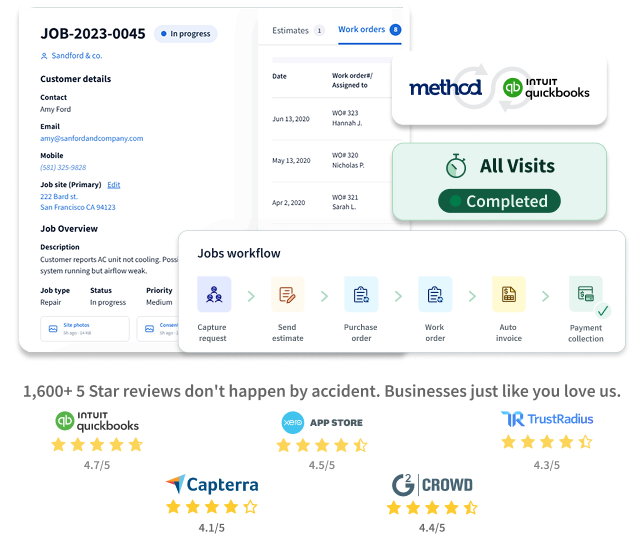

18,000+ teams on QuickBooks Online & Desktop trust Method to keep their books and sales in sync.
1,600+
Five-star ratings on Capterra & G2
18k+
Businesses run their day on Method
14yrs
Built around QuickBooks since 2010
2-way
Real-time sync with QuickBooks Online & Desktop
the difference
Built for the way real businesses actually run.
Change orders come in mid-job. Subs need updates from the field. Customers want to know when the crew’s showing up. Method adapts to your workflow while keeping QuickBooks at the center.

DISPATCH & SCHEDULING
See every job, every crew, every day.
- Know who’s available, right now
- See technician schedules side by side and assign jobs by availability, location, or workload — no separate calendar to check.
- Keep crews and customers in the loop
- Automated appointment reminders go out by email or text, so fewer missed visits and fewer “just checking in” calls to the office.
- Adjust without losing the day
- Cancellations and urgent calls happen. Reassign a job or shift an appointment in a few clicks, and the change syncs through to the work order automatically.



Recommended by Intuit and trusted by thousands






























4.7/5


4.5/5


4.7/5


4.2/5


4.4/5
beyond import & export
When QuickBooks import tools aren’t enough.
Importers move data. They don’t solve the bigger problem: your team still tracks follow-ups, approvals, orders, and customer updates outside the system.
Method connects the work around QuickBooks — so your team spends less time copying data and more time moving the business forward.
Without Method
- Job costs tracked in spreadsheets
- Sales lives in spreadsheets
- Duplicate customer and job records
- Change order approvals buried in email threads

With Method
- Real-time 2-way sync
- One source of truth
- Workflows built around your jobs
- Customer portal for approvals & e-sign on change orders

Replace duplicate entry with one connected workflow.
Method connects directly to QuickBooks at no extra cost, keeping customer information, invoices, payments, and updates accurate across both systems. Your team can manage customer relationships and workflows in Method without duplicate data entry, changing accounting records unintentionally, or requiring direct access to QuickBooks.
- Sync invoices, estimates, customers, and payments with QuickBooks
- Give the office and the field the same view of job and customer data
- Customize workflows without breaking the QuickBooks connection
- Reduce spreadsheet handoffs between the jobsite and the back office
- Keep QuickBooks as your accounting system of record
There’s a Method for
getting sales & accounting in sync.
Start your free trial and see how Method connects bids, invoices, payments, and jobsite workflows with QuickBooks.
- Dedicated onboarding specialist
- No credit card required
- Free hour of workflow setup
Copyright © 2026 Method Integration. All rights reserved.